After setting up basic shipping and handling for your PrestaShop 1.5 store, you may need more details. You can set additional fees by geographic zone, ranges, and carrier. This may be necessary of the carrier charges you additional fees to deliver to specific areas.
To set additional Shipping fees in PrestaShop 1.5:
- Log into your PrestaShop 1.5 dashboard
- Using the top menu bar, hover over the Shipping tab and select Shipping from the menu.
- From the Shipping : Shipping page you can set the additional charges. Select the Carrier and then set the additional charges for each range for each zone.
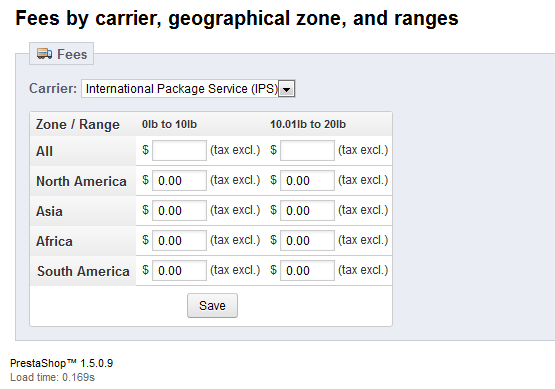
- Click the Save button when finished.
