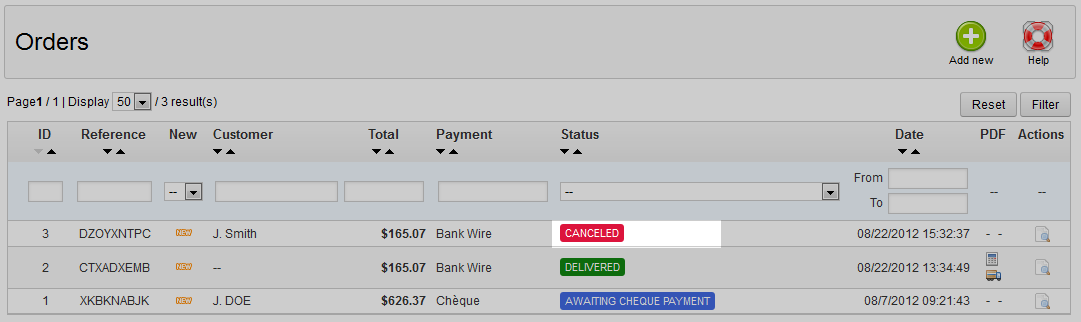
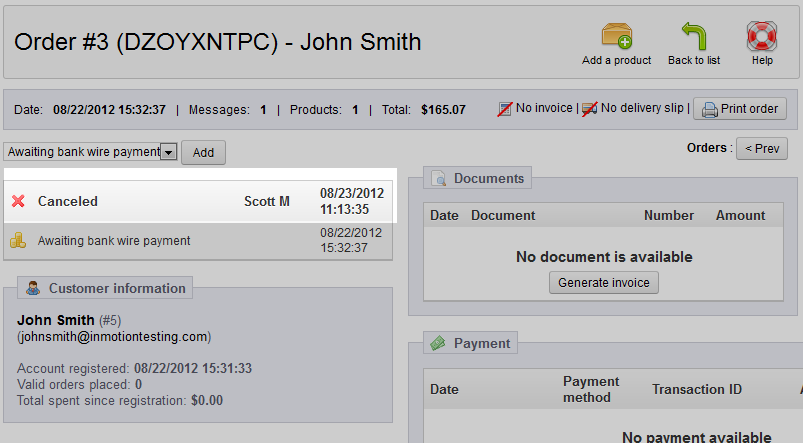
Knowing how to cancel an order in PrestaShop 1.5 is extremely important. After adding or editing an order on a customer account, there may be an occasion to completely cancel it. This action does not actually delete the order, but places the order in canceled status. Orders are never completely deleted from your store. Follow along the steps below to learn how to cancel an order within the PrestaShop 1.5 back office.
NOTE: Orders can NOT be fully deleted from the database from within PrestaShop. This is by PrestaShop’s design and intended for more accurate record-keeping.
Canceling an order in PrestaShop 1.5 back office
- Log into your PrestaShop 1.5 admin dashboard.
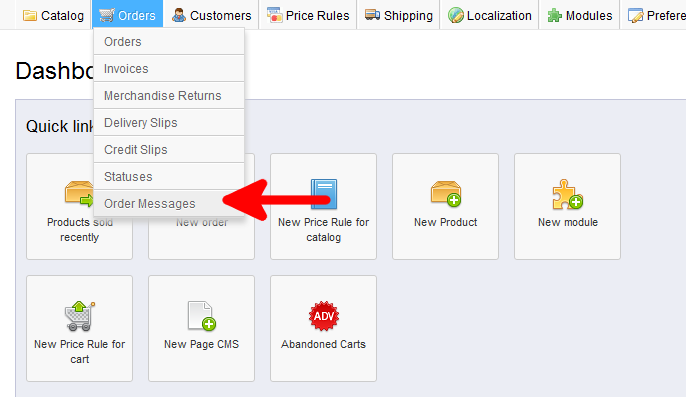
- Using the top menu bar, hover over the Orders tab and click on the Order option.
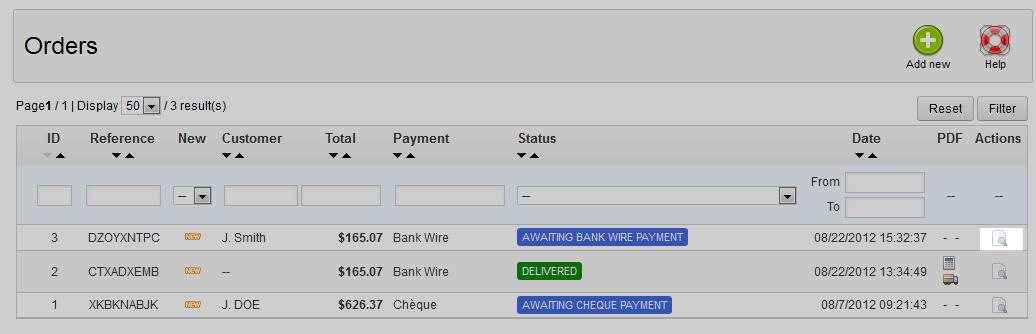
- You will now be at the Orders list page which shows all orders and other details such as their current status. Locate the order you want to edit and click on the View button on the far right side of the row. It is the one that looks like a paper with a magnifying glass.
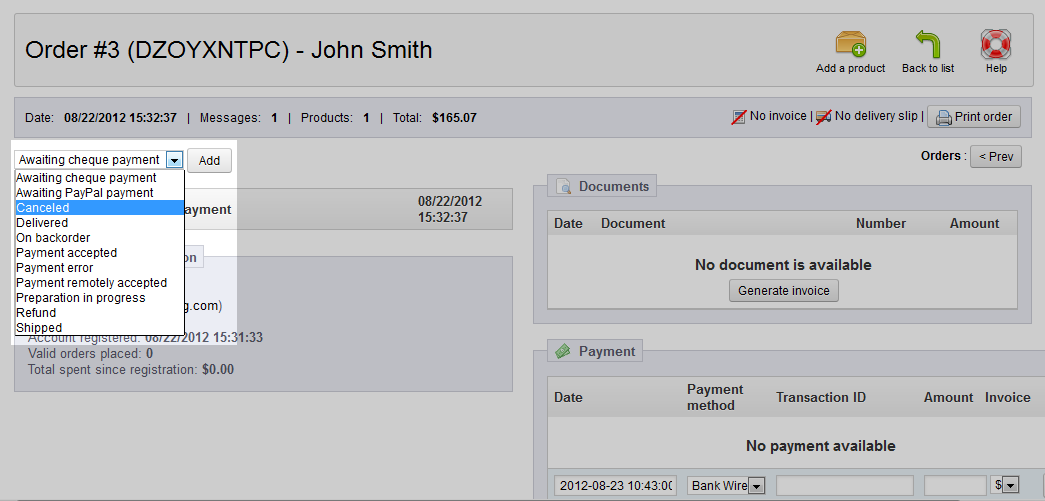
- Now you are on the editing screen for your selected order. On the left hand side of the screen is a dropdown, which is for adding a new status to the order. This is to add a different status. Click on the dropdown and you will see a Cancel option. Highlight that and click on the Add button just to the right. This adds a row to the status list just underneath the dropdown.
- Click on the Back To List button found in the upper right corner to return to the orders list for you to review. The canceled order should now have a red Canceled status. This confirms your cancellation of the order in the PrestaShop 1.5 back office.