Adding contact email addresses in PrestaShop 1.5 can help your customers contact the right people. From your Contact Us form, the customer selects which department to send their
questions or comments. There are two default contacts, webmaster and customer service. Perhaps you want to add additional contact email addresses, such as sales or feedback.
Adding a new contact email address in the back office interface for PrestaShop 1.5 is very simple with these steps.
To add a contact email address in PrestaShop 1.5:
- Log into your PrestaShop 1.5 admin dashboard.
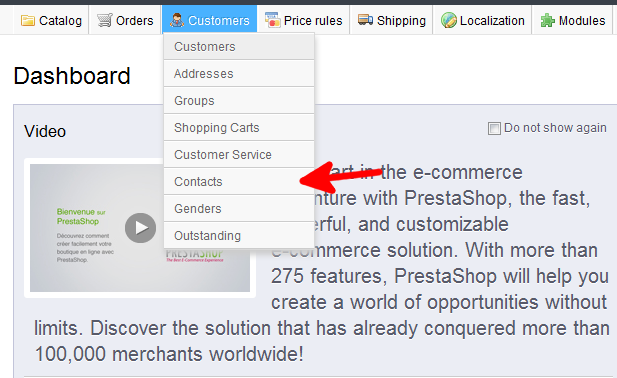
- Use the top menu bar and hover over the Customers tab, then click on the Contacts option from the popup menu.
- You are now on the Customers : Contacts screen. From here, click on the green Add New button in the upper right hand corner.
- This takes you to the Customers : Add Contacts page. From here, add the required information for your new contact point.
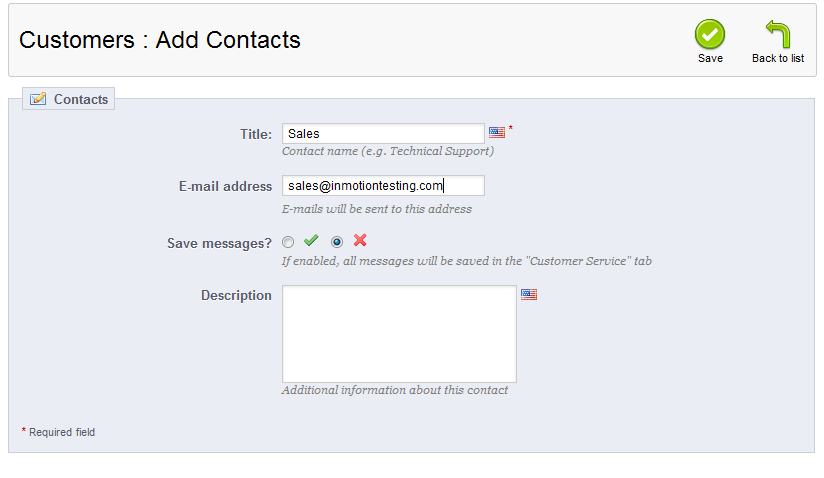
- Once completed, click on the Save button to save the new address. The contact list will now display your newly added contact.
Before After 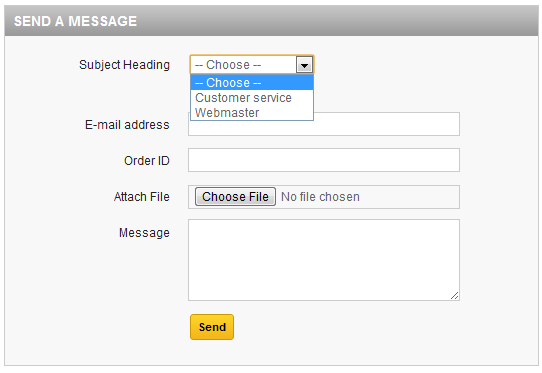
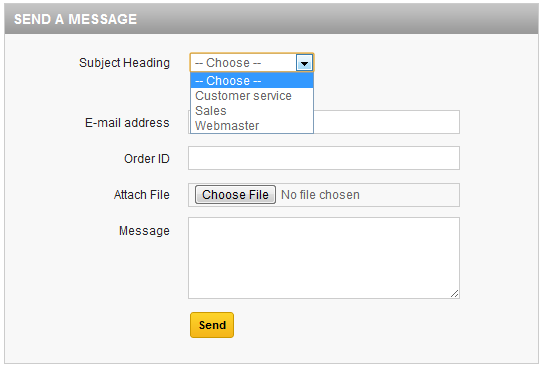




You now know how to add a contact email address in PrestaShop 1.5