In the PrestaShop 1.5 back office interface, several notifications are enabled by default. These are new order, new customer, and new message notifications. These can be disabled or re-enabled by using the back office dashboard. This article goes over how to edit the new order notification setting. Disabling or enabling the new order notification in PrestaShop 1.5 is easy when you use the following steps:
- Log into your PrestaShop 1.5 admin dashboard.
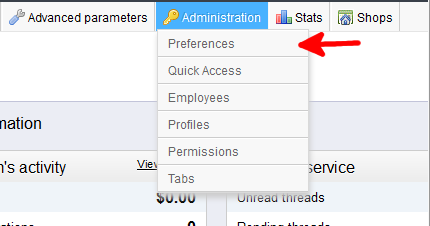
- Using the top menu bar, hover over the Administration tab and select the Preferences option.
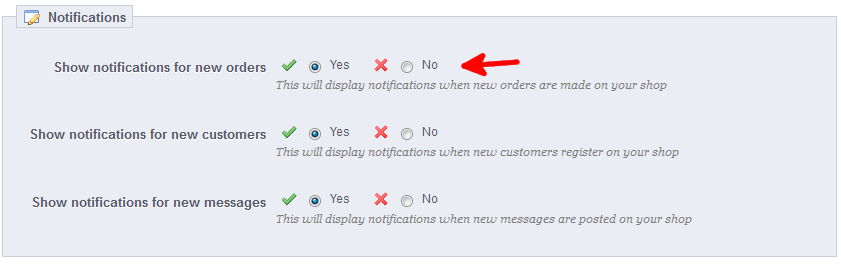
- You are now on the Administration : Preferences screen. In the lower section, named Notifications, you will see the setting named Show notifications for new orders. This is set to Yes by default, which means the notification is turned on. To turn it off, simply click the radio button next to the red X.
- Once finished, click the green Save button in the upper right corner.


That is how you change the new order setting in PrestaShop 1.5