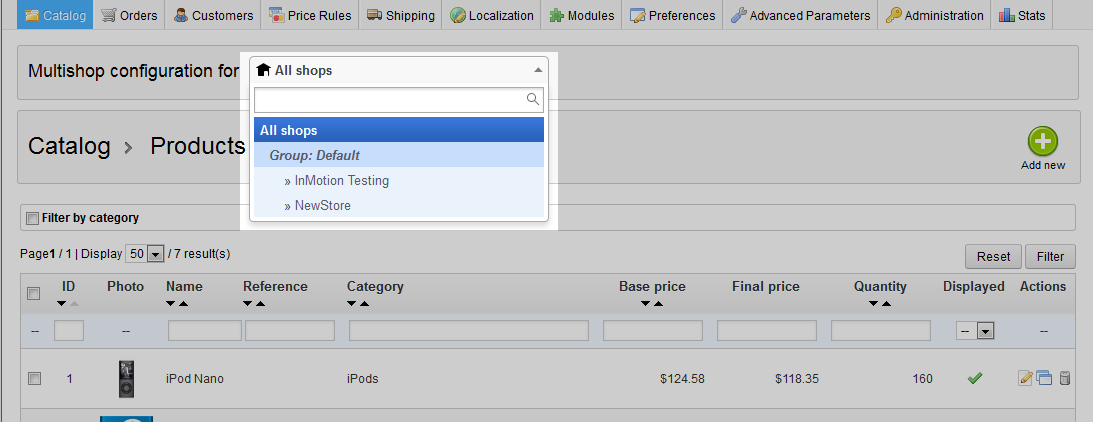
When working with the multistore option in PrestasShop 1.5, you may want to switch back and forth between the shops while working in a certain area. Certain pages give you the ability to change which store you want to work with. They also allow you to choose to work with shop groups, or all shops. Changing the focus of which shop or group you are working with is known as changing the context of that page.
Switching Between Shops
- Log into your PrestaShop 1.5 dashboard.
- Using the top menu bar, hover over your choice of tab, there is not a specific tab to select as the ability to switch shops will display on many pages. For demonstration purposes, we will choose the Catalog tab.
- At the top of each screen, you will see a small section named Multishop Configuration For. This has a dropdown where you can choose which store or groups you want to work with.

All Shops Settings will affect all shops. Group Setting will affect all shops within that particular group. Individual Shop Settings will affect only that shop. Please note that there may be a notation on the top of some pages you work on that warns you that changing certain settings will affect all shops, regardless of the setting you have up top. An example of the message is shown below.