After learning how to add a new Supply Order Status, you may find cause at some point to delete one or more of your custom statuses. You are only able to delete any status that you created, as the default statuses are not available for deletion. The instructions below will teach you to remove a Supply Order Status in PrestaShop 1.5
In order to delete a Supply Order Status the Advanced Stock Management option must be enabled.
How to delete a supply order status in PrestaShop 1.5
- Log into your PrestaShop 1.5 dashboard.
- Using the top menu bar, hover over the Stock tab and click on the Configuration option from the menu.
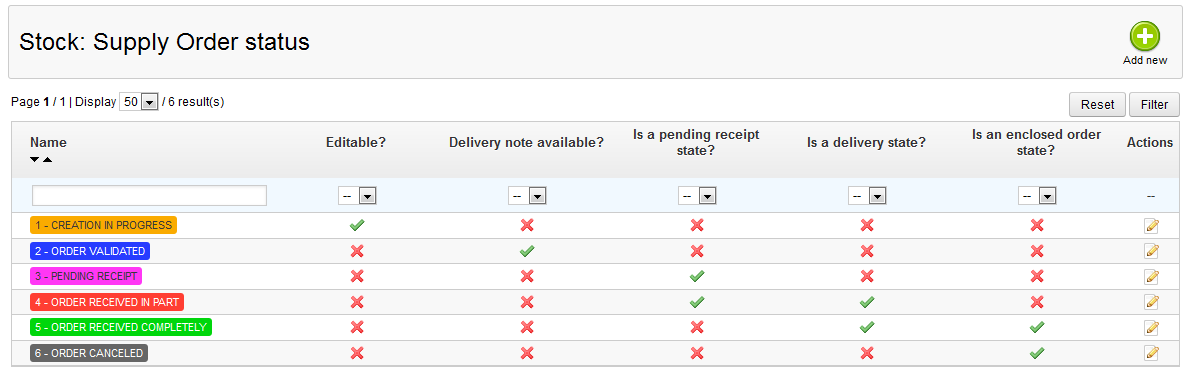
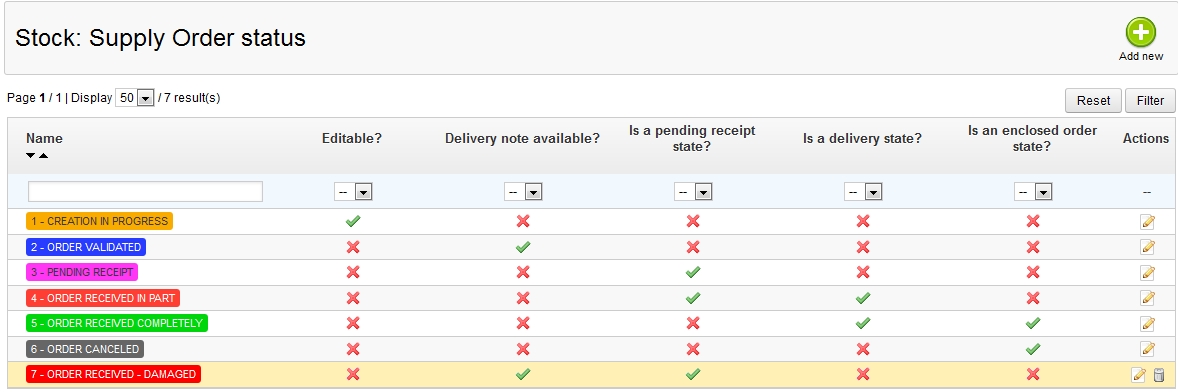
- This brings you to the Configuration page where there are various settings for Advanced Stock Management. Look for the Supply Order Status section, which is located at the top of the page. You will see a list of the existing supply order statuses as below.

- To delete a Supply Order Status, first locate the status you wish to remove. Next, click the Delete icon that looks like a trashcan
 on the right side of the respective row for the status you are wanting to delete. You will then be met with a confirmation pop-up window. Select the OK button to confirm the deletion.
After confirming the deletion the Supply Order Status list will refresh and the status you deleted will be removed.