Our previous article taught you about the Best Customers report. The next article in our Working With Stats course explains the Visitors Origin report. This report will help show you where your visitors are coming from, allowing you to understand what resources your customers are using to find your site. Follow the steps below for access information and data explanation.
Accessing the Visitors Origina report in PrestaShop 1.5
- Log into your PrestaShop 1.5 admin dashboard.
- Using the top menu bar, hover over the Stats tab and click on the Stats option.
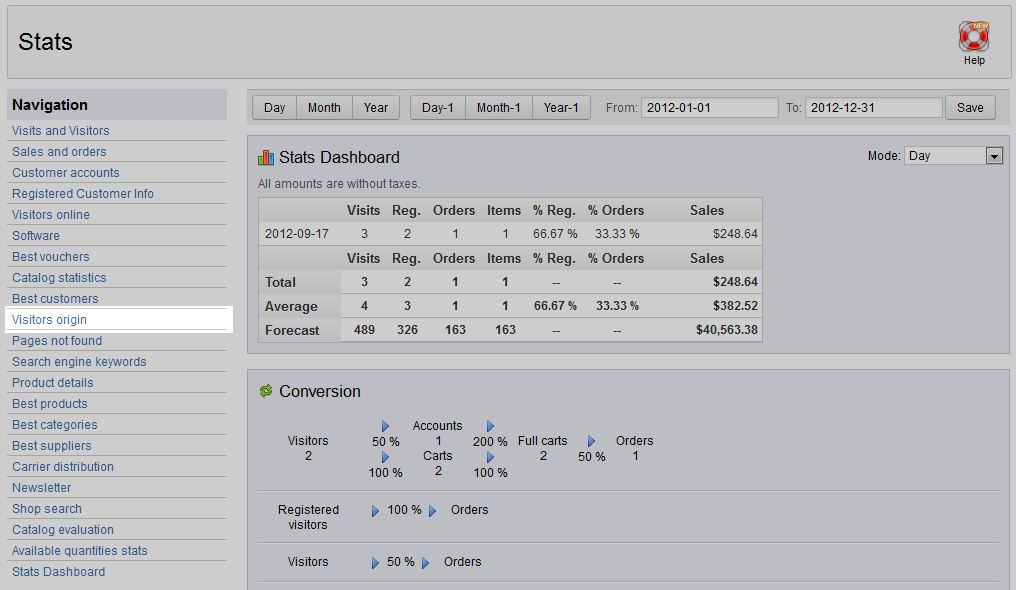
- This will bring you to the Stats page. On the left hand sidebar is a list of all the statistical reports. Click on the Visitors Origin link.
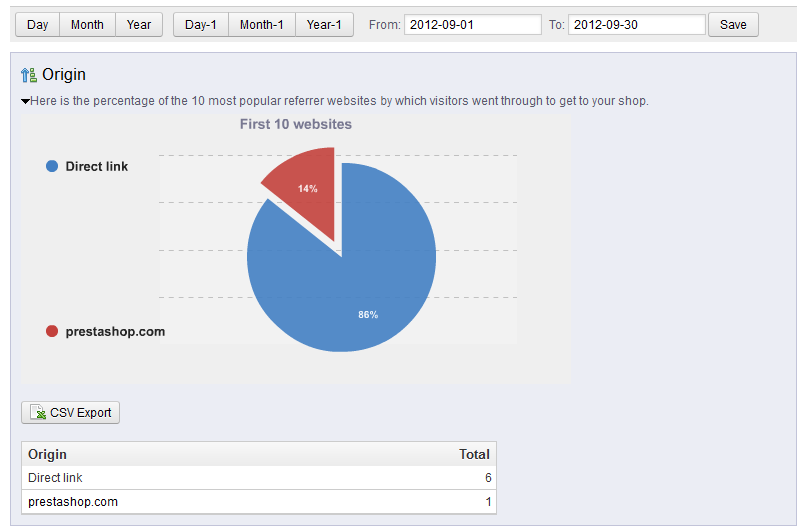
- The Visitors Origin report displays a pie chart based on the 10 most popular referring websites that your customers come from. This can help show you the results of a marketing campaign if the site is within the top 10 or you are wanting to get it into the top 10. The table below the chart shows a list of the sites the customers come from as well as the number of visitors for each referrer.
That about does it for the Visitors Origin report, please continue learning about the stats reports by checking out out article on the Pages Not Found report.

