Part of the configuring of your order process in Prestashop 1.5 involves the guest checkout option. A guest on your website is any user that is adding items to their cart, but who are not a registered user of your site. This setting determines whether or not to allow customers to buy your products even if they are not registered.
What is guest checkout like in PrestaShop 1.5?
| If a guest can check out | If a guest cannot check out |
|---|---|
When enable guest checkout is enabled, users are given the option to checkout as guest or create an account.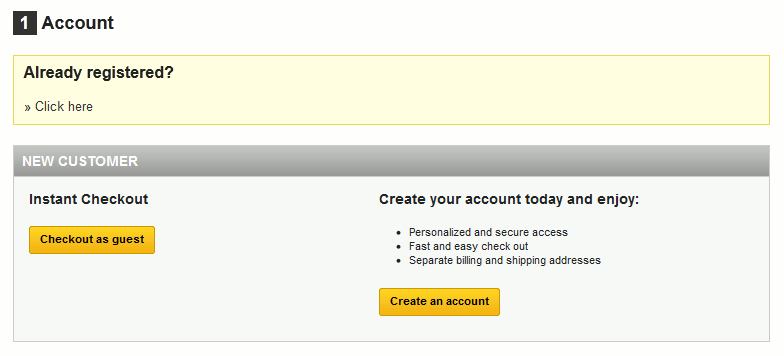
|
If enable guest checkout is disabled, users will be forced to create a new customer account during the checkout process.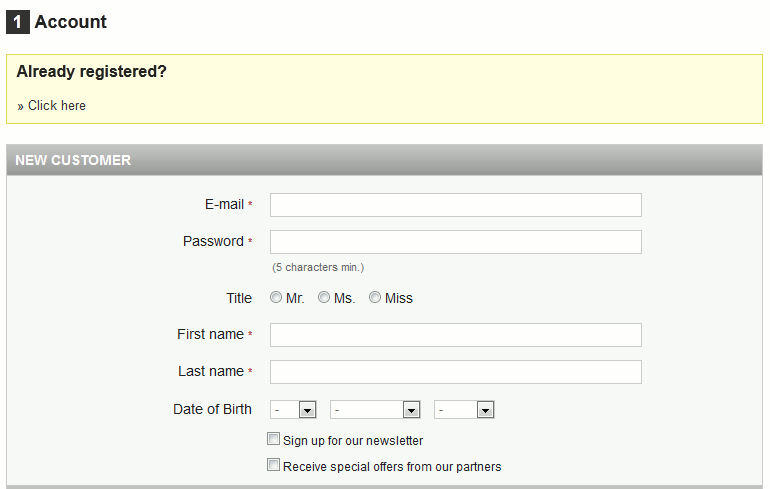
|
To enable the Guest Checkout in PrestaShop 1.5:
- Log into your PrestaShop 1.5 dashboard.
- Using the top menu bar, hover over the Preferences tab and select the Orders option.
- From the Preferences : Orders screen, find the Enable Guest Checkout field and select either Yes or No. The Yes option allows a non-registered user to buy something while No requires the customer to register before purchasing. The setting should be on Yes by default.
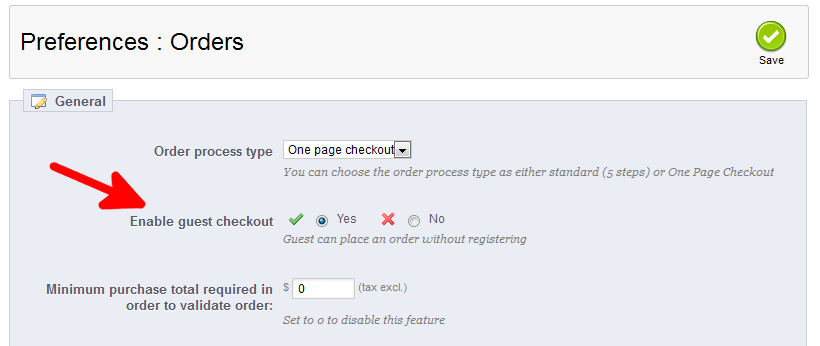
- Once finished, click on the Save button in the upper right corner of the screen.

You can now edit the Guest checkout option in PrestaShop 1.5.