In this article:
Prestashop 1.6 incorporates Bootstrap 3.0 , FontAwesome, Sass Compass, and D3 Data to provide an efficient, responsively designed ecommerce storefront and back-end. Using feedback from merchants and developers, the administrator dashboard was re-designed to use real-time updates in order to provide critical and timely information. Additionally, in response to requests from the merchant and developer community, Prestashop 1.6 was built with no core changes to help with making the upgrade transition as troublefree as possible.
PrestaShop 1.6 Updated Feature list
Here’s a quick summary of the upcoming features of PrestaShop 1.6 release (click on each item to see a specific description and more detail):
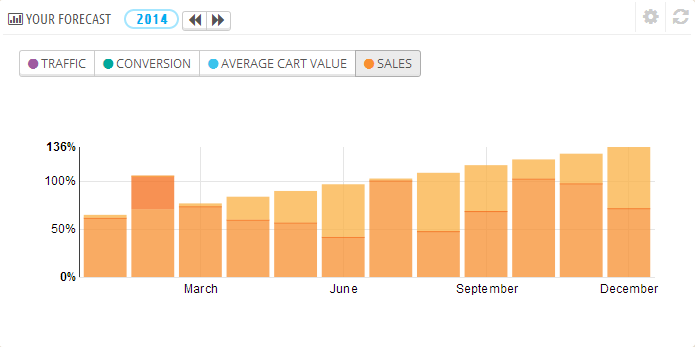
The dashboard also includes forecast graphs in the bottom center as well as a table of your current orders. This provides immediate access to sales trends allowing quicker and smarter management decisions.
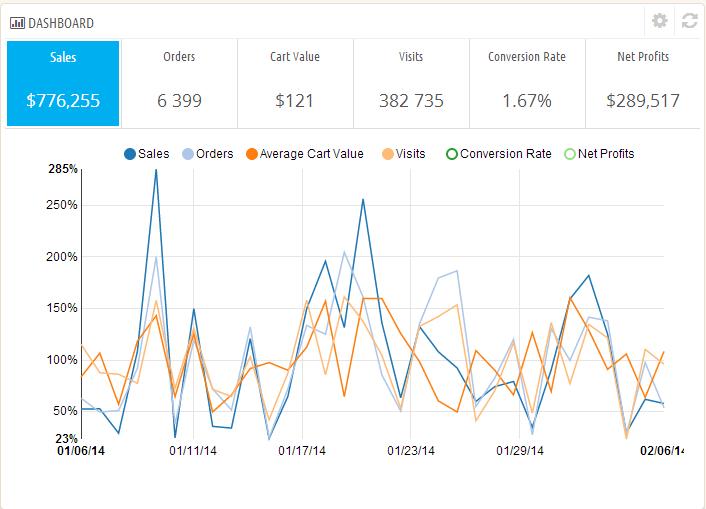
Key Performance Indicator statistics allows the store owner up-to-date views of their shop’s performance in a number of useful and different ways.
The Saas (Syntactically Awesome Style Sheets) implementation within PrestaShop 1.6 allows you to make changes to the store appearance without having to make coding changes.
The new information validation feature provides immediate feedback to users of the website to make sure that data is entered correctly.
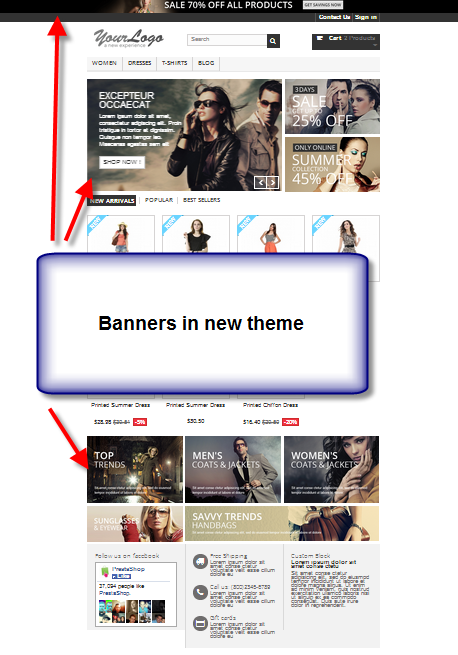
Banners are available and prevalent in the clean design of the new default storefront theme.
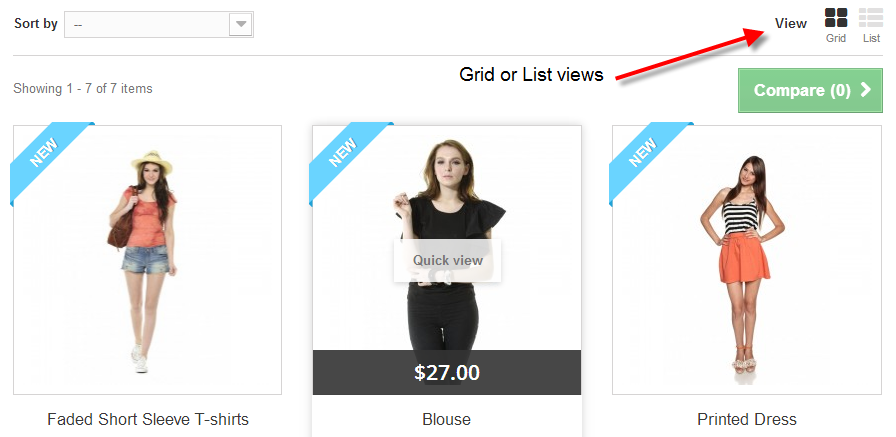
Customers can easily switch between grid or list views of your products in the storefront.
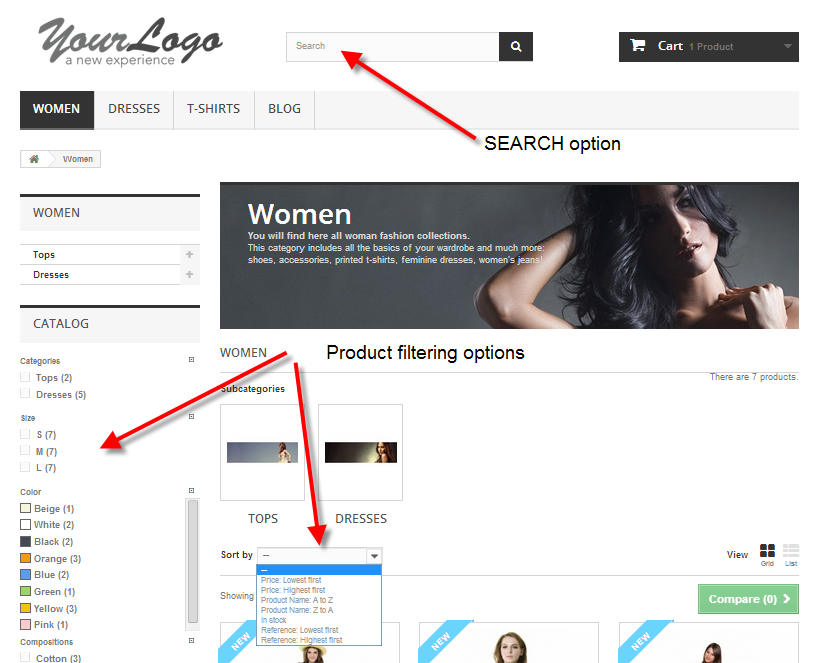
Various filters and a search option are able to identify products by keyword or specific attributes.
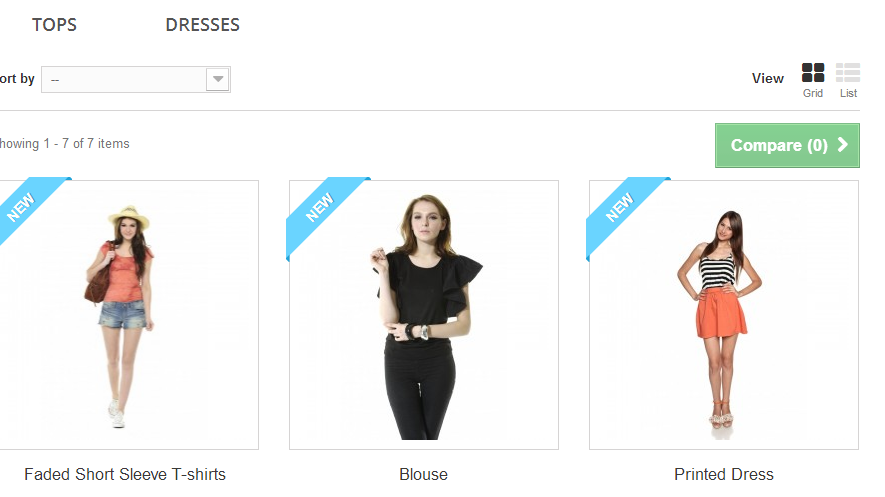
The product comparison option with a dedicated URL allows for the customer to select multiple items for a side-by-side comparison.
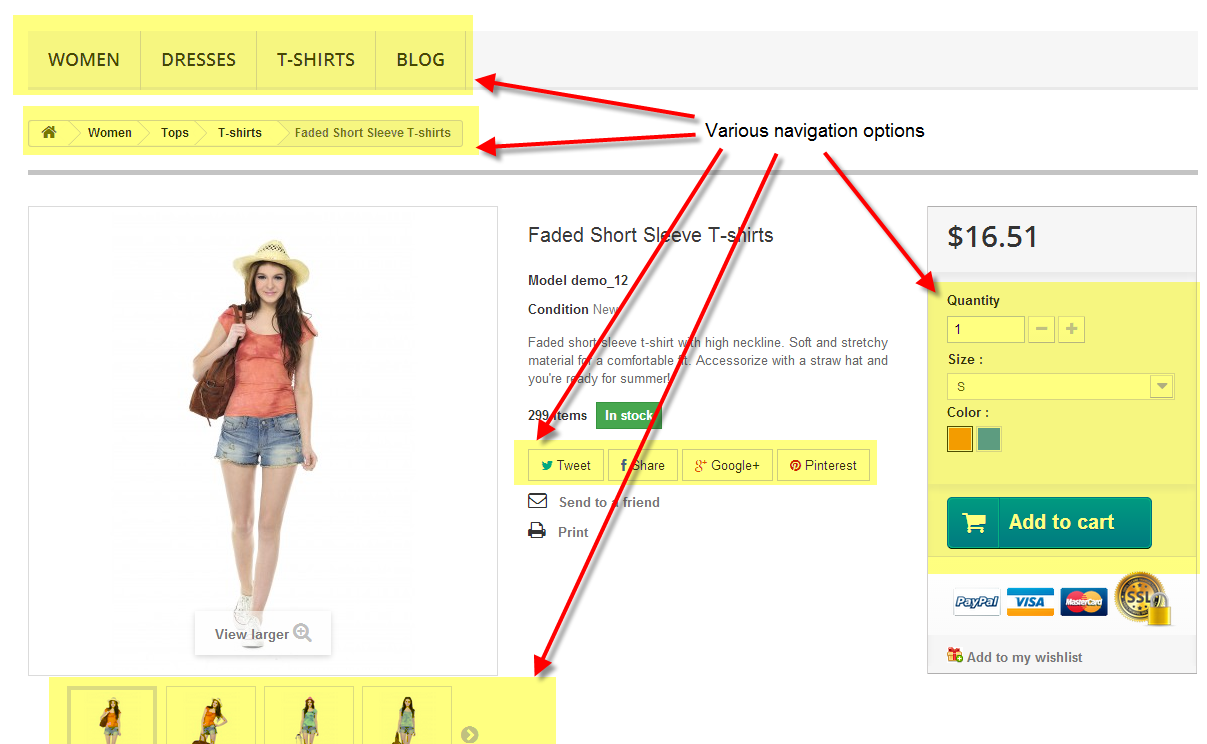
Multiple navigation options allows a customer to be able to move through the store with ease. The screenshot shows menus and navigation options in the product view.
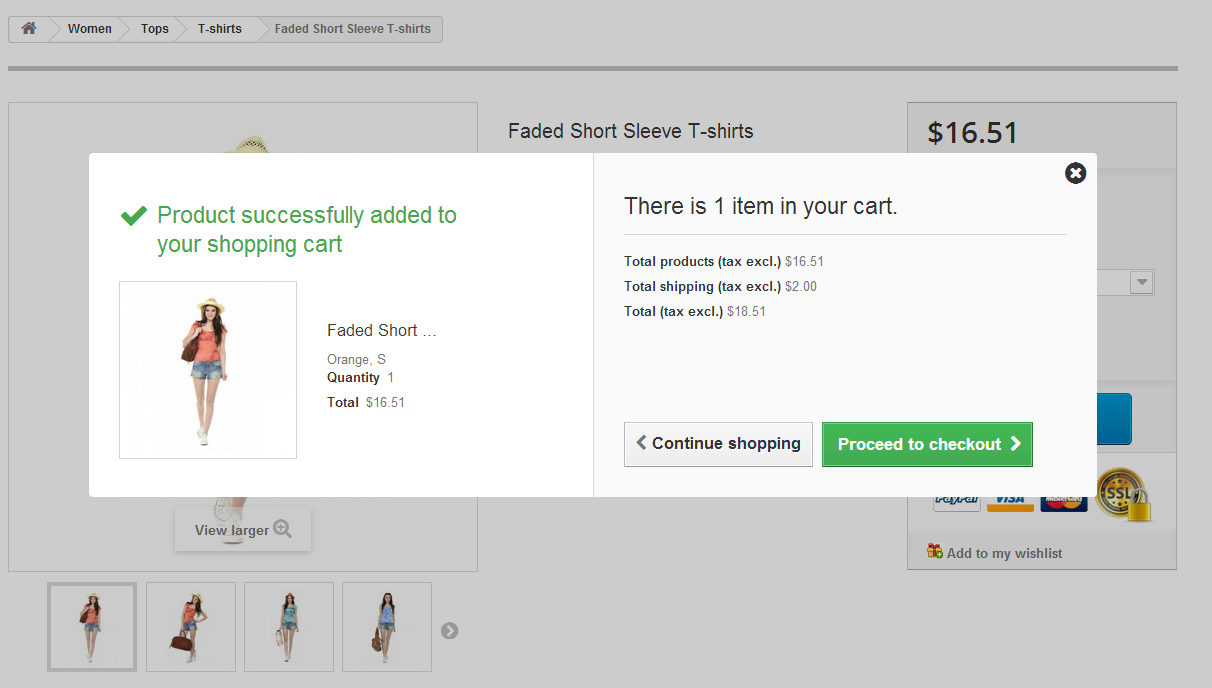
The newly designed add-to-cart screen includes the option to provide a cross selling ability.
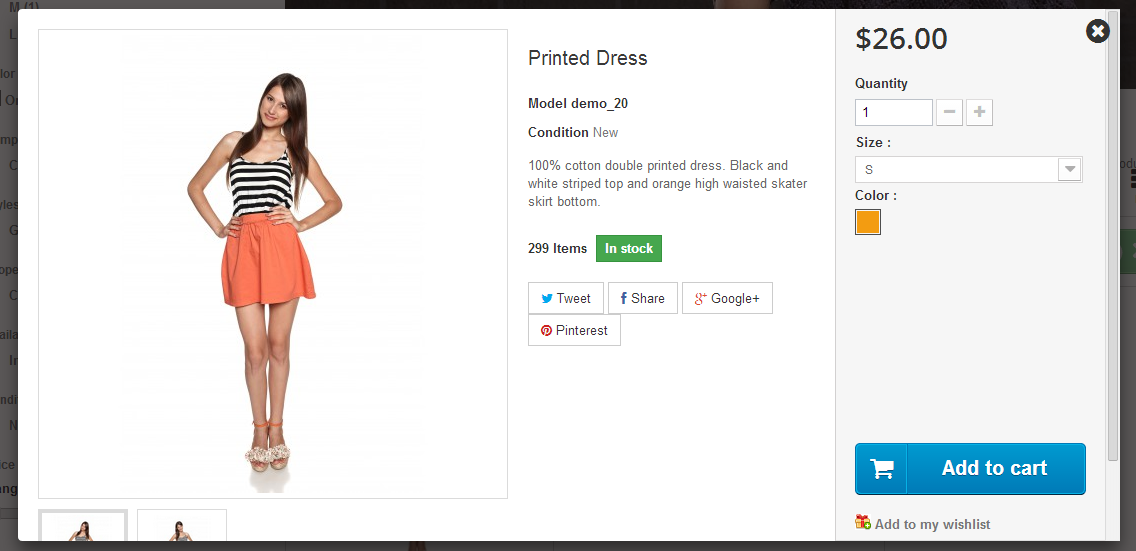
The quick view feature allows a customer to see a product in detail without having to drill down into a category.
PrestaShop 1.6 Update progress
The most recent update from Benjamin Utterback of PrestaShop indicates that the new Prestashop 1.6 version is still in the beta stage of development. They warn that you should not use this version for a live ecommerce site. However, feel free to check out the beta version 1.6.0.4 in order to familiarize yourself with the latest changes. As their official hosting partner, InMotion Hosting is happy to provide hosting services and will even install the current official release (not the beta) for you.