In PrestaShop 1.5, multistore mode is a very useful feature. It allows you to create an unlimited number of different stores. These stores can be tailored to offer specific products, either share customers or have their own, have their own theme, share or retain their own inventory, and other things. Creating a new store in the multistore mode is done by following the instrtuctions below.
Renaming a shop group in PrestaShop 1.5
- Log into your PrestaShop 1.5 dashboard.
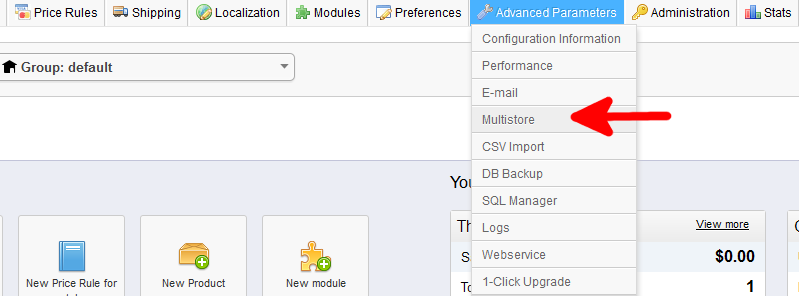
- Using the top menu bar, hover over the Advanced Paramaters tab and click on the Multistore option from the menu.
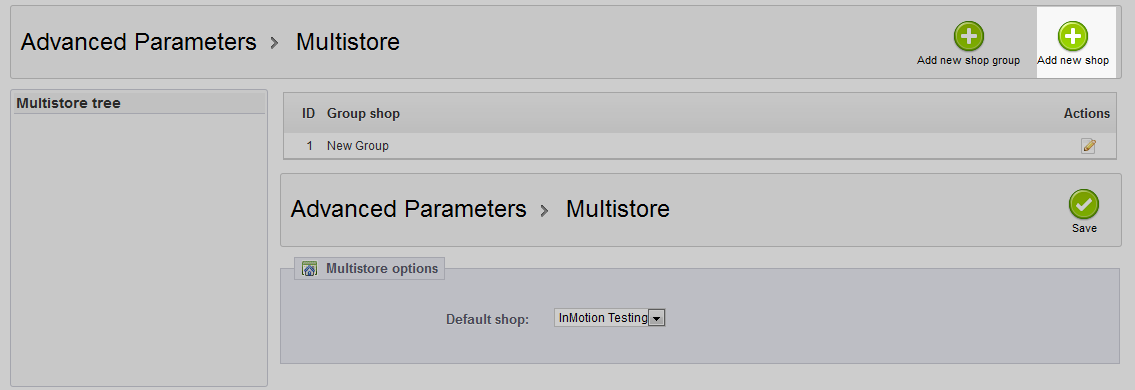
- At the top of the next page, you will see a section where the Groups are listed. Click on the green button labeled Add New Shop in the upper right corner.
- Here is where you add the details for your new shop. Obviously, you need to name it using the Shop Name field. From there you have a few options.
Group Shop pick which group your shop will belong to Category Root the root category for your shop Associated Categories pick which product categories your shop will offer Theme pick a theme for your store Import Data chooose whether to import data from another store Choose the Shop (source) the store you choose to import from if you import data. Choose Data to Import which features from the source store you want to import 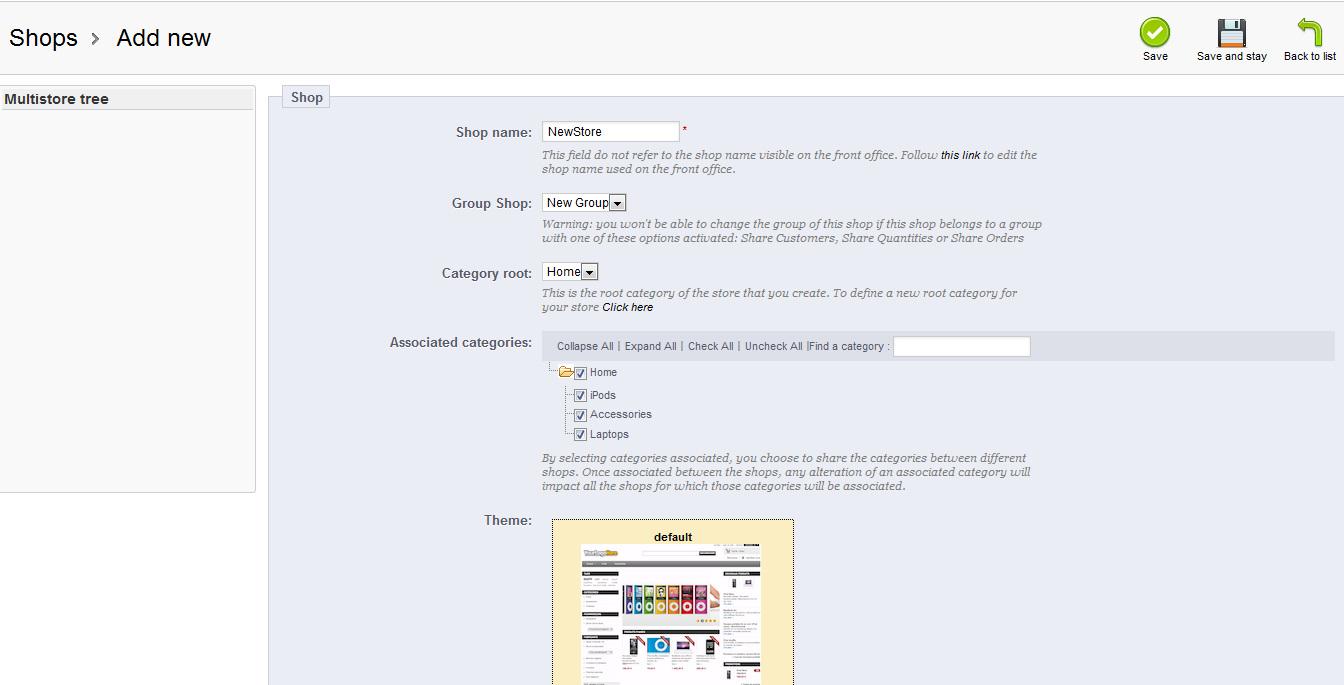
- Once finished, select the green Save button from the upper right corner. Congratulations! You have now added a new store.
