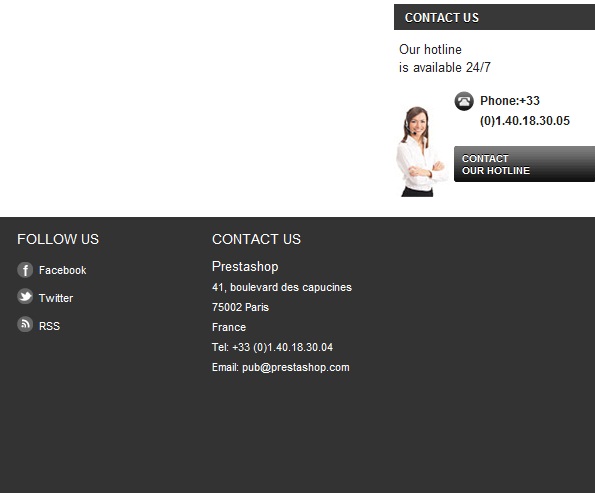
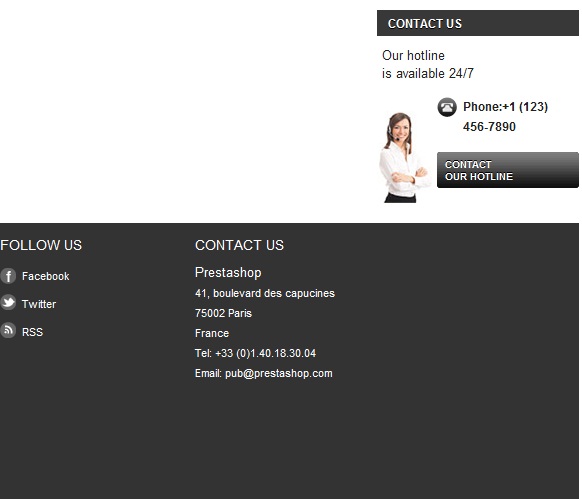
After installing PrestaShop 1.5, you will want to begin tailoring your storefront to show your company’s info instead of the default information. The default theme in PrestaShop 1.5 has a Contact Us section on the right hand sidebar, which contains contact information that you can modify. This Contact Us module has both a phone number and a link entitled Contact Our Hotline (which links to an email address).
To change the Contact Us details in your PrestaShop 1.5 sidebar:
- Log into your PrestaShop 1.5 dashboard
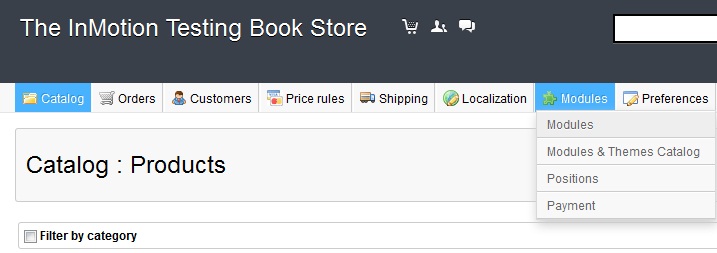
- Using the top menu bar, hover over the Modules tab and then click on the Modules selection from the popup menu.This leads to the module list page.
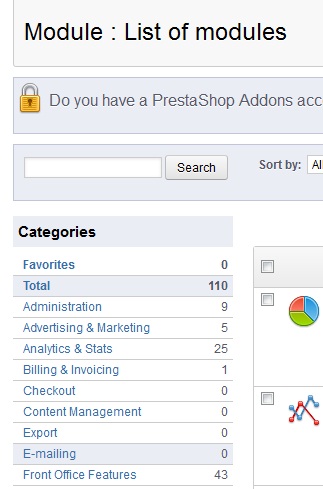
- Select Front Office Features from the Categories menu on the left hand side.
- Find the Block Contact module from the list on the right hand side and select Configure. It may be named Block contact, however this is the module you’ll need to change in order to adjust the contact us information in your PrestaShop 1.5 store.

- From here you simply change the phone number and email address information then click on the Update Settings button. After saving the changes, you have successfully updated the information in the PrestaShop 1.5 Contact Us module!
Before After