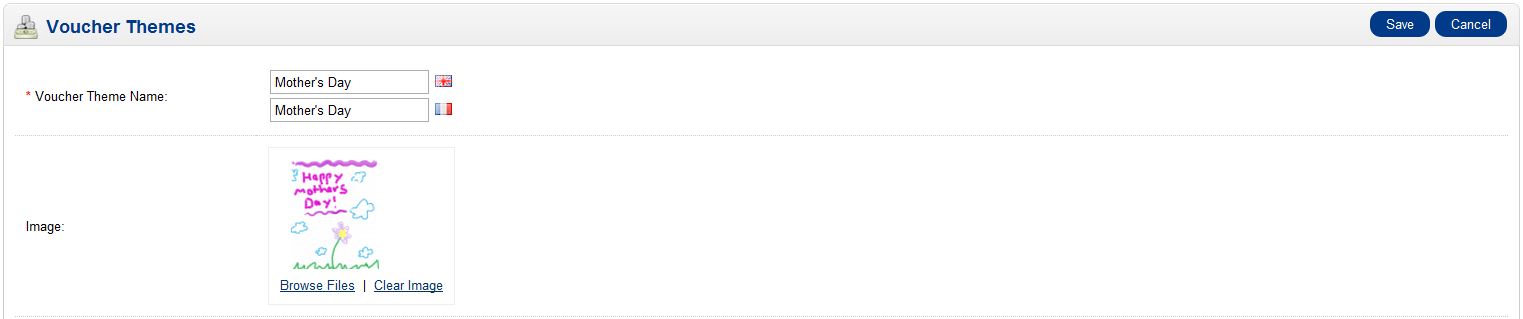
Creating a Voucher Template in OpenCart Updated on December 22, 2023 by Carrie Smaha 0 Minutes, 42 Seconds to Read Gift vouchers can be themed in OpenCart and allows you to easily create vouchers for holidays or events. If a visitor to your website purchases a gift voucher for Mother’s Day, you could have a template that themes the email with an image you choose to represent that specific event. Gift voucher templates are created in your OpenCart dashboard. Log into your OpenCart Dashboard Go to Sales >> Gift Vouchers >> Voucher Themes Click on “Insert“ Fill in the “Voucher Theme Name” and upload an image Click “Save“ Now, when your customer’s choose to order and send a voucher to someone they can select the theme you just created. If you need further assistance please feel free to ask a question in our support center. Click on OpenCart Hosting Accounts on InMotion Hosting to learn more about InMotion web hosting options. Share this Article Carrie Smaha Senior Manager Marketing Operations Carrie Smaha is a Senior Marketing Operations leader with over 20 years of experience in digital strategy, web development, and IT project management. She specializes in go-to-market programs and SaaS solutions for WordPress and VPS Hosting, working closely with technical teams and customers to deliver high-performance, scalable platforms. At InMotion Hosting, she drives product marketing initiatives that blend strategic insight with technical depth. More Articles by Carrie Related Articles Editing the Information Pages in the Footer of OpenCart My OpenCart 3 Contact Form Won’t Send Emails Resetting your OpenCart Admin Password with the Forgot Password link Using Free Cloudflare for SSL on OpenCart 1.5 Adding your store logo to your OpenCart 1.5 website Changing your Admin Password in OpenCart 1.5 Restoring a Database Backup in OpenCart 1.5 Sending Emails to Customers through OpenCart 1.5 How to Enable SSL Connection in OpenCart 1.5 Creating a 404 error page for OpenCart