
Now that you have removed the default products in OpenCart and added product categories, you can start adding your own products. This is done through your OpenCart dashboard. You’ll need to add each product individually.
- Log into your OpenCart Dashboard
- Go to Catalog > Products
- To add a new product, click “Insert” in the top right corner.
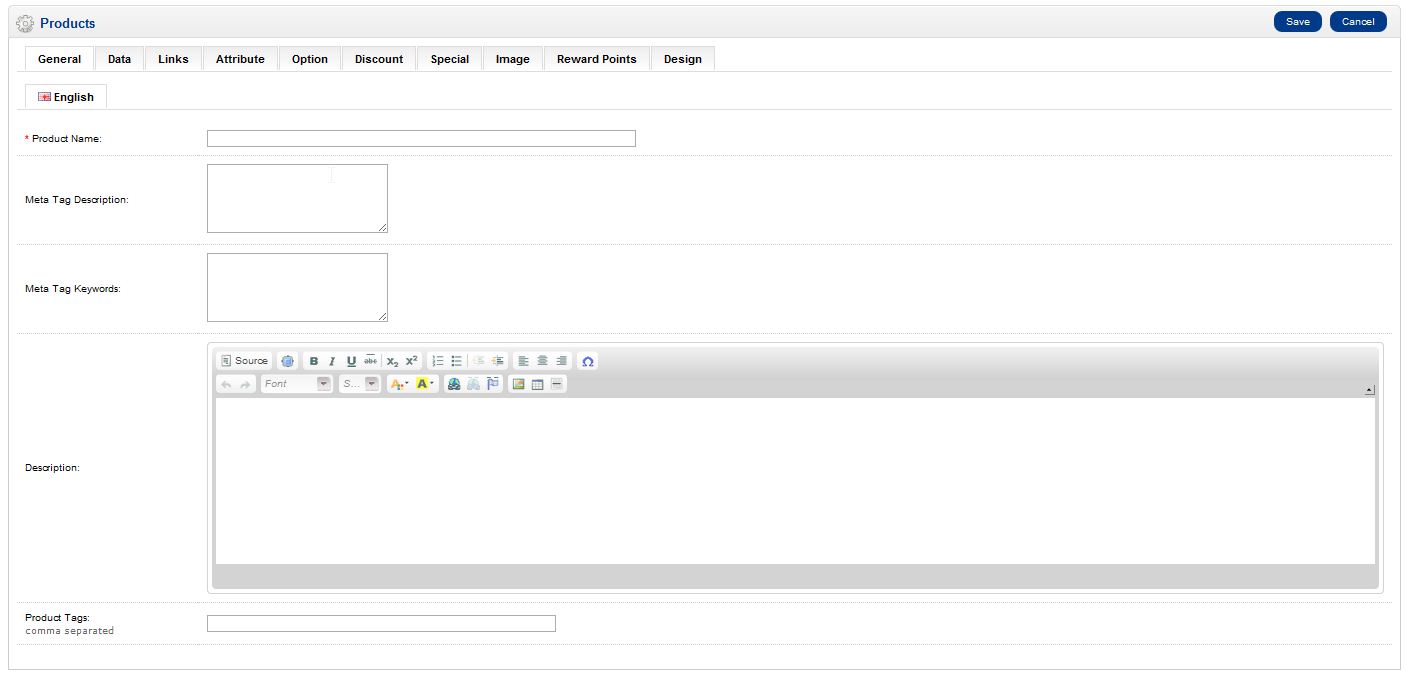
- Now you will see seven tabs (General, Data, Links, Attribute, Option, Discount, Special, Image, Reward Points, and Design). Be sure to fill in the Product Name – the only required field – on the first tab.
- Click on the “Data” tab. The only other field that is required to set up a product is the model. Go through each tab and fill in the fields you want.
- Click “Save“
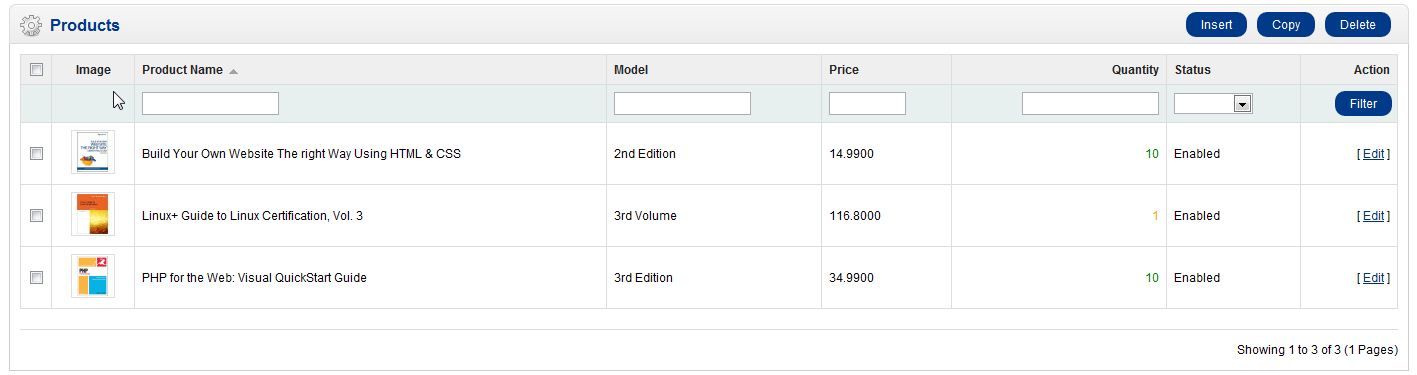
You have now added your first product on your OpenCart shopping cart. You’ll follow these steps for each product until all your products have been added. You can add new products, edit existing products, and delete current products at any time.
If you need further assistance please feel free to ask a question on our Support Center.