
At this point, you should have already installed OpenCart. OpenCart provides you the ability to list the manufacturers or brand names for your products and link these to your product pages. This is important because it will allow your customers to search by brand or manufacturer when looking for a product.
The footer section of your store has a link titled “Brands”. When your customers click this link, it will open a page listing all of the brands or manufacturers you have entered. Then they can then click on the brand to find all the products associated with that brand.
You also have the ability to upload an image for each brand and have a carousel placed throughout your store displaying those brands as well. Setting up the manufacturers for your products can be easily accomplished through your OpenCart Dashboard.
-
- Log into your OpenCart Dashboard
- Go to Catalog > Manufacturers
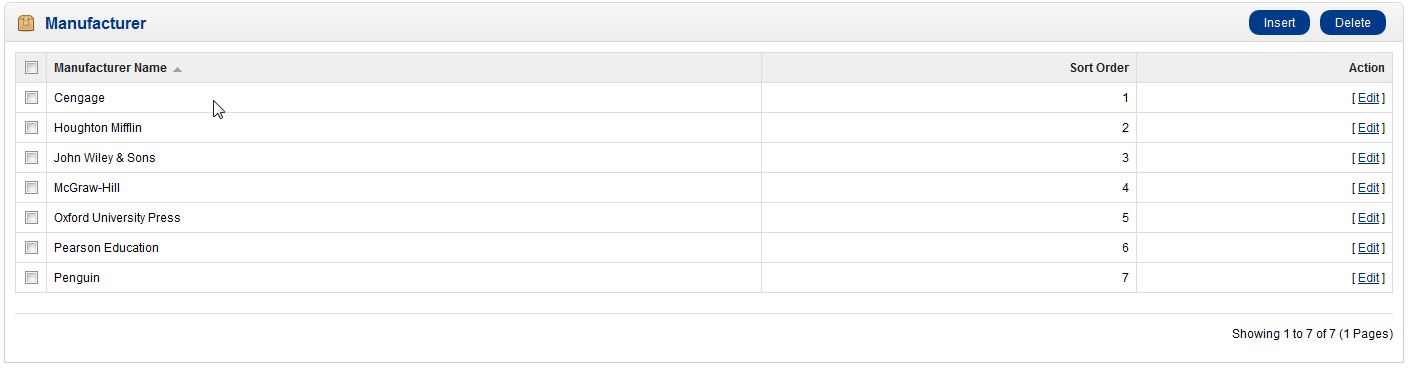
-
- Click on the “Insert” button near the top right corner.
- Enter in the Details for that field. The only field that is required is the Manufacturer.
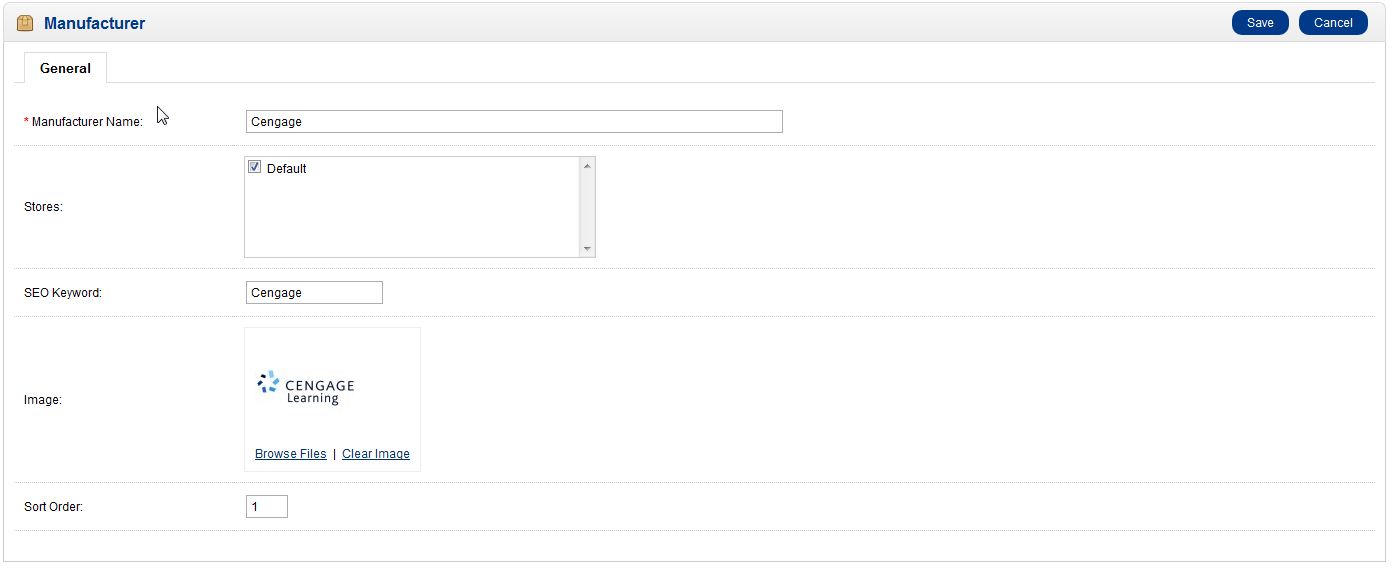
- Click “Save” near the upper right corner
Now when you are adding new products into your store, you can select the manufacturer and it will then categorize that product. If a customer were to click on the “brand” link in the footer and select a brand, they would then be taken to a page with all the products associated with that brand.
If you need further assistance please feel free to ask a question on our support center.