
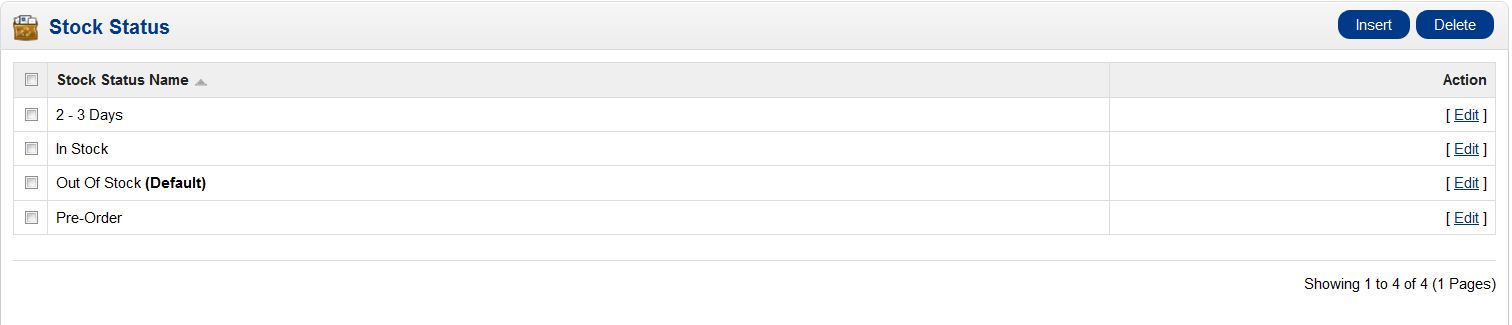
OpenCart comes with the ability to set up different stock statuses. Setting the stock status of a product in OpenCart lets your website’s visitors know when to expect a product. By default, some stock statuses are already set up. You can use the statuses that are already defined such as 2-3 days, In Stock, Out of Stock, or Pre-Order. If you know products may take you 2 to 3 weeks to replenish, you can create a custom stock status as well. Stock Status is managed through your OpenCart dashboard.< p>
- Log into your OpenCart Dashboard
- Go to Localisation >> Stock Statuses
- If you want to create a new stock status, click on “Insert”
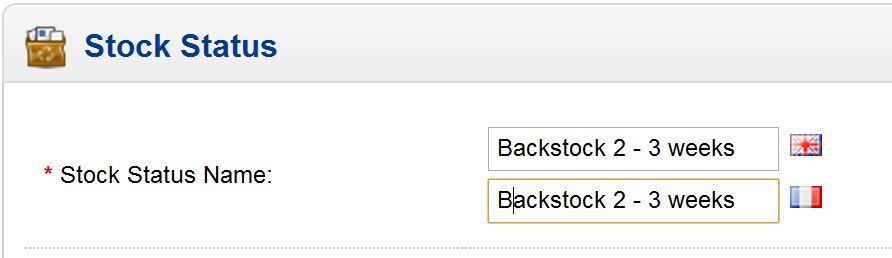
- Fill in the “Stock Status Name”
- Click “Save” in the upper right corner
If you need further assistance please feel free to ask a question on our support center.
InMotion Hosting provides hosting solutions for OpenCart! Go to OpenCart Hosting Accounts with InMotion Hosting for more information.