
Before you can actually begin selling products online using your OpenCart shopping cart you’ll need to configure your shipping options. Shipping options allow you to decide which methods of shipping the website visitor can choose during the checkout process.
How to Set up Shipping Options
- Login to OpenCart Dashboard
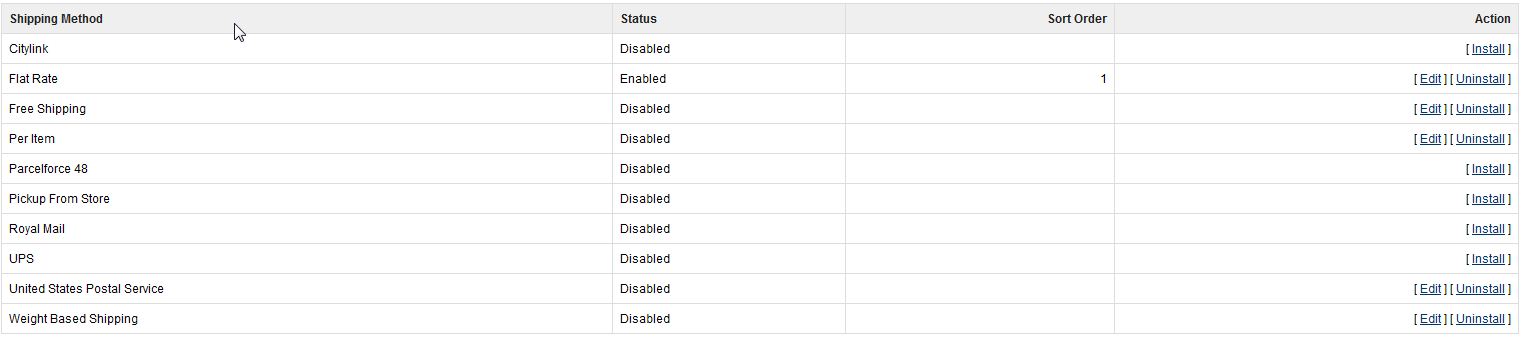
- Go to Extensions > Shipping
- Select your shipping method you wish to set up and click “Edit” in the right column
- For this tutorial we’ll show you how to set up the “Flat Rate” option. Fill out the fields with the information you want
- Click “Save” once you are finished filling in the fields.You can repeat these steps for each shipping option you want to enable. You can have as many or as few options as you’d like.
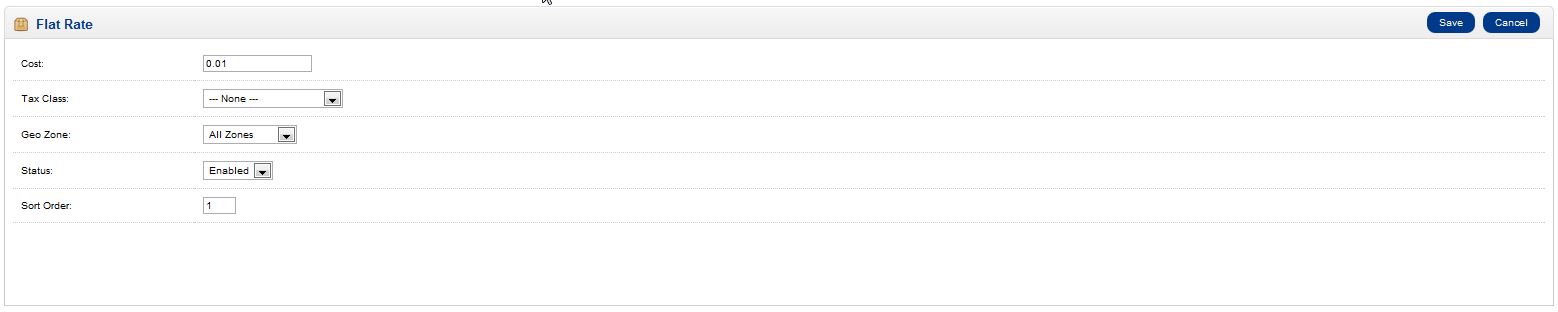
Cost: This is the cost of the flat rate shipping
Tax Class: This is how to apply taxes based on the type of product
Geo zone: This can be assigned to specific zones where flat rate shipping is available.
Status: This is where you can enable this specific shipping option
Sort Order: This is the order in which this shipping option will display
If you need further assistance please feel free to ask a question on our support center website.
InMotion Hosting provides hosting solutions for OpenCart! Go to OpenCart Hosting Accounts with InMotion Hosting for more information.