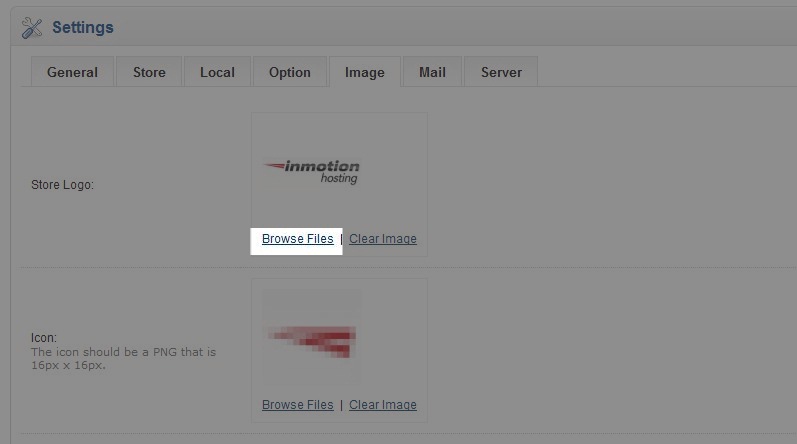
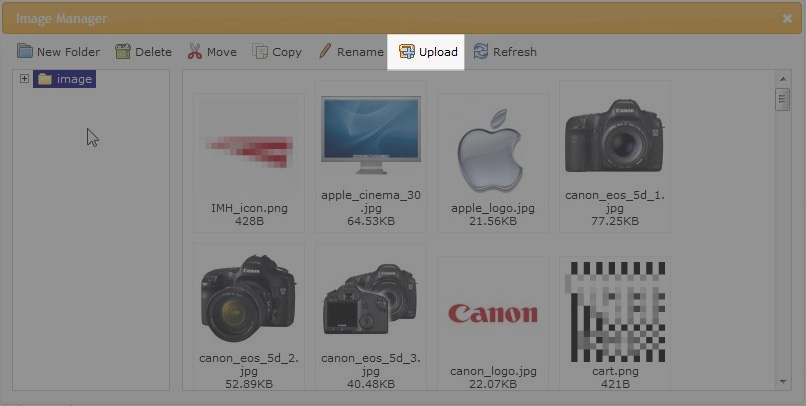
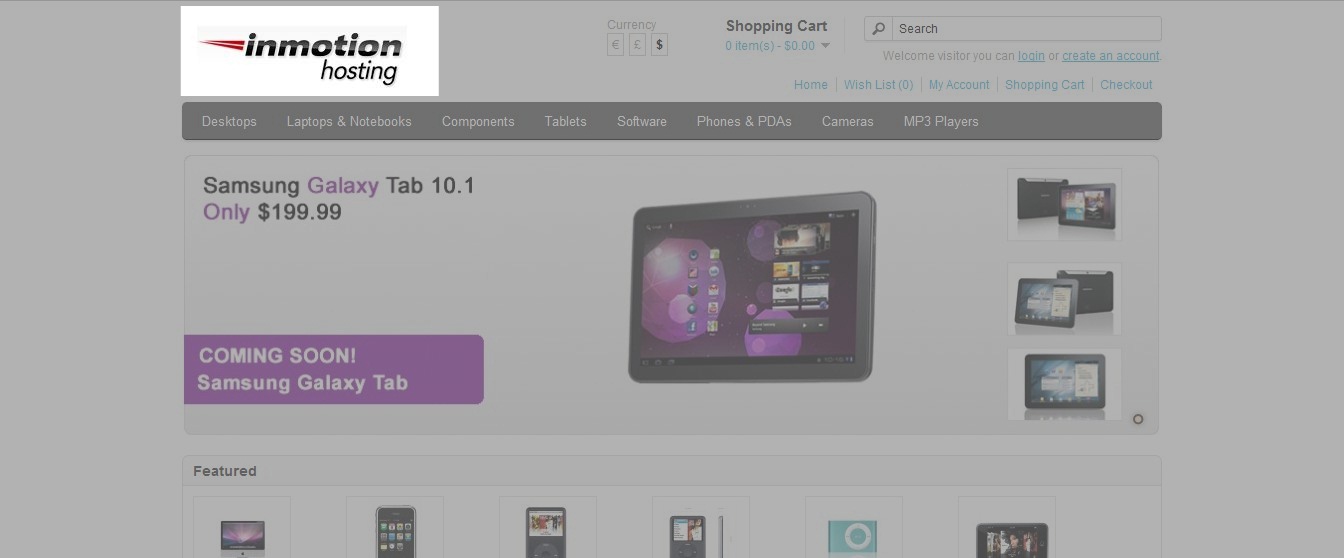
Adding your store logo to your OpenCart 1.5 website Updated on December 22, 2023 by Carrie Smaha 0 Minutes, 52 Seconds to Read Now that you have installed OpenCart and configured the general system settings, you may want to add your store logo to the website. Adding a store logo can help with branding your business and add personalization to your eshop. Uploading your store logo is easily accomplished from the OpenCart Dashboard. How to Add your Store Logo in OpenCart Log into your OpenCart Dashboard. Go to System > Settings Select your Store Name by placing a check mark next to it and click “Edit“ Go to the Image Tab Go to the first section labeled “Store Logo.” Select “Browse Files” and the image manager will open a new window. Click upload. Select the image file you want to use for your store logo on your local computer and click “Open“ A popup will verify the upload was successful. Click OK. Now double click on the image you just uplaoded and you’ve now successfully set up your store logo. When you visit your website in a web browser you should see the logo in the upper left corner. Share this Article Carrie Smaha Senior Manager Marketing Operations Carrie Smaha is a Senior Marketing Operations leader with over 20 years of experience in digital strategy, web development, and IT project management. She specializes in go-to-market programs and SaaS solutions for WordPress and VPS Hosting, working closely with technical teams and customers to deliver high-performance, scalable platforms. At InMotion Hosting, she drives product marketing initiatives that blend strategic insight with technical depth. More Articles by Carrie Related Articles Editing the Information Pages in the Footer of OpenCart My OpenCart 3 Contact Form Won’t Send Emails Resetting your OpenCart Admin Password with the Forgot Password link Using Free Cloudflare for SSL on OpenCart 1.5 Adding your store logo to your OpenCart 1.5 website Changing your Admin Password in OpenCart 1.5 Restoring a Database Backup in OpenCart 1.5 Sending Emails to Customers through OpenCart 1.5 How to Enable SSL Connection in OpenCart 1.5 Creating a 404 error page for OpenCart