
Now that you have installed the bulk import/ export tool for OpenCart, you can begin using it to add or modify products in your OpenCart store. The first step is to export your existing products so you know how the spreadsheets work. Then you can add products to the spreadsheet offline and upload the file once you have finished.
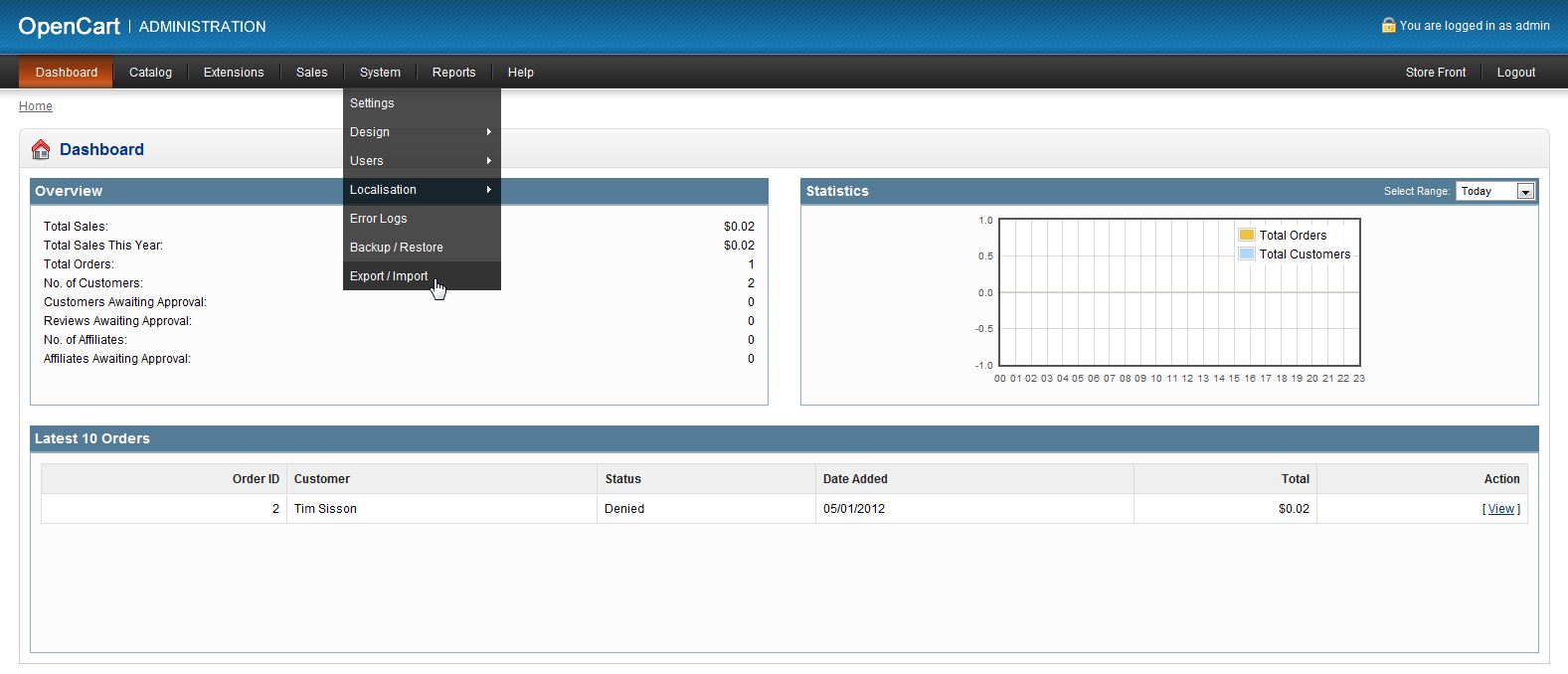
- Log into the OpenCart Dashboard
- Go to System > Export/ Import
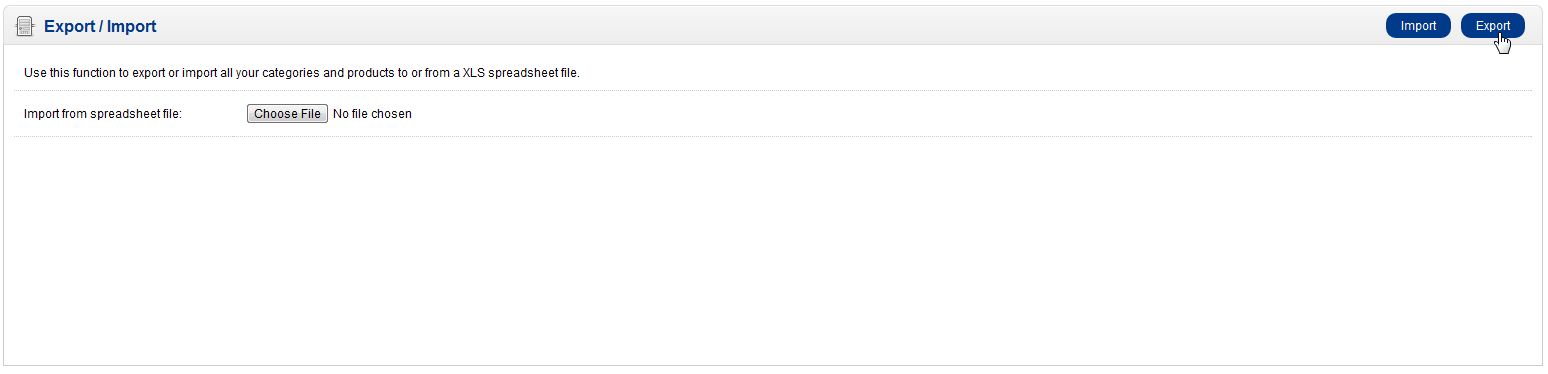
- Click “Export” to download an Excel spreadsheet of your current products
- Open the spreadsheet with the appropriate software such as Open Office or Microsoft Excel
- Once you are done adding the products you want to add, in the correct format as your current products are laid out on the spreadsheet, save the file
- Now, go back to your OpenCart dashboard to: System Export/ Import
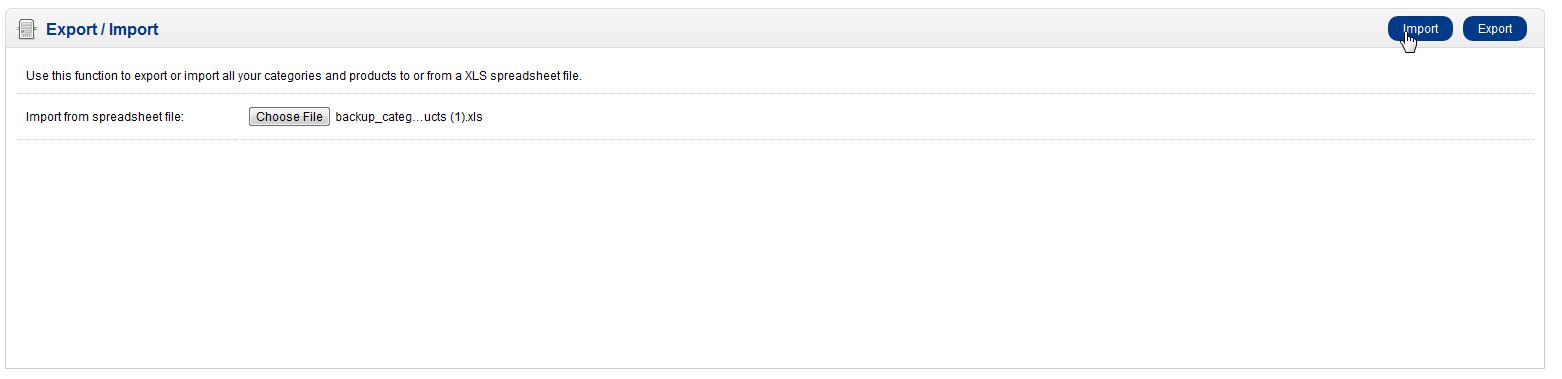
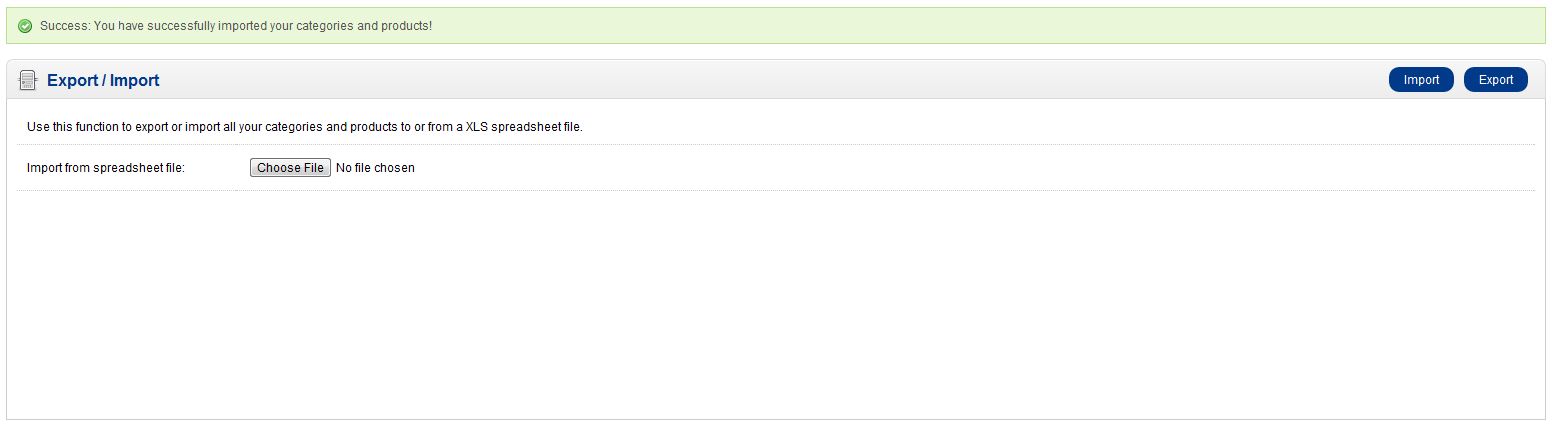
- Choose the file you just saved on your local computer by clicking the “Choose File” button next to “Import from spreadsheet file:”
- Once you save selected a file, click “Import”
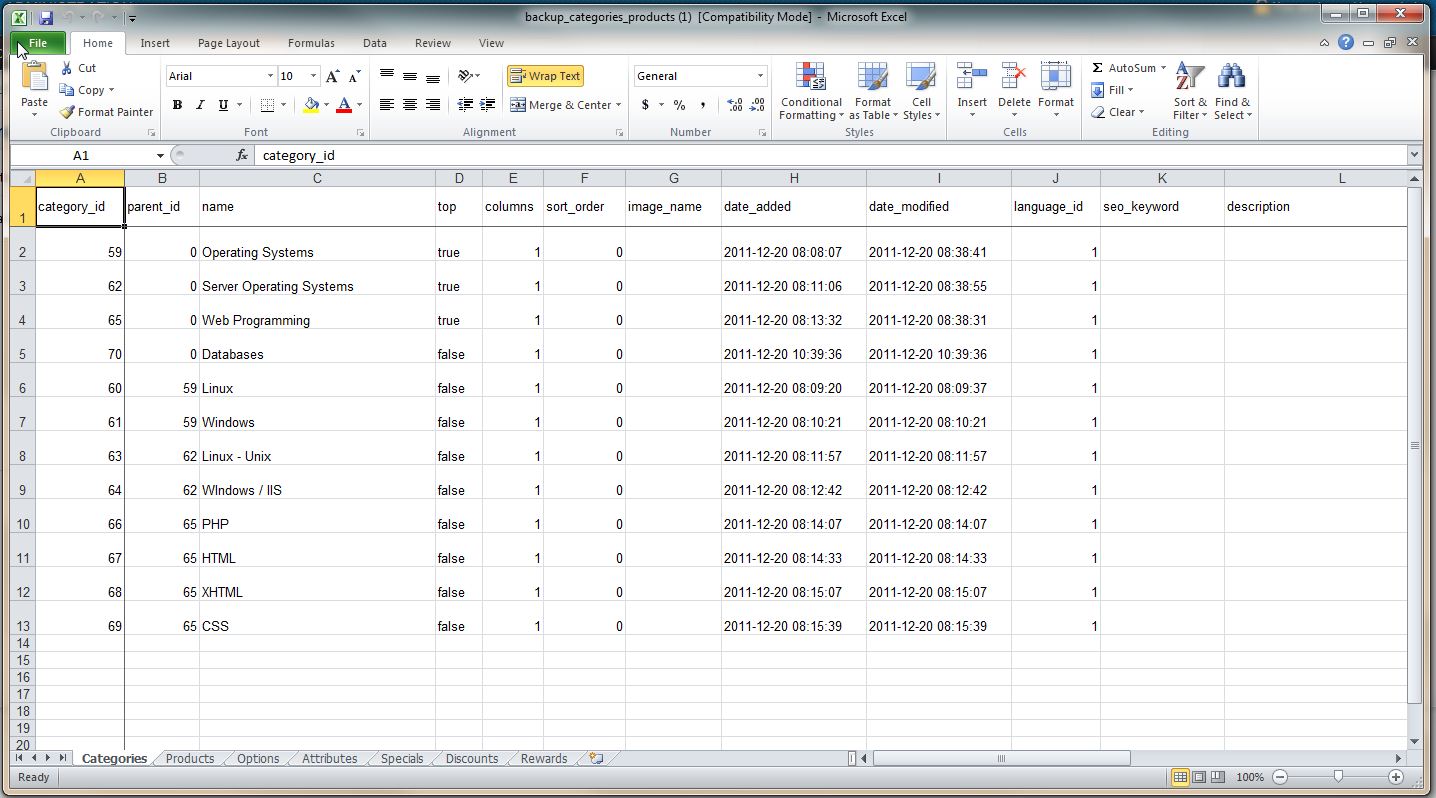
Notice at the bottom of the spreadsheet, there is 7 separate sheets to work with (categories, products, options, attributes, specials, discounts, and rewards)
Once you have successfully imports your categories and products you will get a message on the top of your screen letting you know it has completed.
If you need further assistance please feel free to ask a question on our support center.