OpenCart has an option available to easily perform Backups and Restorations of your OpenCart database in the Dashboard. We recommend maintaining your own regular backups, so you can recover your website in case of emergencies. In this guide we will walk you through the backup and restore process in OpenCart 1.5.
Perform a Backup:
- Login to the the OpenCart Dashboard.
- Roll your mouse over System, and click Backup/Restore.
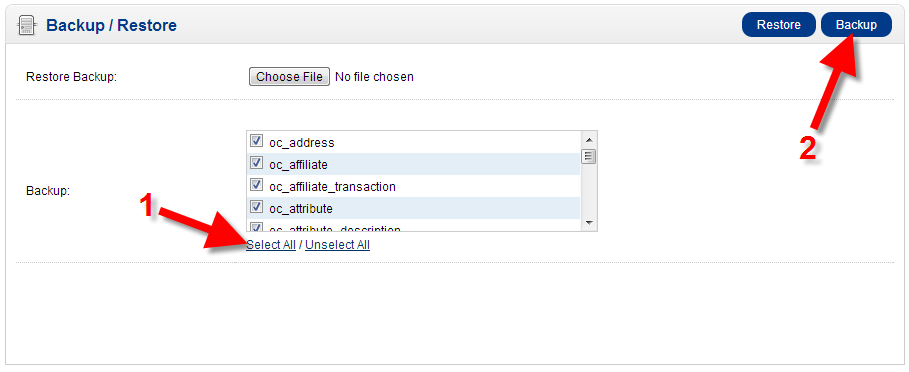
- Select the tables that you want to backup, you have the option to Select All.
- Click the Backup button.
You will then be prompted to download the backup in a .sql format, this will differ depending on your browser. In my tests, I am using Chrome and downloads are listed on the bottom of the screen:
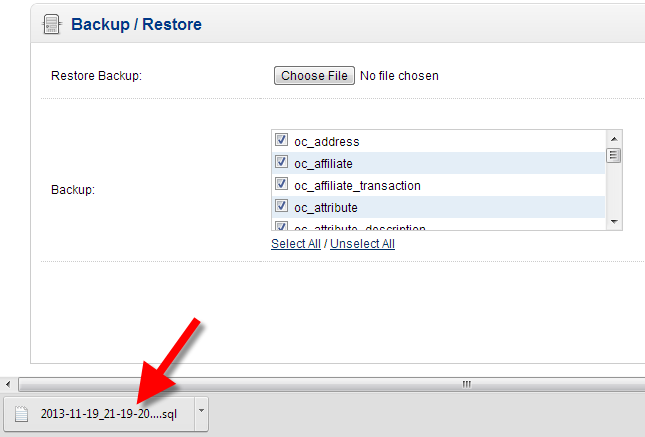
- Save this file for emergency recovery, I recommend using an external hard drive, or CD/DVD.


Perform a Restoration:
- Login to the OpenCart Dashboard.
- Roll your mouse over System, and click Backup/Restore.
- In the Restore Backup section, click Choose File, and select your backup.
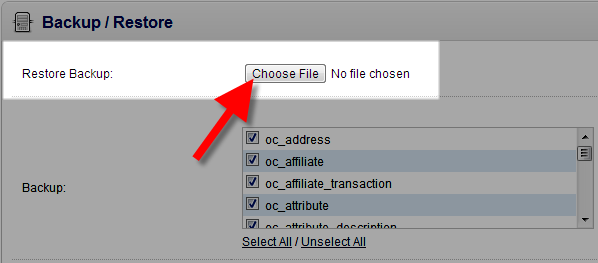
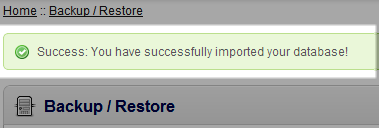
- Click the Restore button, and it will restore your database. The time frame will differ, since large files will take longer. You will then see a message stating “Success: You have successfully imported your database!”


Congratulations, now you know how to perform a Backup and Restoration from the OpenCart 1.5 Dashboard!