
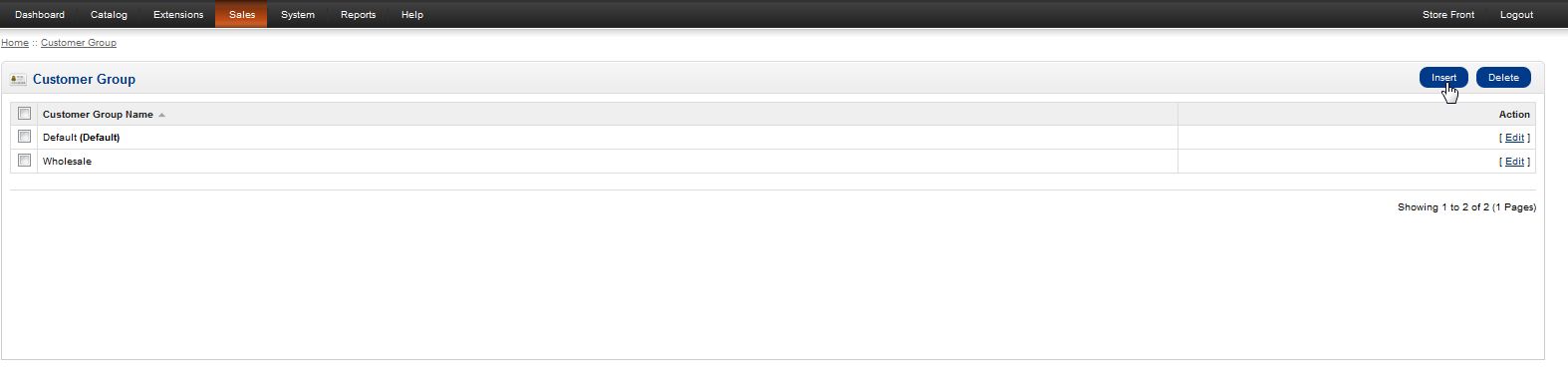
OpenCart allows you to create different groups to assign customers into. This allows you to better organize specific groups of customers. By default there are two groups created when you initially set up the shopping cart (default and wholesale). Groups can be handy when contacting customers since you’ll be able to send emails to specific groups instead of one person or everyone.
Creating groups in OpenCart is easily accomplished through your OpenCart Dashboard.
- Log into your OpenCart Dashboard
- Go to Sales > Customers > Customer Groups
- In the upper right corner select the “Insert” button
- Fill in the Group Name and Click “Save”
You’ve now created a new customer group. If you need further assistance please feel free to ask a question in our support center website.