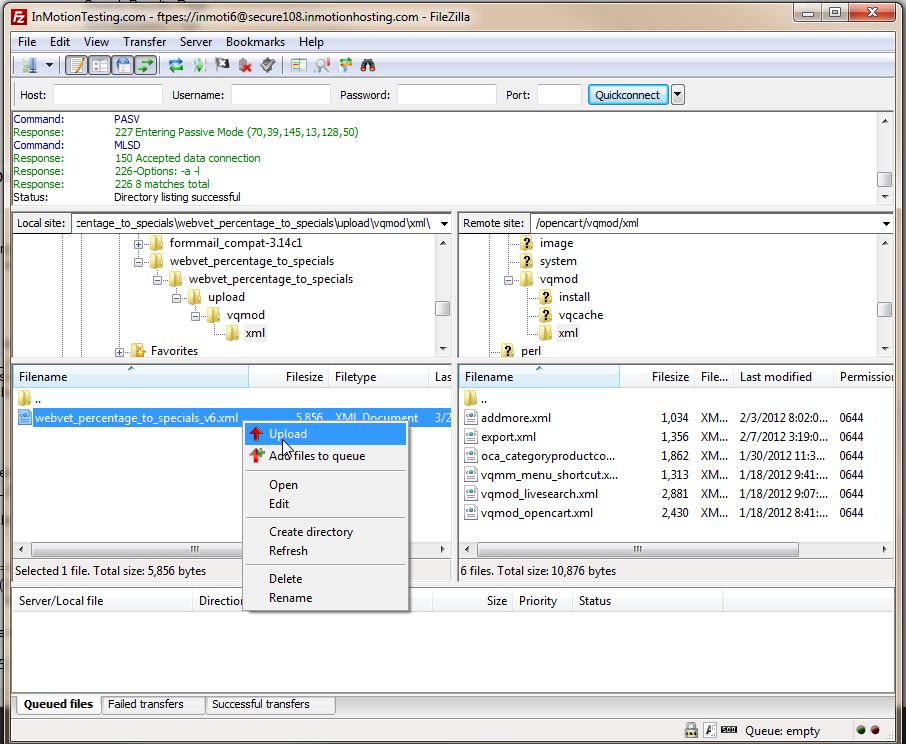
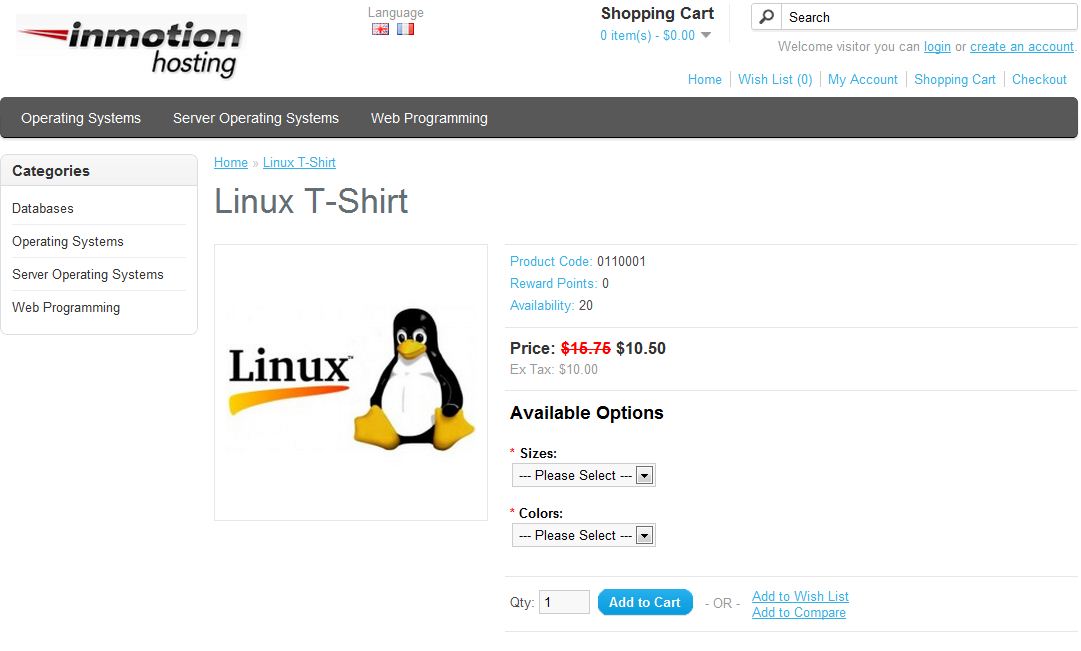
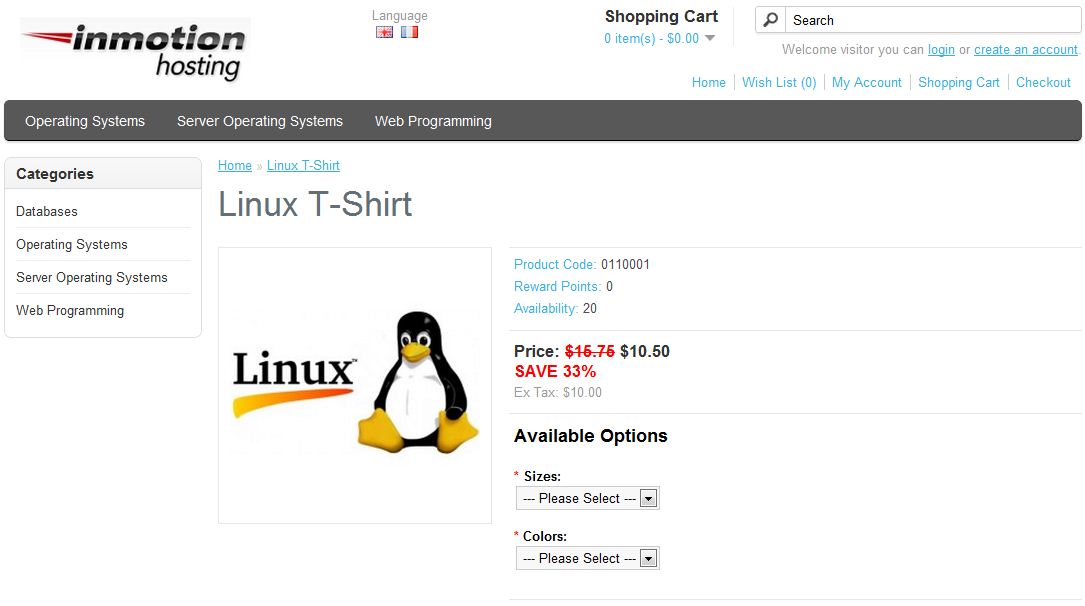
How to add percentages to Specials in OpenCart Carrie SmahaUpdated on December 22, 2023 1 Minute Read Now that you have installed the “specials” module and set sale prices on some of your products you may want to display the percentage a customer is saving between the original price and the special price. This can be easily accomplished if you are using vQmod with a special extension. Please keep in mind this will only work if you are using vQmod on your OpenCart website. If you need more information about vQmod, please see our article on Installing vQmod. Go to OpenCart Extersion – Add Percent to Specials Download the extension Extract the files in the current location where you downloaded them Using an FTP program, upload the “webveet_percentage_to_special_v6.xml” file to the /vqmod/xml folder Now, when you visit your website sale items or specials you’ll see the “Save XX%” under the original price as in the after image below: BEFORE: AFTER: For more step-by-step guides and practical tips, visit our Drupal Education Channel. Share this Article Carrie Smaha Senior Manager Marketing Operations Carrie Smaha is a digital strategy, web development, and SEO leader with 20 years of experience. She built her foundation in fast-paced agency environments before moving in-house to InMotion Hosting, where she leads go-to-market programs, agency initiatives, and technical product marketing that connects product capability to real customer decisions. More Articles by Carrie Related Articles Editing the Information Pages in the Footer of OpenCart My OpenCart 3 Contact Form Won’t Send Emails Resetting your OpenCart Admin Password with the Forgot Password link Using Free Cloudflare for SSL on OpenCart 1.5 Adding your store logo to your OpenCart 1.5 website Changing your Admin Password in OpenCart 1.5 Restoring a Database Backup in OpenCart 1.5 Sending Emails to Customers through OpenCart 1.5 How to Enable SSL Connection in OpenCart 1.5 Creating a 404 error page for OpenCart