Joomla 2.5 has reached its end of life as for 12/31/2014. Please be advised this may be a security risk to your website. You can view more information about the end of life here.
When working with time, Joomla 2.5 records dates in UTC time (Coordinated Universal Time). This can really come in handy because Joomla also allows you to change the timezone for your website. When you change the timezone in Joomla, because all dates are in UTC, Joomla can easily adjust the time before it prints it to the screen. In this article, we’ll show you how to change the timezone in Joomla 2.5 and how it will affect your site.
How to change timezone settings in Joomla 2.5
- Log into your Joomla 2.5 Dashboard
- In the top menu, under Site, click Global Configuration
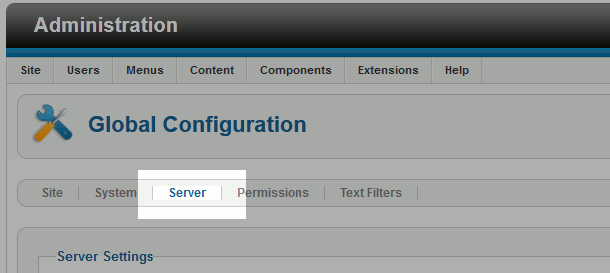
- Click the Server tab
- Under Location Settings, next to Server Time Zone select the city that uses the timezone you would like to use
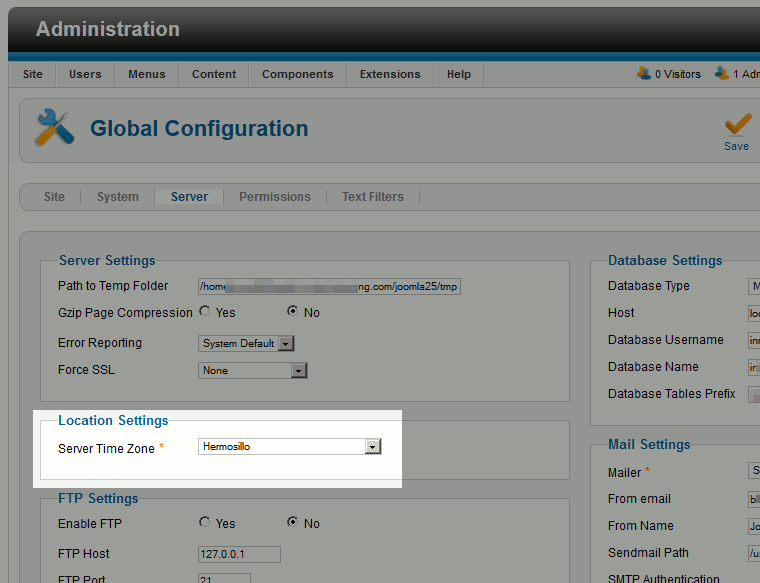
- In the top right of the page, click Save


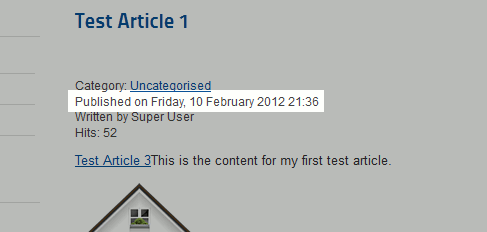
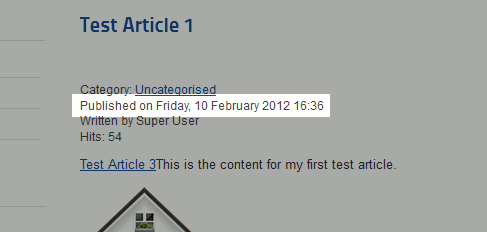
As you can see, in each screenshot below we are looking at the same article, however the Published on value changes based upon which timezone we select.
| Africa/Dakar Timezone | America/Detroit Timezone |
|---|---|
|
|