
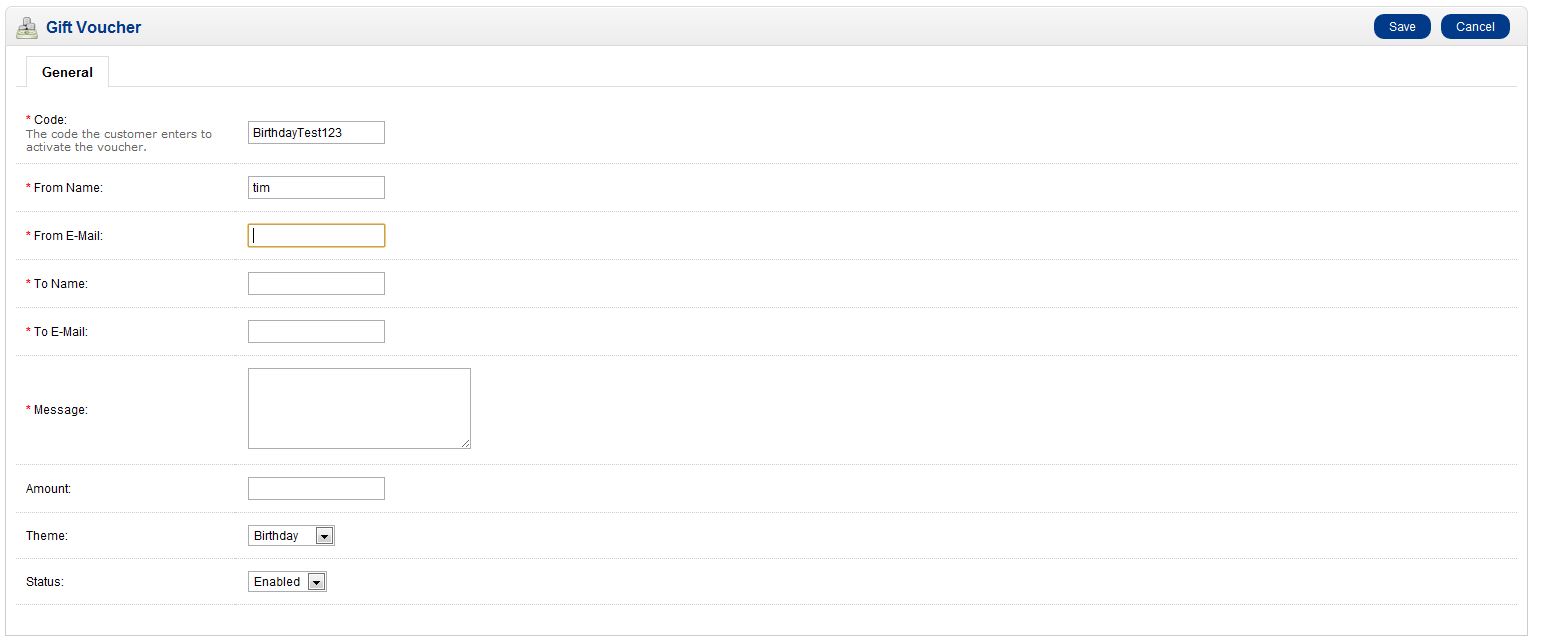
You can create gift vouchers manually in OpenCart. If you’re not familiar with how gift vouchers work, please read our article. When creating a manual gift voucher, you’ll be prompted to fill in the same information as the customer would if they were purchasing a gift voucher via the front end of your website. Creating a manual gift voucher can be done through your OpenCart dashboard. If the customer has already purchased a gift voucher through the front end of your store, you do not need to set it up manually.
- Log into your OpenCart Dashboard
- Go to Sales > Gift Vouchers > Gift Vouchers
- Click “Insert” in the upper right corner
- Fill in the fields with the information. Make sure you have the “Status” set to enabled
- Click “Save”
- The manual creation of a gift voucher does not automatically send the email with the gift voucher code. Once the gift voucher has been created, select “Send” to send an email to the recipient

If you need further assistance please feel free to ask a question on our support center website.