
OpenCart has default tax rates set up for VAT (value added tax) and an eco tax. If you are not using these, you can remove them to keep your OpenCart free of clutter. Removing the current tax rates are done through the OpenCart Dashboard.
How to Remove Existing Tax Rates
- Log into your OpenCart Dashoard
- Go to System > Localisation > Taxes > Tax Classes
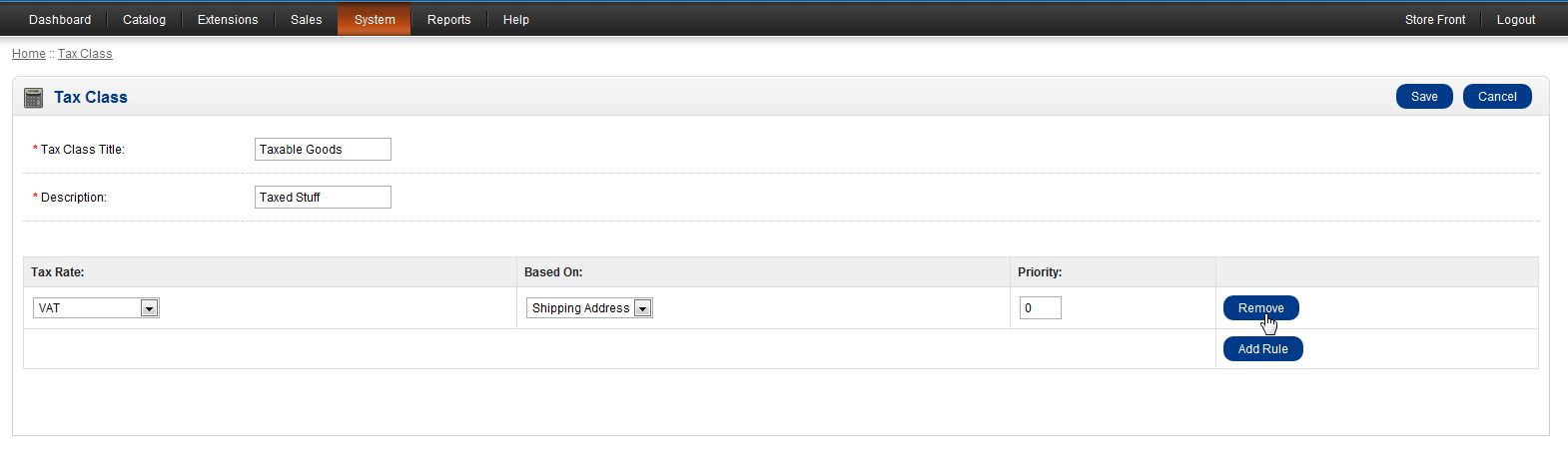
- To remove the existing tax rates, they must be removed from any Tax Class that contains them currently. Click on “Edit” to edit each “Tax Class” to remove the tax rate you are deleting
- Click “Remove” to remove the Tax Rate applied to the Tax Class
- Once you have removed the Tax Rate from every Tax Class you can now remove the Tax Rate
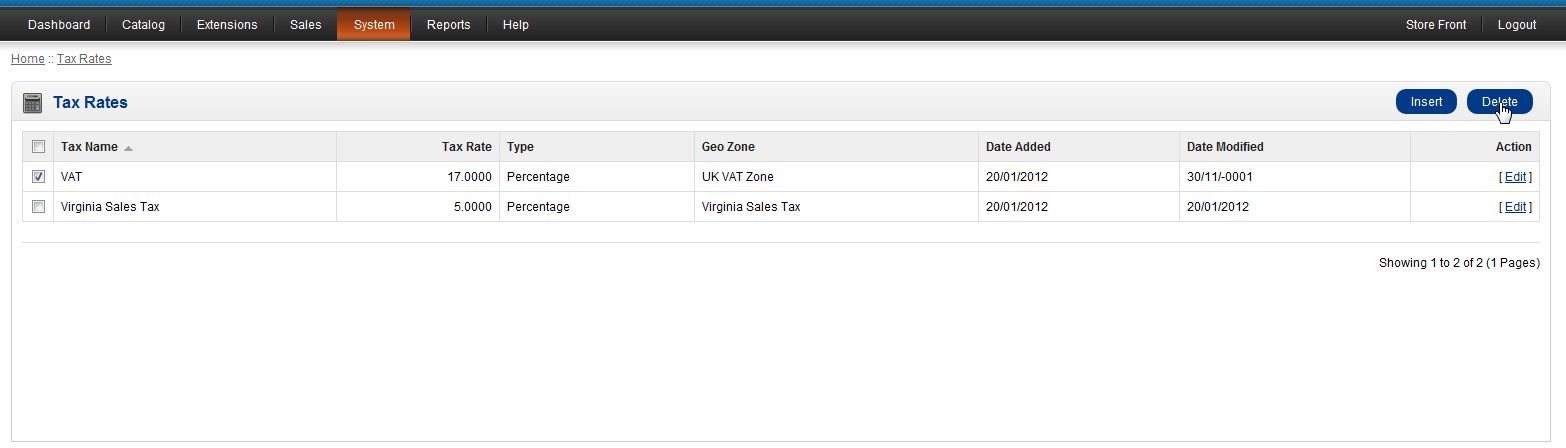
- Go to System > Localisation > Tax > Tax Rate
- Select the Tax Rate you wish to remove by placing a check next to it and click “Delete”
You can follow these steps for each Tax Rate you want to remove. Once you have removed the ones you want, you can begin to add your own Tax Rates.
If you need further assistance please feel free to ask a question on our support center website.
To find out more on using InMotion’s web hosting solutions for OpenCart, click on OpenCart Hosting Accounts with Inmotion.