
One of cPanel’s newer features is the MultiPHP Manager. The MultiPHP Manager allows you to change the PHP version your websites are using. From WHM you can change the PHP version for your entire server. This is useful if all your websites need a version of PHP that your server is not currently set to. Now we’ll show you how to do so.
Note that you will need root access in order to use these directions.
MultiPHP Manager – Changing Your Server’s PHP Version
Here are the steps for changing the PHP version of your server in WHM using the MultiPHP Manager.
- How to log into your Web Host Manager (WHM).
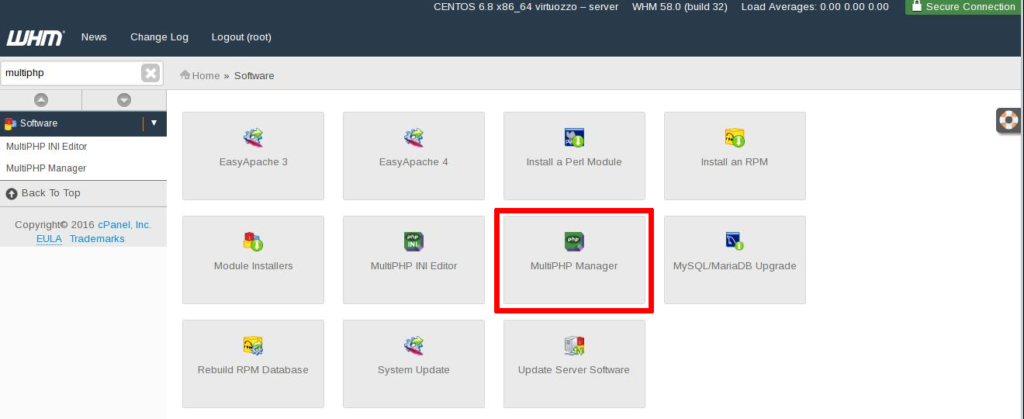
- Click the MultiPHP Manager in the Software section. Or you can search for MultiPHP in the search field.
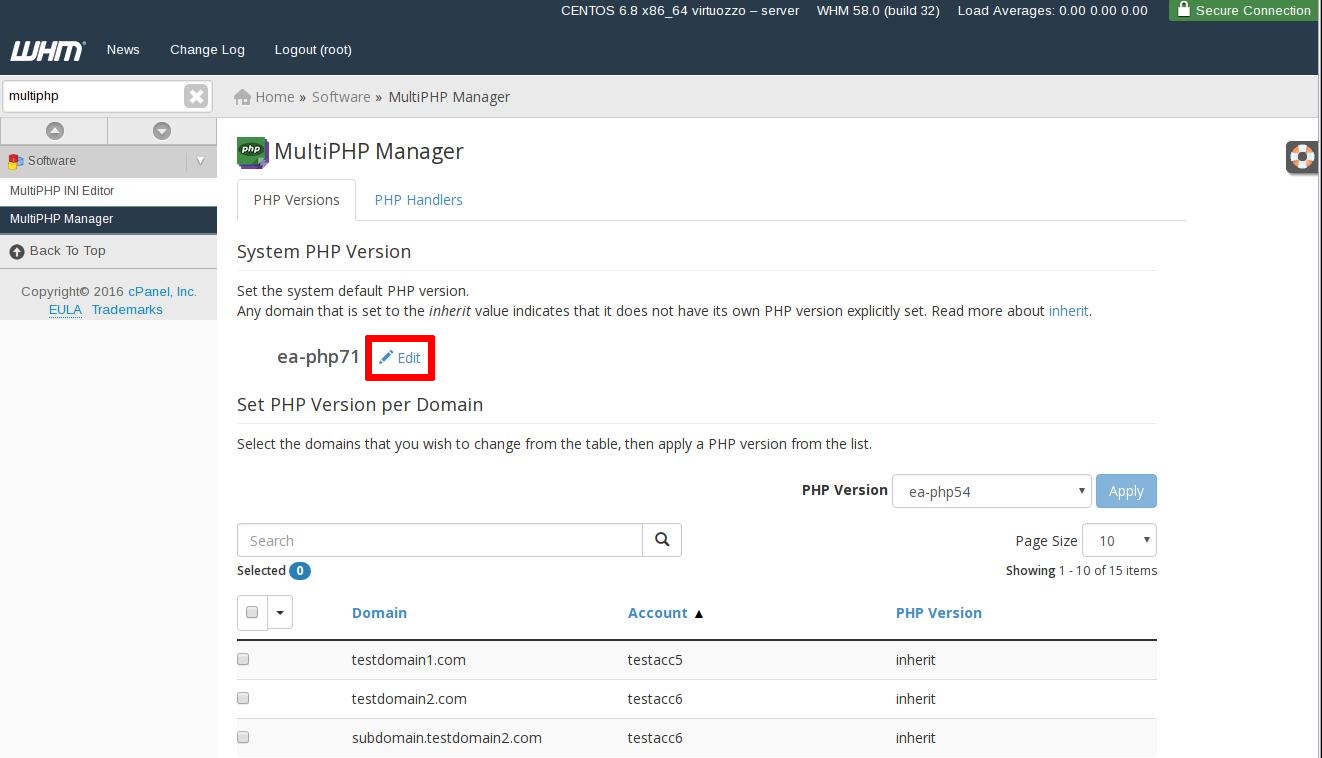
- Click Edit on the PHP Versions tab under the System PHP Version section.
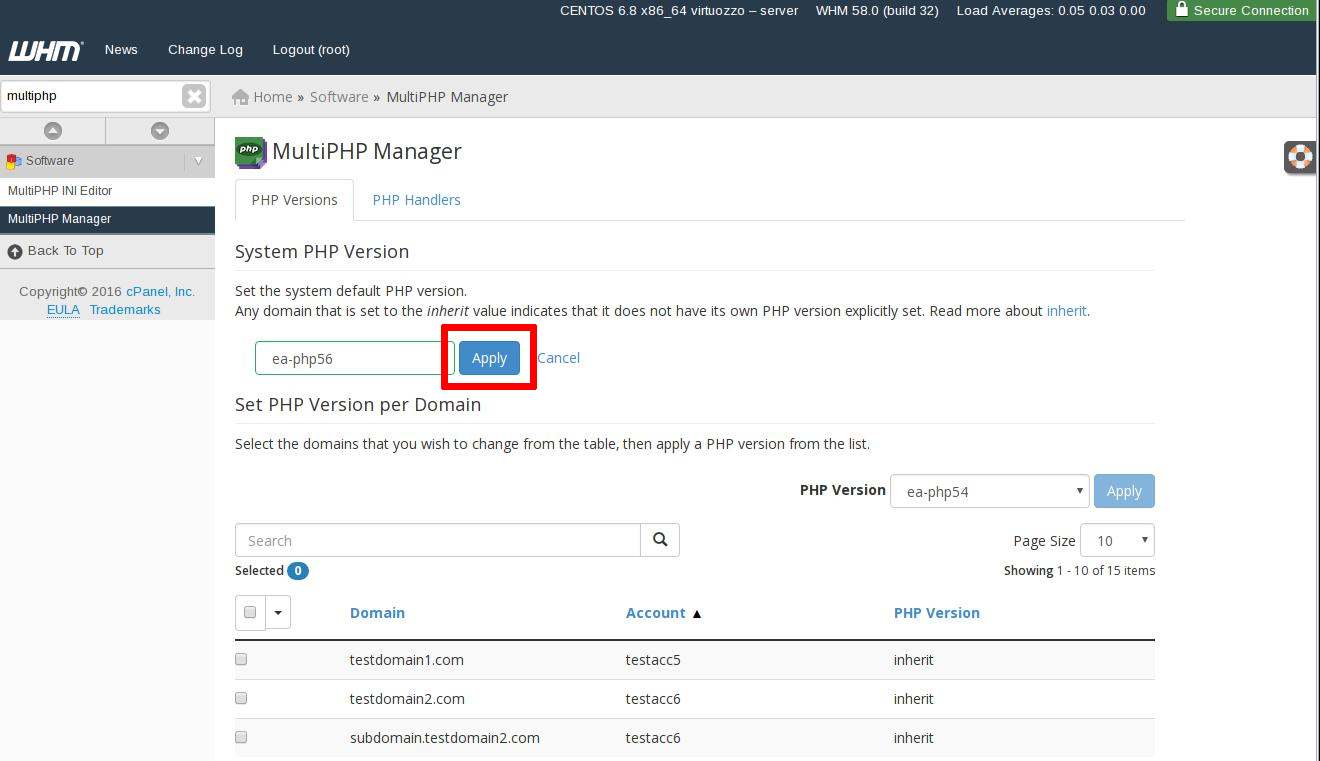
- From the drop-down menu select the version you wish to use, and click Apply.
- Check your changes by viewing your settings in a phpinfo page.
Congratulations! You have now changed your PHP version for your entire server using the MultiPHP Manager.
Learn more about managing Linux servers from our Managed VPS Hosting Product Guide.
Scalable VPS Infrastructure, Fully Managed
When shared hosting can't handle your traffic, VPS delivers dedicated resources that scale with demand. Our team manages the technical complexity while you manage your business.
 NVMe Storage High-Availability Ironclad Security Premium Support