
Every once in a while, important contact information for a website that you are hosting on your VPS/Dedicated server needs to be changed. The primary contact information associated with an account is the email address. This is a quick and easy thing that you can do using the WHM interface for your account. Follow the directions below to learn how you can quickly change the contact email for the owner or administrator of a website account that you are managing with your VPS or Dedicated Server account.
The instructions in this article require that you have root access and either a VPS or Dedicated server hosting account
Do you need a trouble-free solution for your VPS or dedicated server hosting account with InMotion Hosting? Check out and find a Managed Hosting solution to fit your needs!
How to change the Contact Email using WHM
- Log in to the WHM interface for your account.
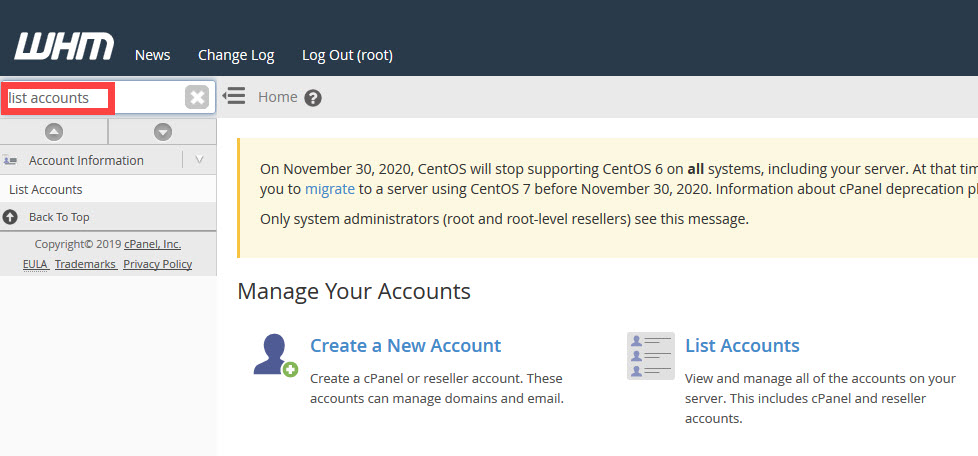 In the menu bar at left, go to the search field and type in List Accounts.
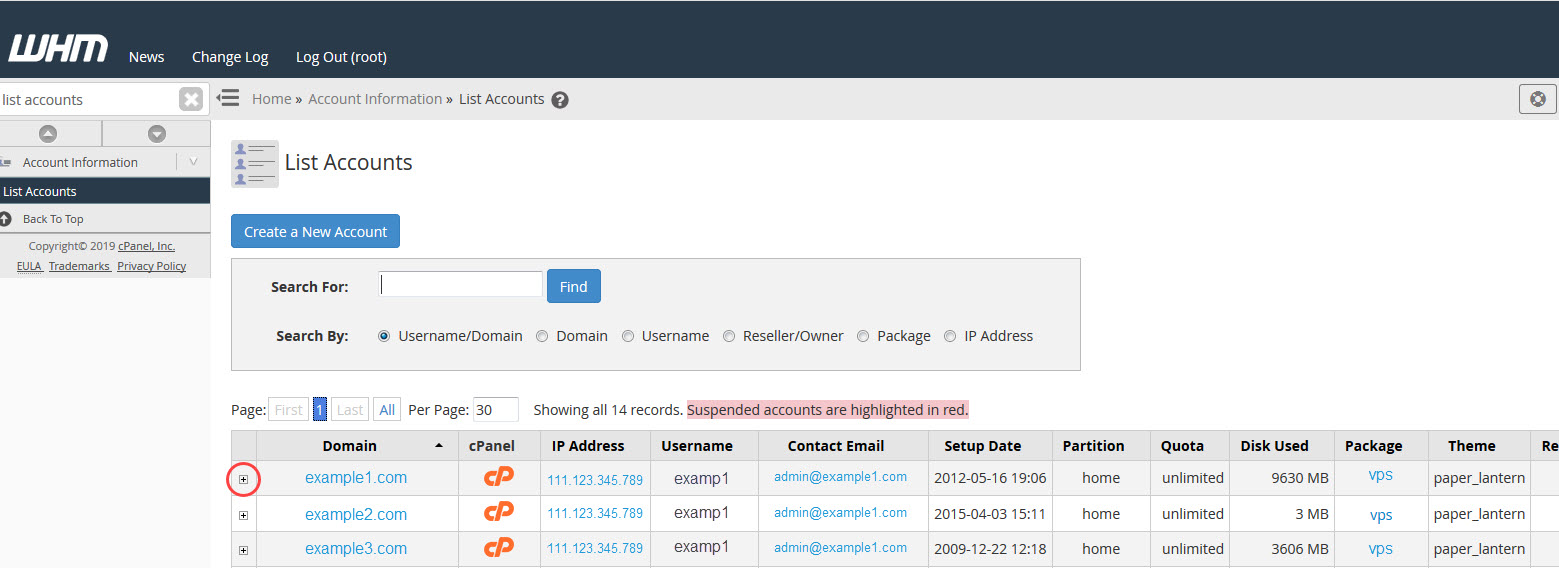
- This will bring up a table of the accounts that have been created within your VPS or dedicated server. Find the account that you need to change and then click on the plus sign in the far left column of the table.
 This will open a row beneath the selected account that you have chosen. Find the cell that is titled Change Contact Email: and then click in the field where the existing email is shown.
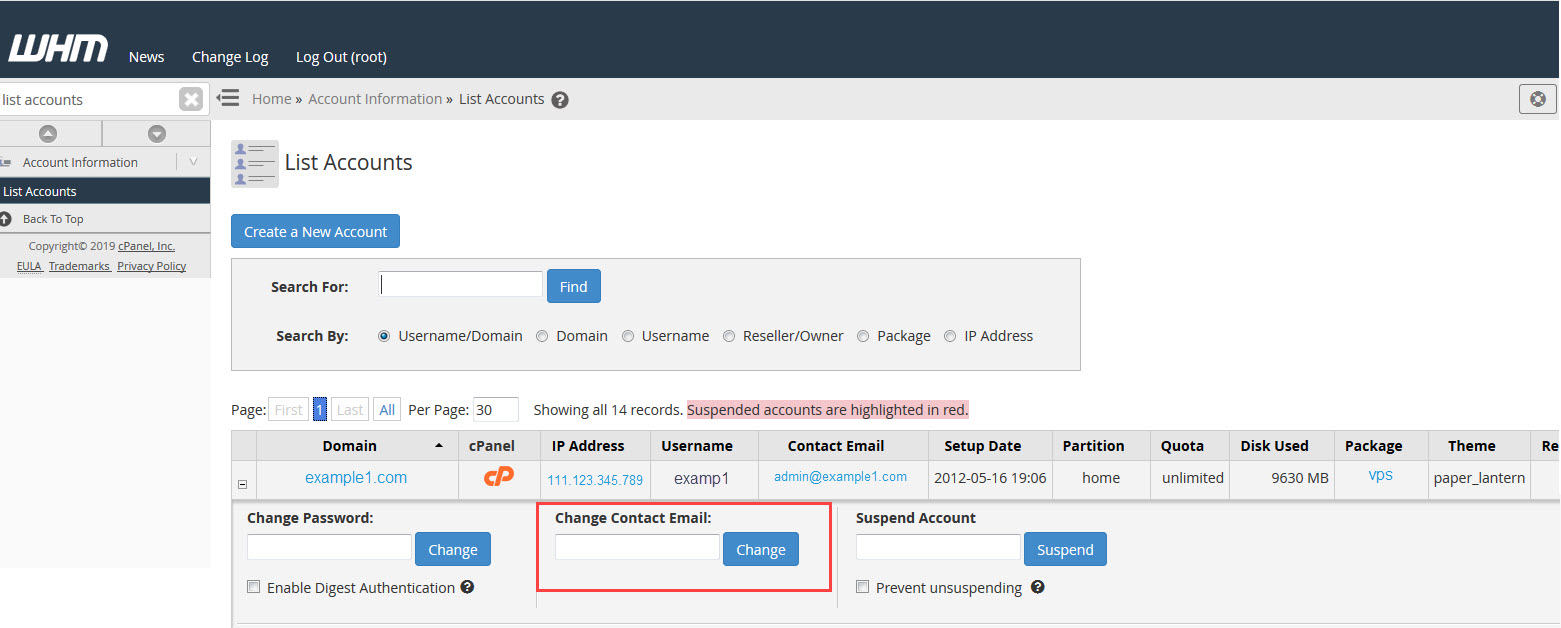 Remove the existing entry and enter the updated email address.
- Click on the Change button to save your new entry.
You now know how to change the email contact for an account using the WHM account list interface!