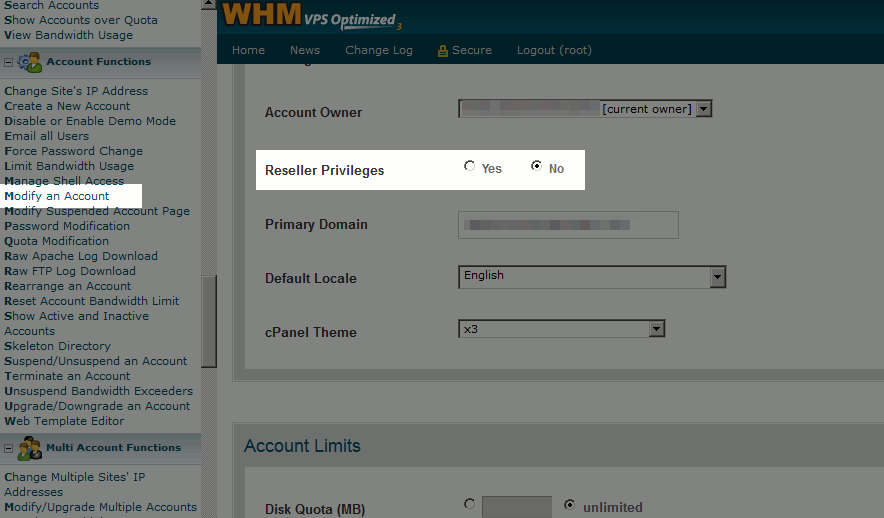
cPanel accounts can be given reseller hosting access either during the initial cPanel account setup or after the account has already been created by using the “Modify an account” feature within WHM.
How to give reseller access during initial account setup
When creating a cPanel account in WHM, ensure the “Make the account a Reseller” option is selected to give the new account reseller privileges.
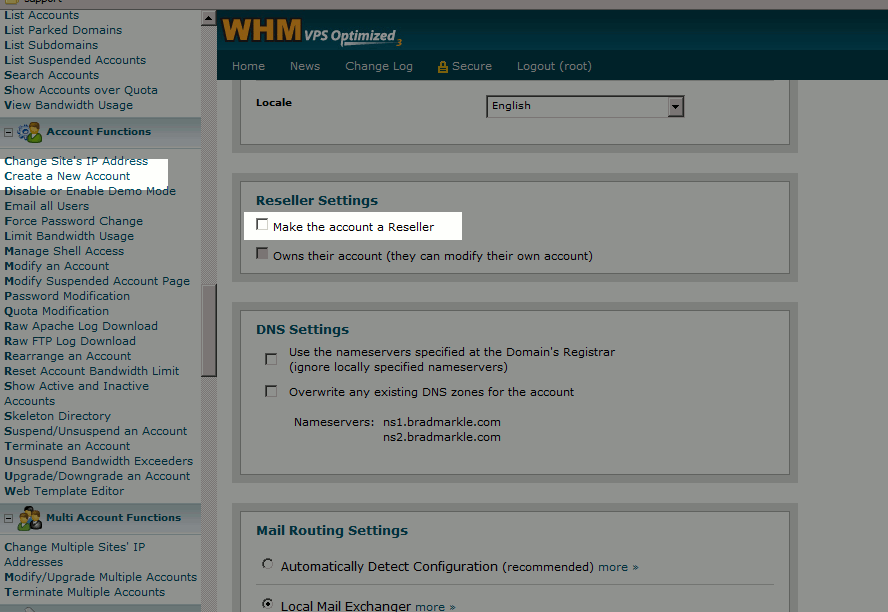
How to grant reseller access to cPanel accounts that already exist
To modify an existing cPanel account to grant reseller privileges, use the modify an account feature in WHM to modify the account and ensure “Yes” is selected for “Reseller Privileges”.