As a web host reseller you may need a Billing or Support system in place where your customers can request help, or make payments. WHMCS is a good way to provide this functionality to your Reseller account.
In this guide I will show you how to request a WHMCS license from AMP, you can then install this software using Softaculous.
Requesting a WHMCS License in AMP
- Login to AMP.
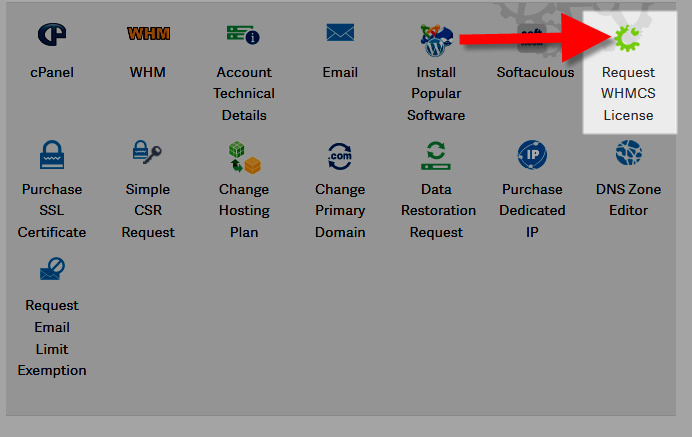
- Under your Reseller plan, click Request WHMCS License.
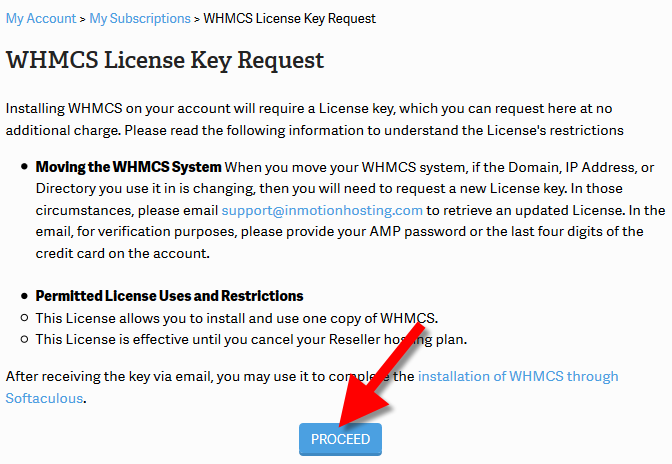
- You will see information regarding the license; read through, then click the Proceed button to continue.
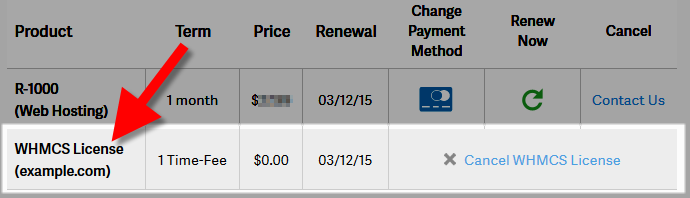
You will then see a list of your active subscriptions, including your WHMCS license.
Within a few minutes, an email will be sent to your primary email address on file.
- Now you can install WHMCS using Softaculous, be sure to enter the license in the Valid License Key field.



Congratulations, now you know how to request a WHMCS license from AMP!