Creating a New Customer Group in Magento 1.6

You can create customer groups within Magento 1.6 to further customize your Magento store. Customer groups are an easy way to cluster customers together to keep your Magento 1.6 backend further organized. Customer groups are created in the Magento Admin Backend.

  1. Log into your Magento Admin Backend
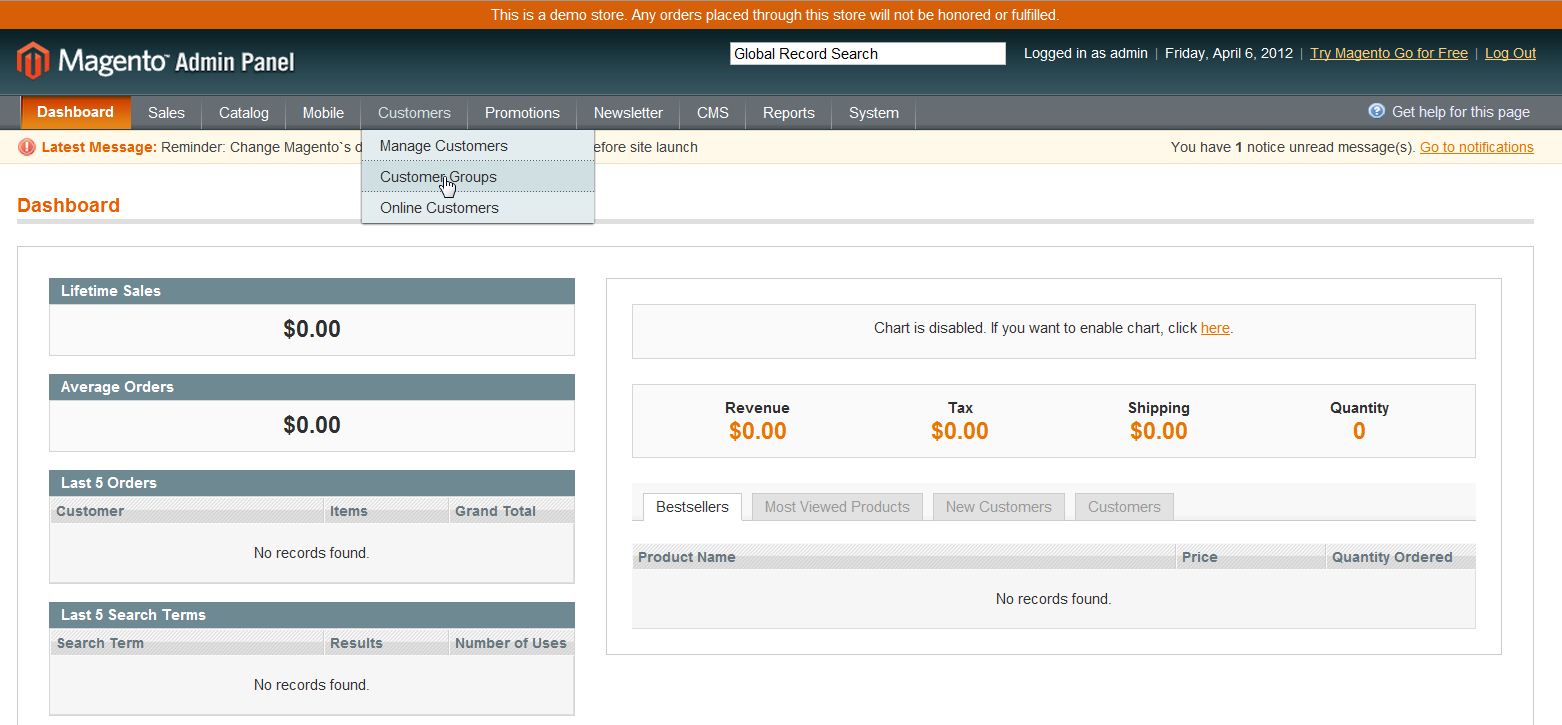
  2. Go to Customers ->> Customer Group
  3. magento_cust_group_1

  4. Click “Add New Customer Group
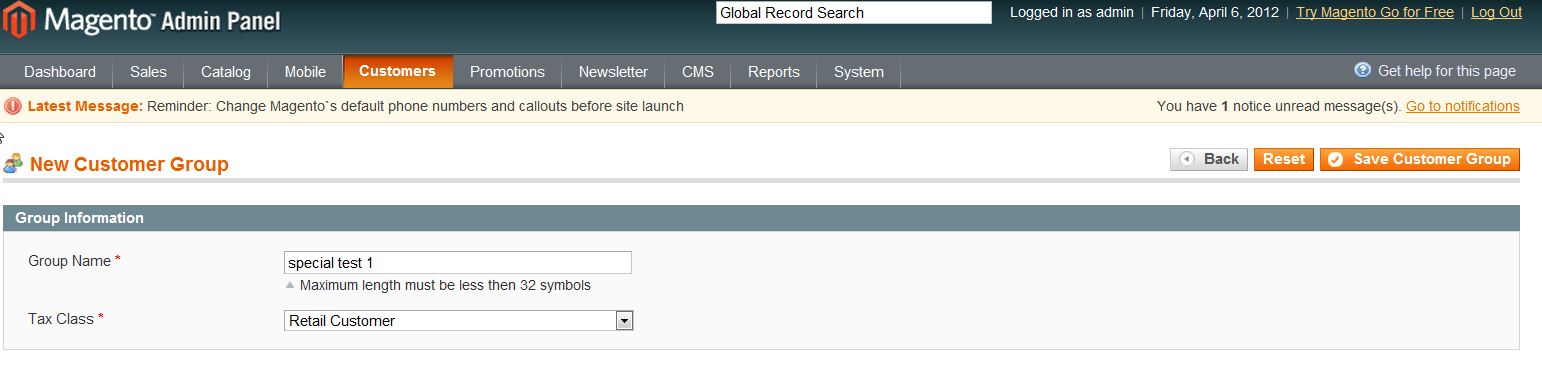
  5. Fill in the “Group Name” and select a “Tax Class” from the dropdown
  6. magento_cust_group_2

  7. Click “Save Customer Group

If you need further assistance please feel free to ask a question on our Support Center.

Share this Article
Carrie Smaha
Carrie Smaha Senior Manager Marketing Operations

Carrie Smaha is a digital strategy, web development, and SEO leader with 20 years of experience. She built her foundation in fast-paced agency environments before moving in-house to InMotion Hosting, where she leads go-to-market programs, agency initiatives, and technical product marketing that connects product capability to real customer decisions.

More Articles by Carrie