Deleting a Customer in Magento 1.6

As the admin of your Magento 1.6 web store, you may have to delete customers from time to time. A customer could have a fraudulent account, or maybe the account is no longer in use. Deleting a customer is easily accomplished using the Magento 1.6 Admin panel.

  1. Log into your Magento Admin Backend
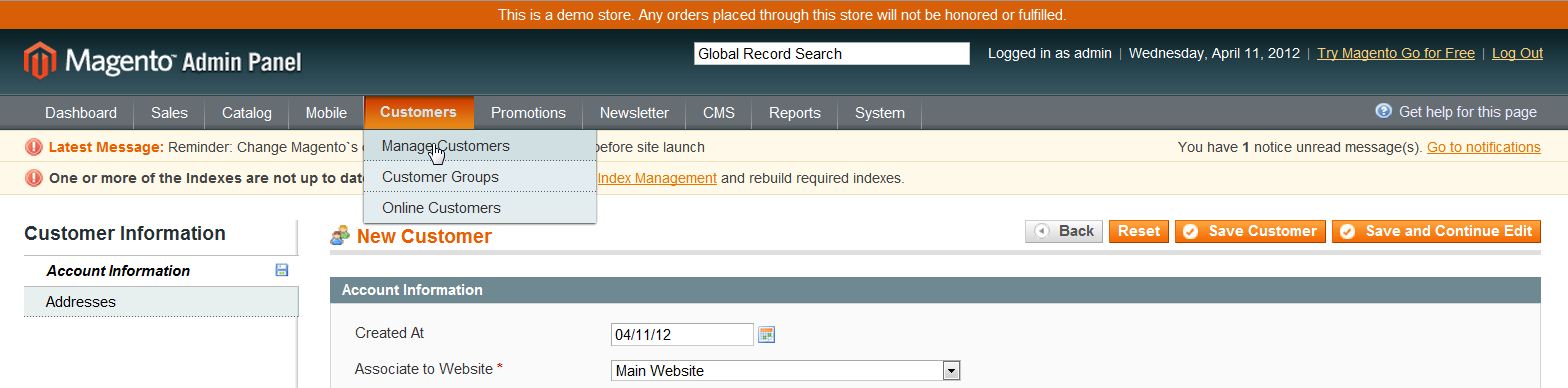
  2. Go to Customers ->> Manage Customers
  3. magento_new_customer_1

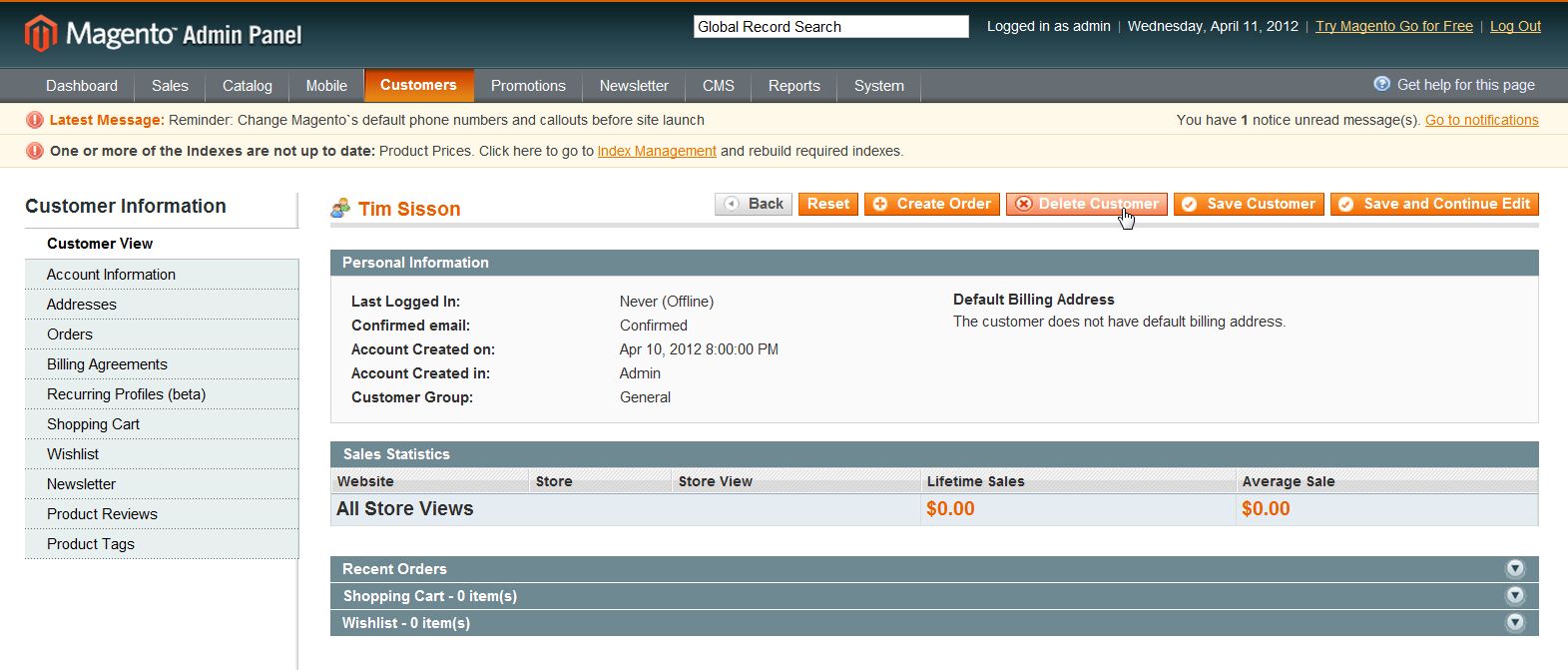
  4. Click on the customer you want to delete
  5. In the uppoer right corner of the interface, click “Delete Customer
  6. magento_delete_customer_1

  7. Click “Ok

If you need further assistance please feel free to ask a question on our Support Center.

Share this Article
Carrie Smaha
Carrie Smaha Senior Manager Marketing Operations

Carrie Smaha is a Senior Marketing Operations leader with over 20 years of experience in digital strategy, web development, and IT project management. She specializes in go-to-market programs and SaaS solutions for WordPress and VPS Hosting, working closely with technical teams and customers to deliver high-performance, scalable platforms. At InMotion Hosting, she drives product marketing initiatives that blend strategic insight with technical depth.

More Articles by Carrie