
Magento 1.6 will not allow backorders of products. Before you can allow products to be displayed that has no stock inventory you should set your shopping cart to display out of stock products. After this has been done, you can then configure Magento 1.6 to allow backorders. This is done in the Magento Admin Panel.
- Log into your Magento Admin Backend.
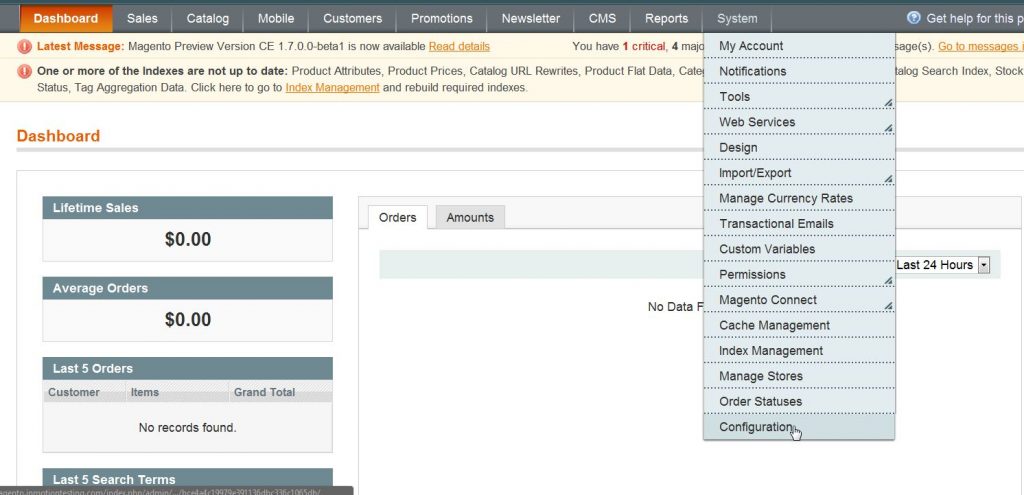
- Go to System ->> Configuration.
- Click on “Inventory” in the left side menu pane.
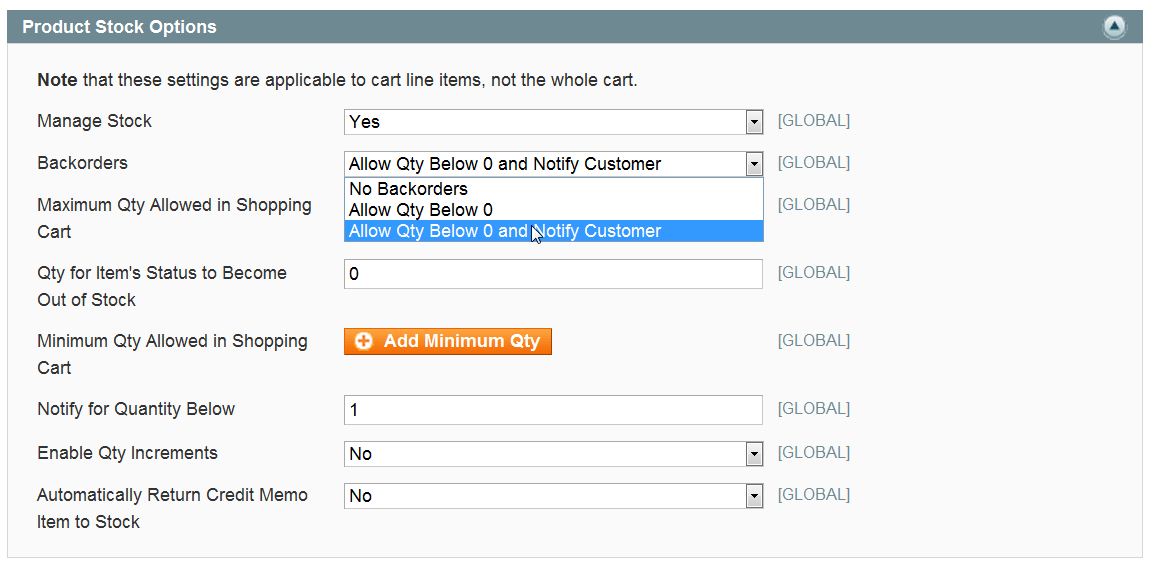
- Open the “Product Stock Options” section.
- Change the “Backorders” to “Allow QTY Below 0 and Notify Customer“.
- Click “Save Config“.
Learn more about our Magento Hosting plans or visit our other Magento Tutorials in our Education Channel.