
Magento 1.6 will automatically decrease your stock inventories when an order is placed. This can be a great feautre if you sell physical products. However, if you sell digital products you do not need to keep a physical inventory. This you do not need to subtract items from your inventory that are sold, you could simply turn this setting off. Configuring Magento 1.6 to not decrease stock when orders are placed is easily accomplished in the Magento Admin Panel.
- Log into your Magento Admin Backend
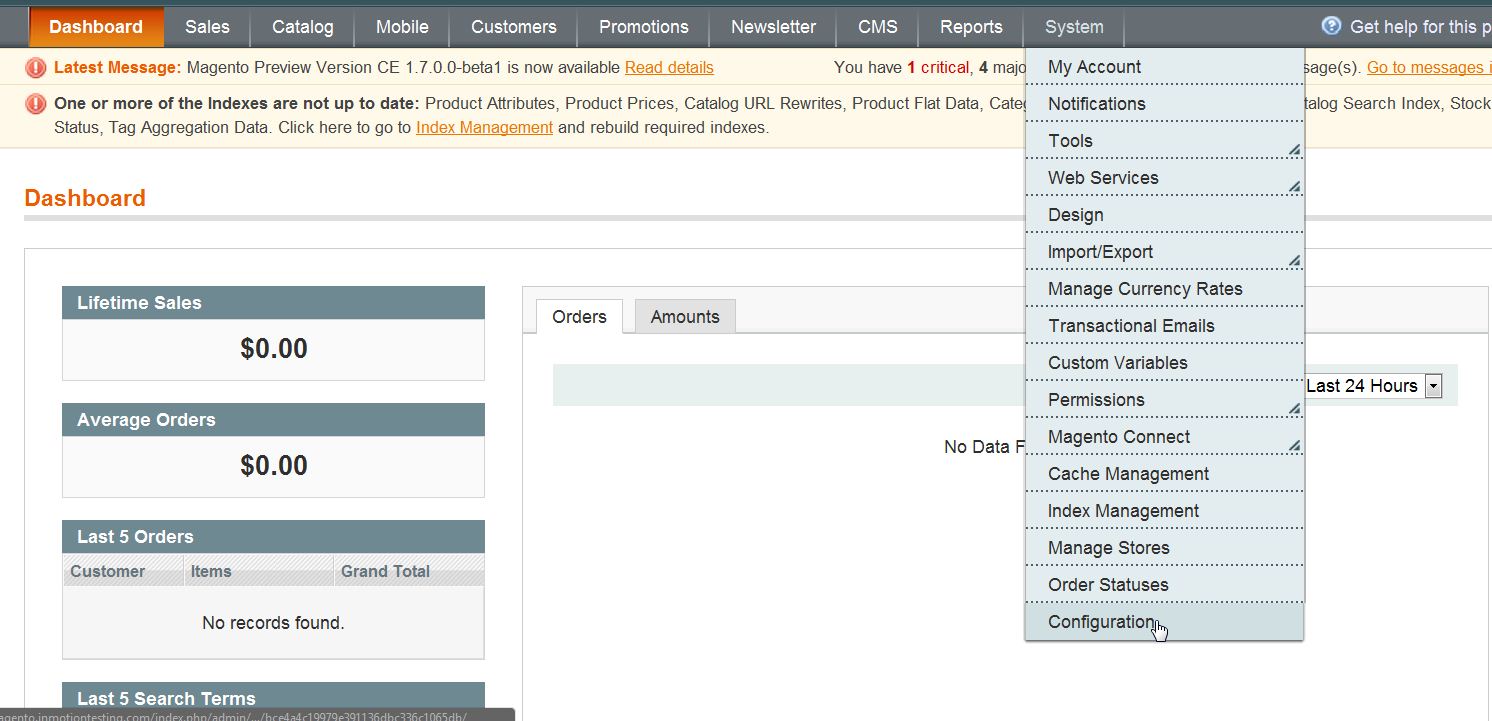
- Go to System ->> Configuration
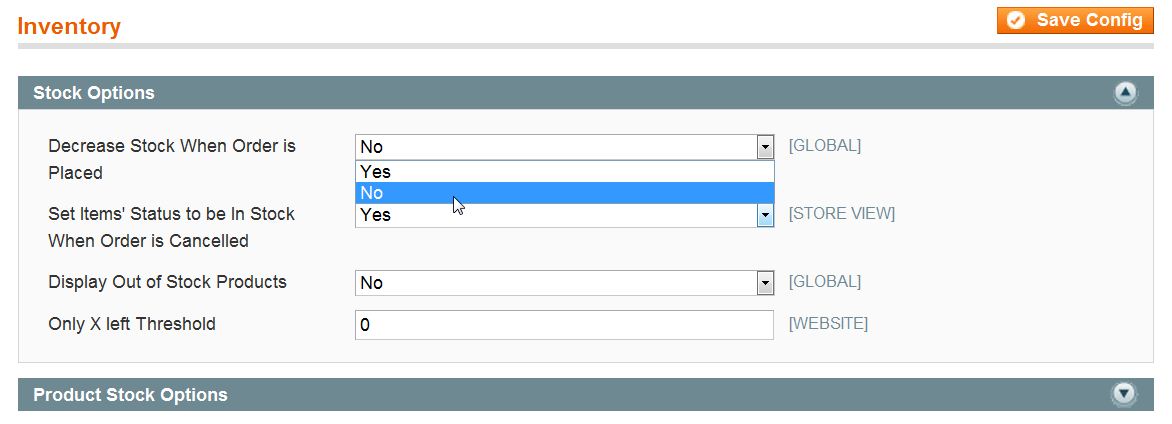
- Click on “Inventory” in the left side menu pane
- Open the “Stock Options” section
- Change the “Decrease Stock When Order is Placed” to “No“
- Click “Save Config“
For more step-by-step guides and practical tips, visit our Drupal Education Channel.