
In Magento 1.6, you have the opportunity to create promotions to entice your webstore’s visitors to purchase products from your website. There’s different ways to create different types of promotions such as creating promo codes. Promo Codes are codes the shopper will enter into the shopping cart during the checkout process that provides them some form of discount. Coupon codes can be customized for specific occasions or even for use by specific customer groups. Creating Magento 1.6 promo code is accomplished through the Magento Admin Backend.
- Log into your Magento Admin Backend
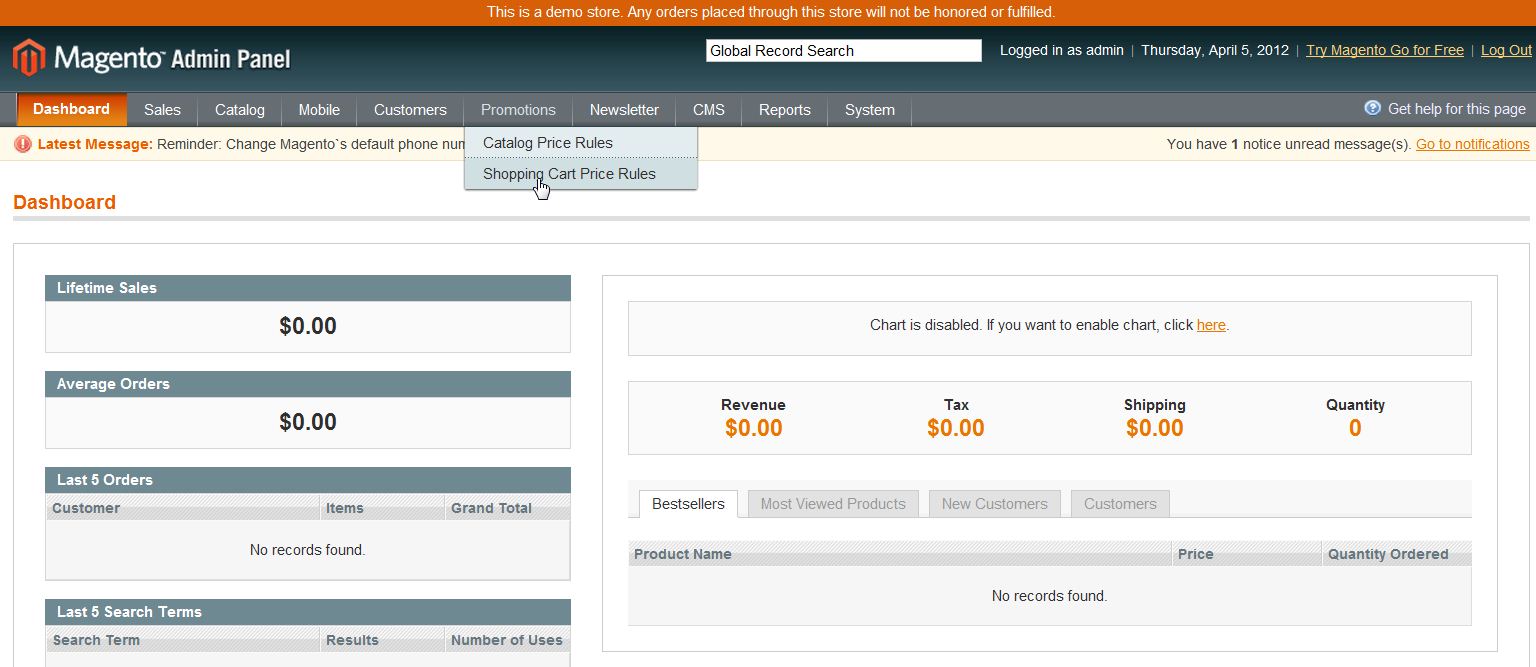
- Go to Promotions ->> Shopping Cart Price Rules
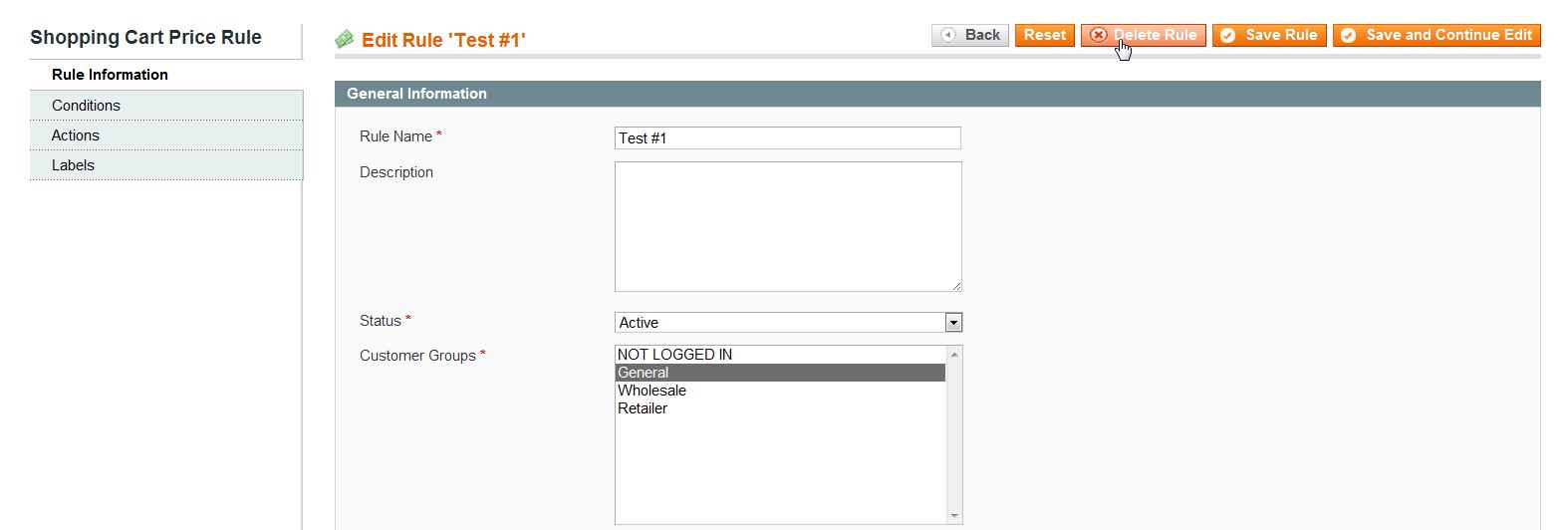
- Click on the coupon code you wish to delete
- In the upper right corner select “Delete Rule“
- Click “OK“
If you need further assistance please feel free to ask a question on our Support Center.