
Do you want to free up space on your server? There may be files stored in your File Manager’s Trash Directory that you no longer need. This is because deleting a file in File Manager only moves it to the Trash folder. In this guide, we will show you how to permanently delete a file in cPanel File Manager so you can free up space.
Keep in mind that this is separate from the Trash directory used with terminal commands.
Permanently Deleting File Manager Trash
- Log into cPanel.
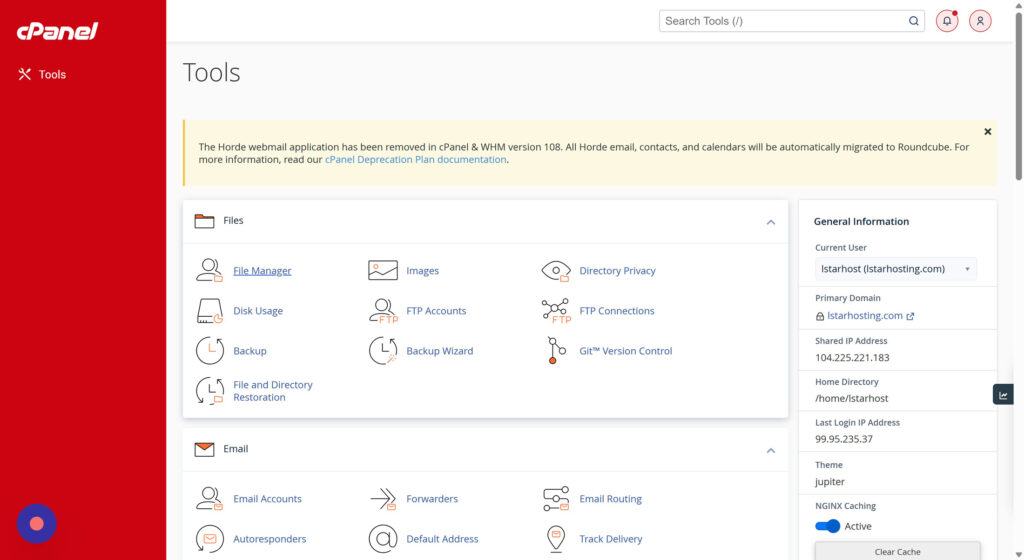
- Click on File Manager in the Files section of cPanel.
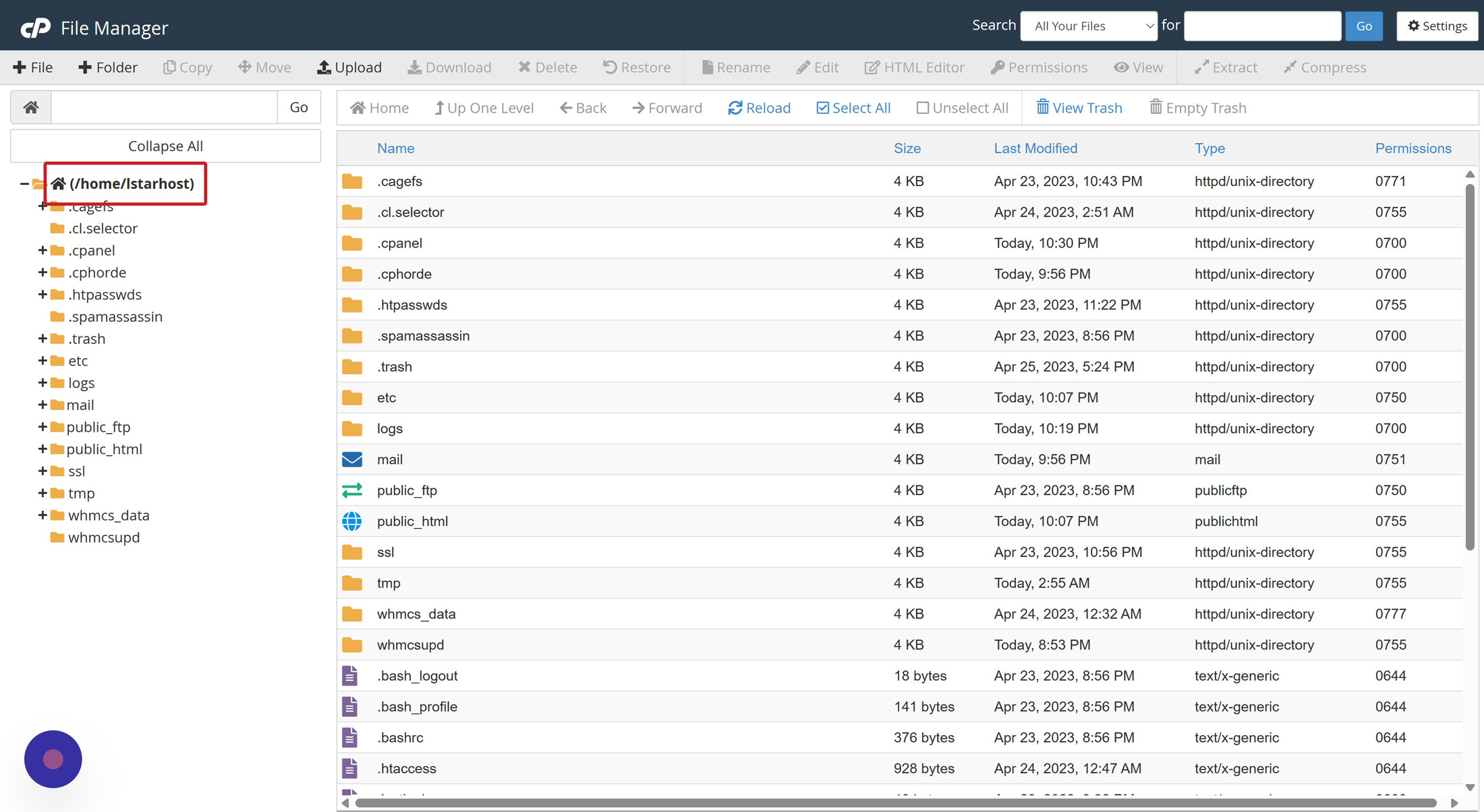
- Once you’re in File Manager, click on the directory folders to navigate to the area that has the files or folders you want to delete.
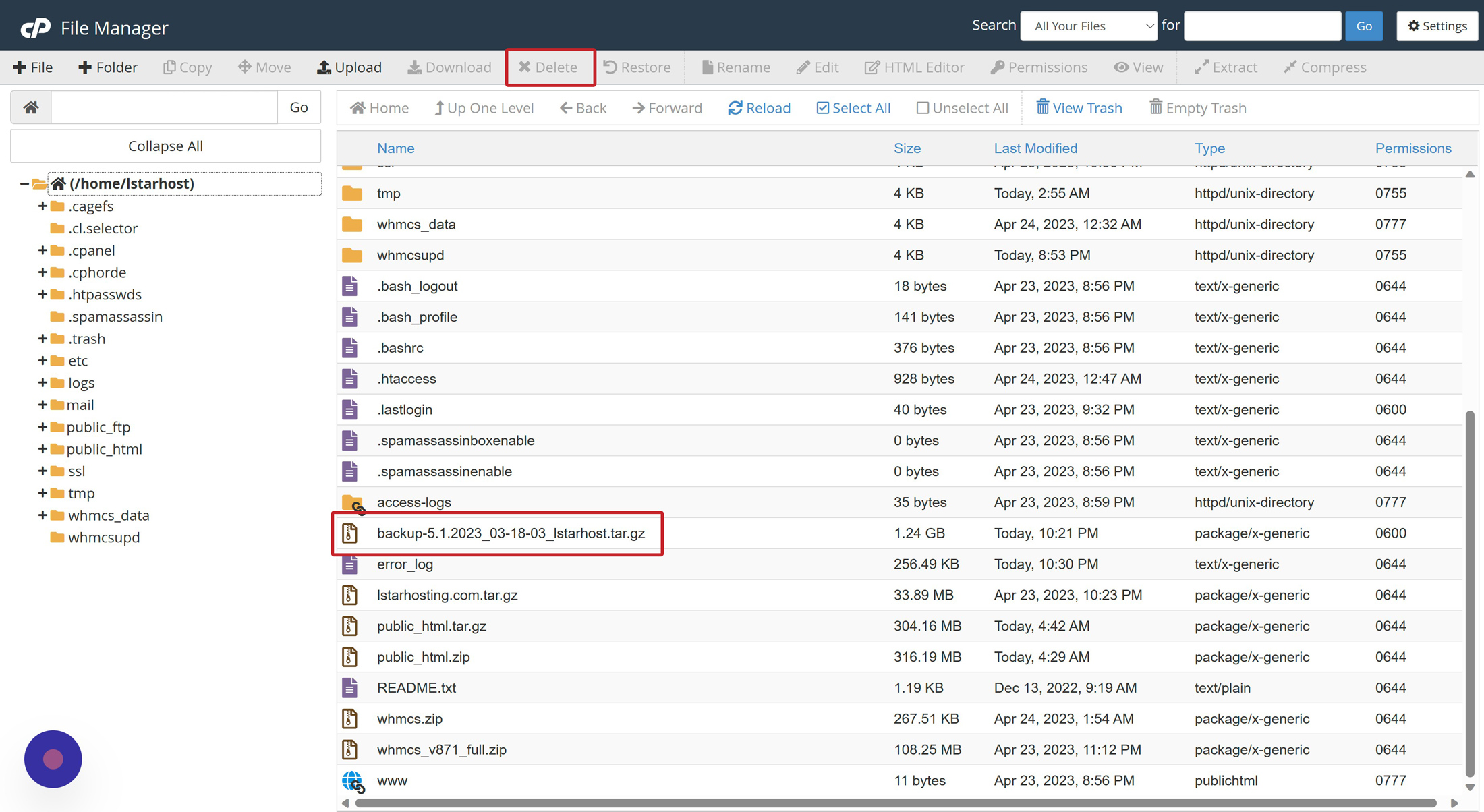
- Select the items you want to remove, then click the Delete link from the top toolbar.
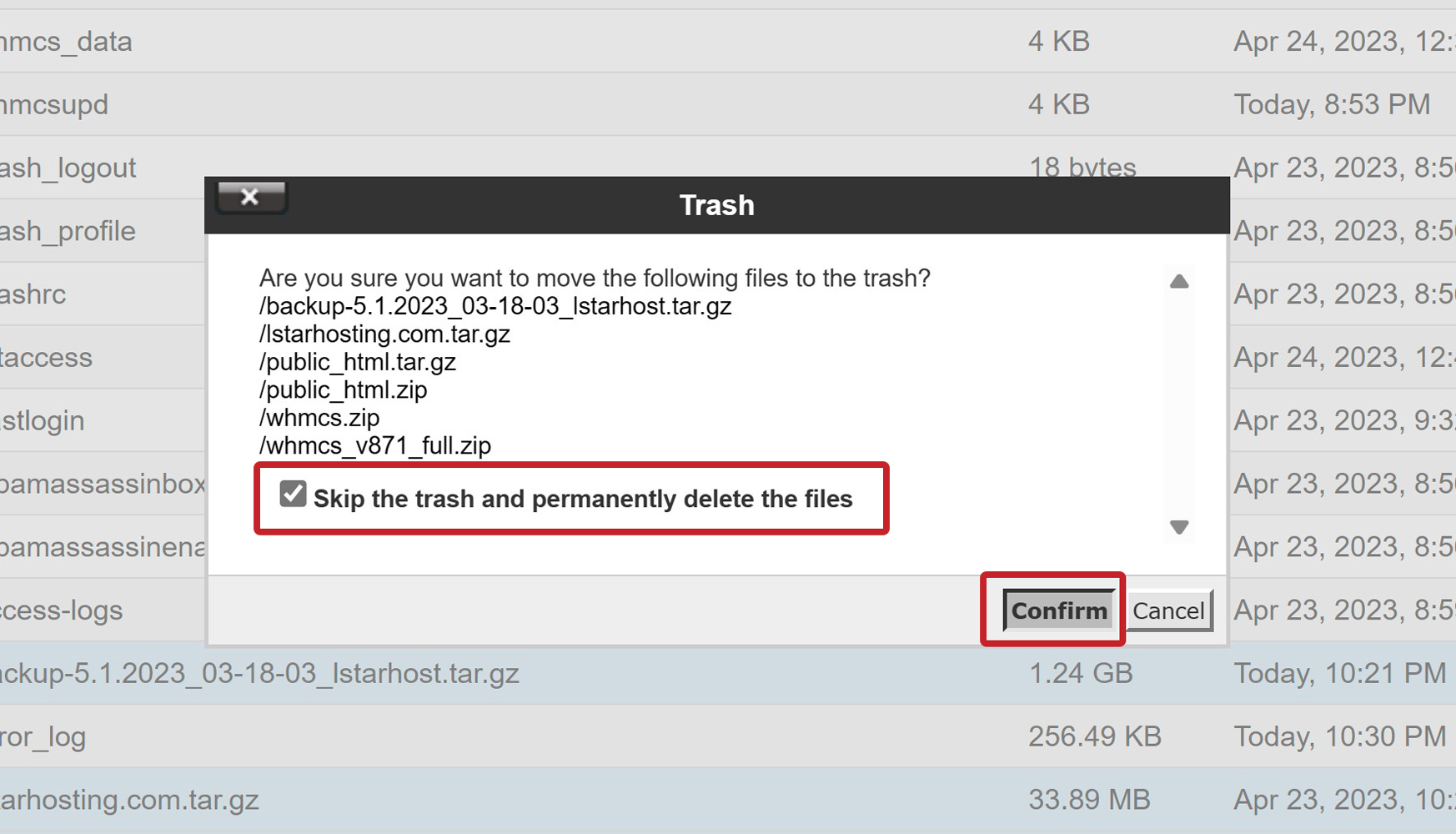
- A message will ask, “Are you sure you want to move the following files to the trash?” Click Confirm to send items to the trash, with an option to recover the file(s) later.
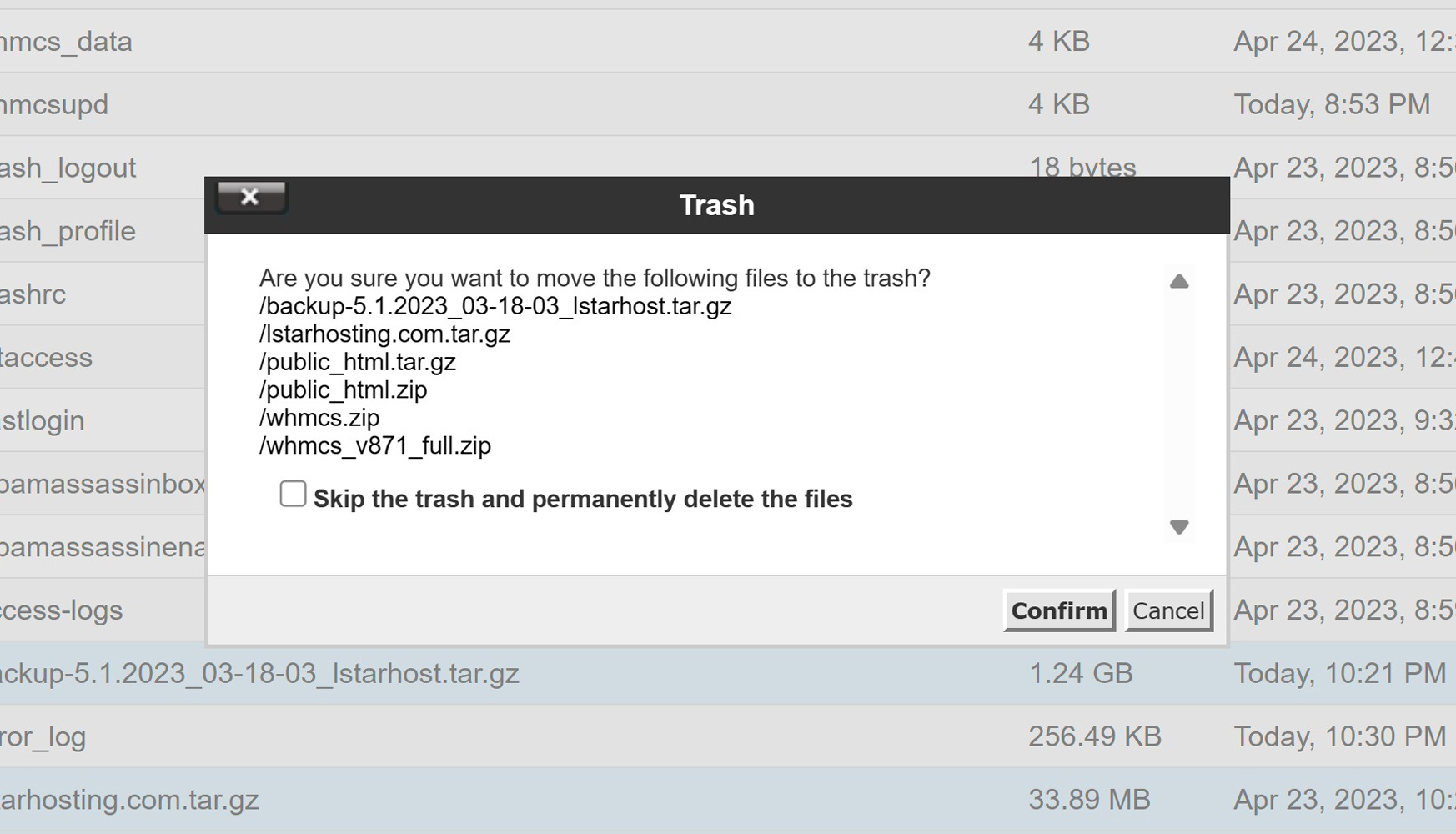
- To permanently delete files from your cPanel and File Manager Trash, tick the box to “Skip the trash and permanently delete the files.”
Congratulations, now you know how to permanently delete a Trash file in File Manager! Check out this post in our community forum if you are having trouble deleting files or getting errors such as FileOp Failure.