Joomla 2.5 has reached its end of life as for 12/31/2014. Please be advised this may be a security risk to your website. You can view more information about the end of life here.
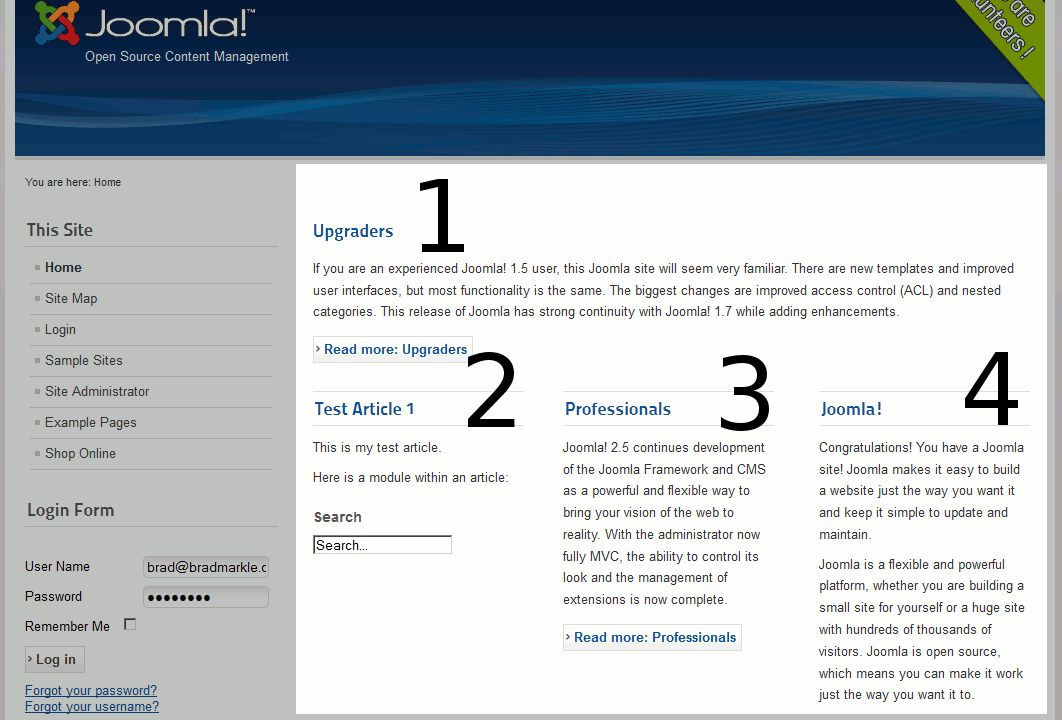
Featured articles in Joomla 2.5 are articles that show up on your Joomla 2.5 front page. Assigning an article as a featured article is easy to do, and in this Joomla 2.5 tutorial we’ll talk about how to adjust the ordering of featured articles on your front page.
To change the order of featured articles on Joomla 2.5’s front page:
- Log into your Joomla Administrator backend
- In the top menu, hover over Content and click Featured Articles.
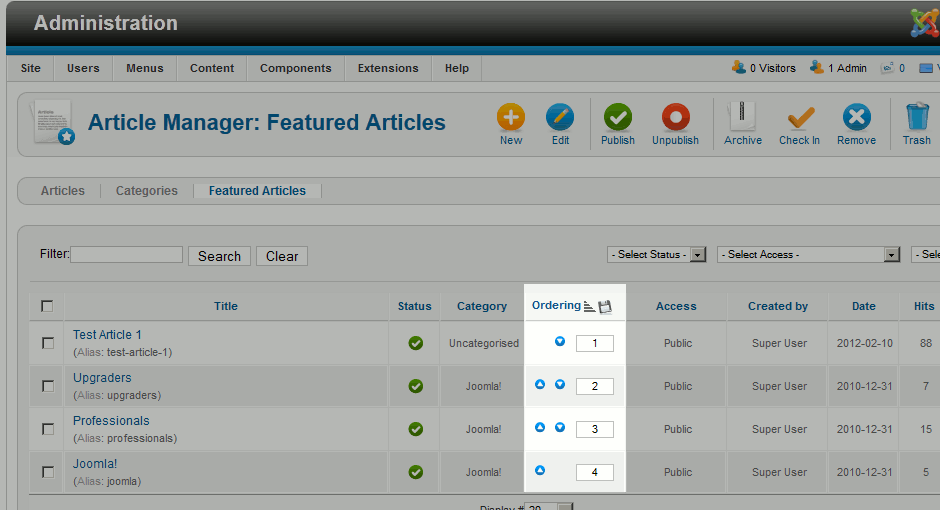
- Click the arrows under Ordering to adjust the Featured Articles order.
Under the Ordering column, you should see blue and white arrows you can click to adjust the ordering of the Feature Articles. If you don’t see these arrows, click the Ordered header and they should show up.

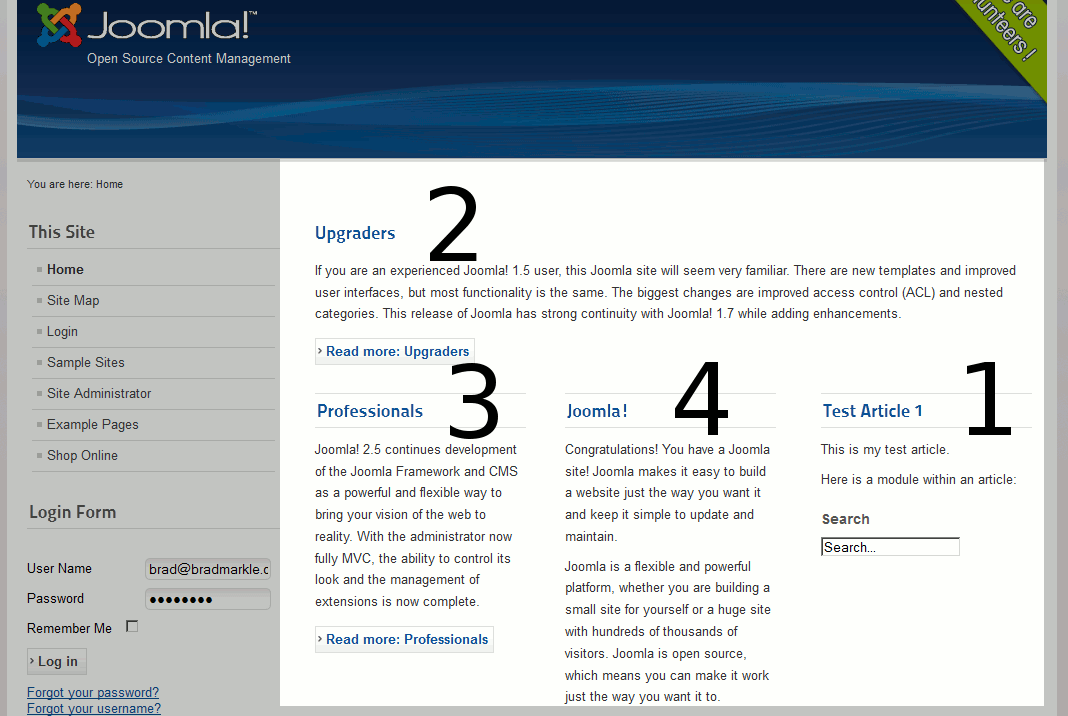
If you notice in the screenshot below, even though we adjusted the Featured Article order in Joomla 2.5, our front page does not show the articles in the order we want:
You may need to adjust the Article Order setting on your Joomla 2.5 homepage menu item. To do this:
- In the top menu, hover over Menus and click Main Menu
- Click on your Home page
- Under layout options, you will then see an option labeled Article Order which you can adjust.
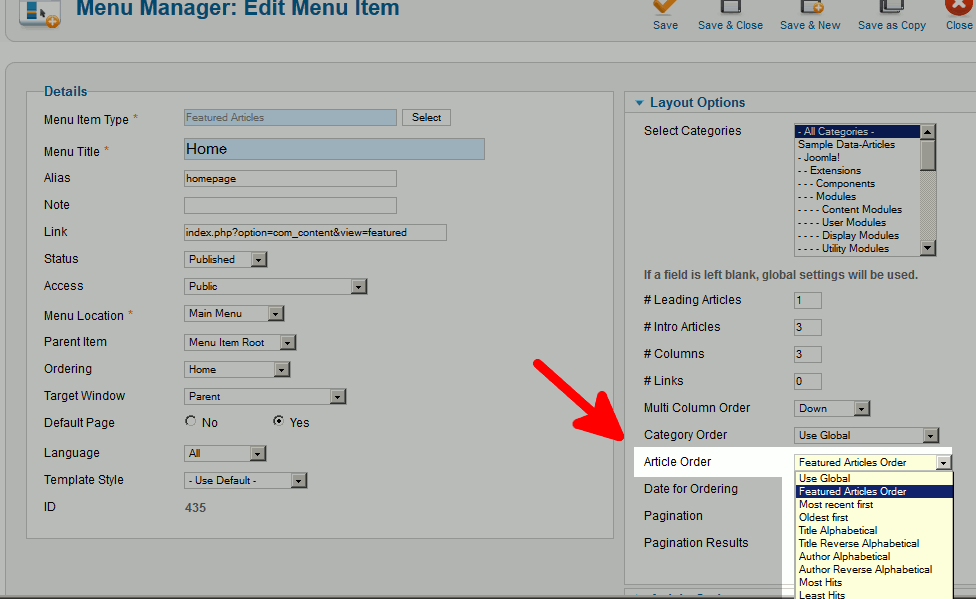
To get our ordering to match the Featured Article Order, we used the following settings:
Multi Column Order: Across
Category Order: No Order
Article Order: Featured Articles Order
Date for Ordering: Use Global