Joomla 2.5 has reached its end of life as for 12/31/2014. Please be advised this may be a security risk to your website. You can view more information about the end of life here.
You can use any theme on your Joomla hosted website. Joomla 2.5 themes are used not only to define the style of a webpage, but also to define how the page is laid out. For example, it is because of how a specific template is setup that certain items show in the footer of a page, or in the left / right sidebars.
It also makes sense that modules are the only Joomla extensions that are assigned to module positions. For example, when you install a component or a plugin, they do not need to be assigned to a module position.
When working on your Joomla 2.5 site, there may be times when you need to move modules to different parts of the page. Each module is shown in a “place holder”, and these place holders are referred to as positions. To move a module to a different position, you’ll need to know where each position is set in the template. For example, the footer may have a position labeled as “position-14”. You need to know this position name before you can move a module to it.
Viewing where module positions are configured within a template
- Log into your Joomla Dashboard
- In the top menu, under Extensions click Template Manager
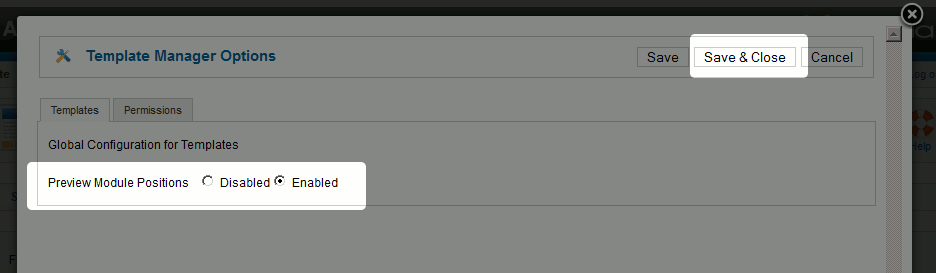
- In the top right, click the Options button
- Set Preview Module Positions to Enabled and then click Save & Close
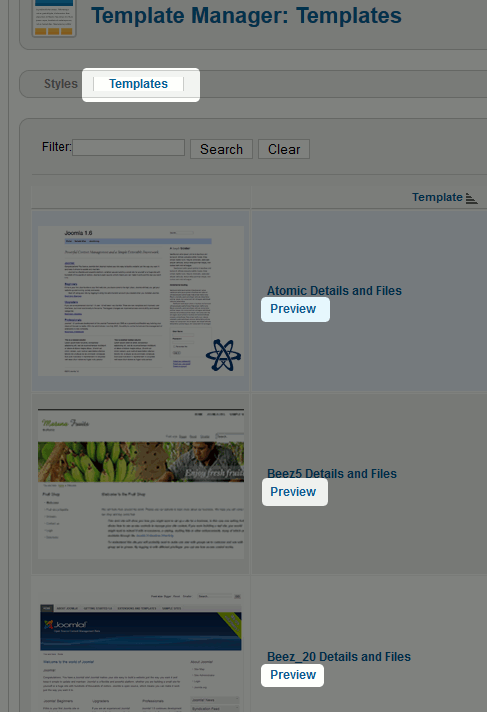
- Click the Templates tab
- Next to the template you would like to view the structure of, click Preview
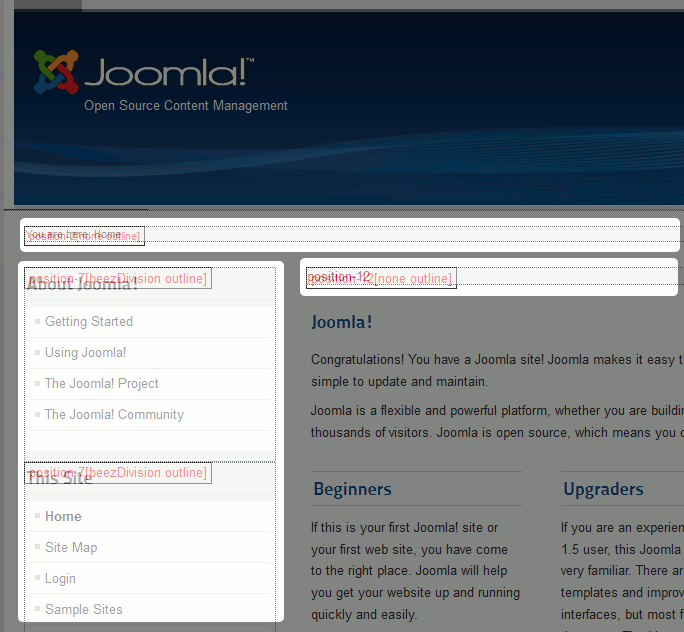
- A new window will open and it will outline the structure of the template. It may be hard to see, but you should see areas labeled similar to position-12 and position-7