Joomla 2.5 has reached its end of life as for 12/31/2014. Please be advised this may be a security risk to your website. You can view more information about the end of life here.
From personal experience (from a web hosting technical support rep), I can tell you that many people want the ability to only allow registered users to access certain pages in their site. Joomla 2.5 makes it very easy to block access from the public and only allow registered users the ability to access certain pages. In this Joomla 2.5 tutorial, we’ll walk you through the steps for preventing public access in Joomla 2.5.
To prevent public access in Joomla 2.5:
- Through your Joomla 2.5 admin, open for edit either the article or menu item that you want to prohibit access on
- Next to Access, in the drop down change Public to Registered
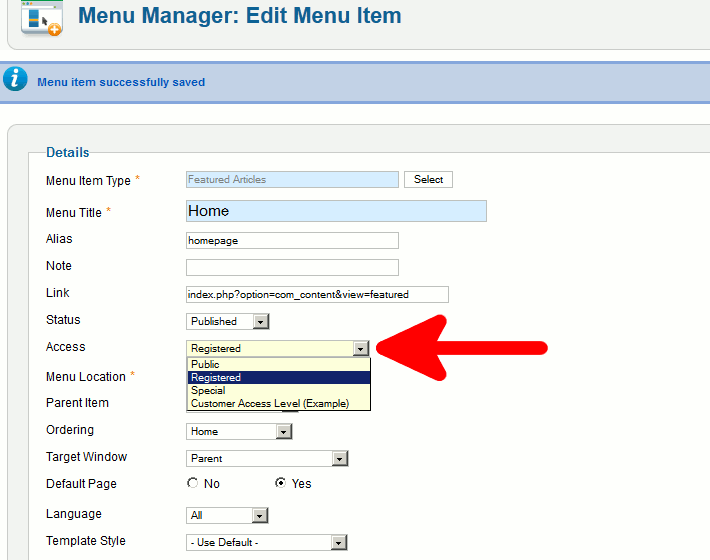
- Click Save in the top right menu
Whenever someone tries to visit the page that is no longer public, they will instead be asked to Please login first:
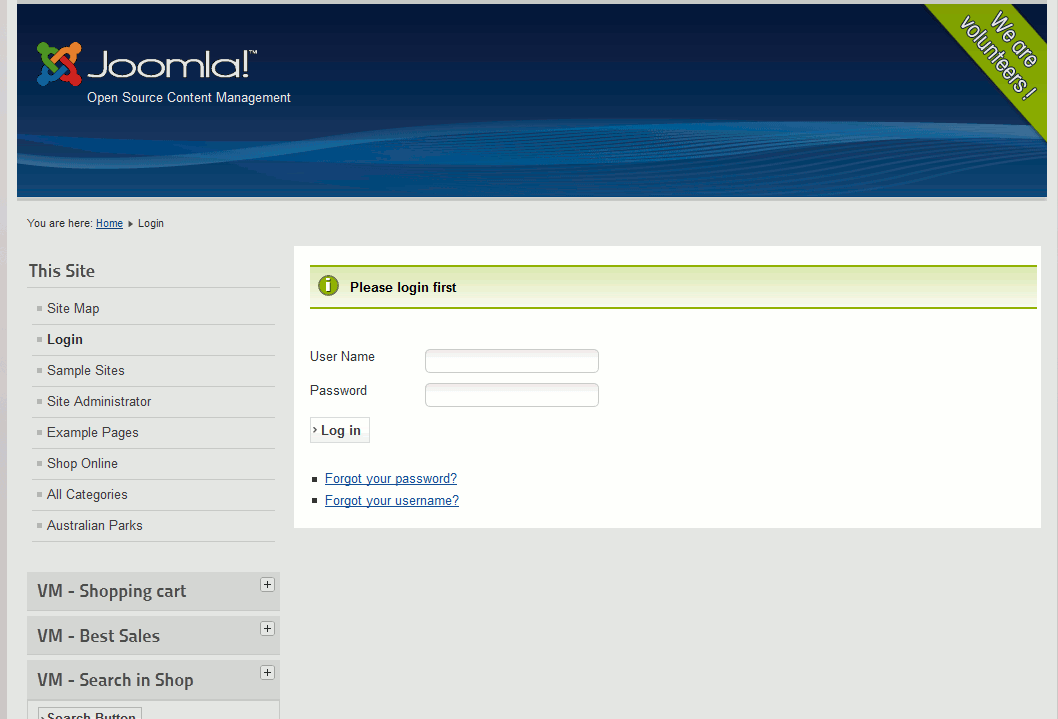
If you’d like, you do have the option to change the Please login first message that you see in the above screenshot.

