Joomla 2.5 has reached its end of life as for 12/31/2014. Please be advised this may be a security risk to your website. You can view more information about the end of life here.
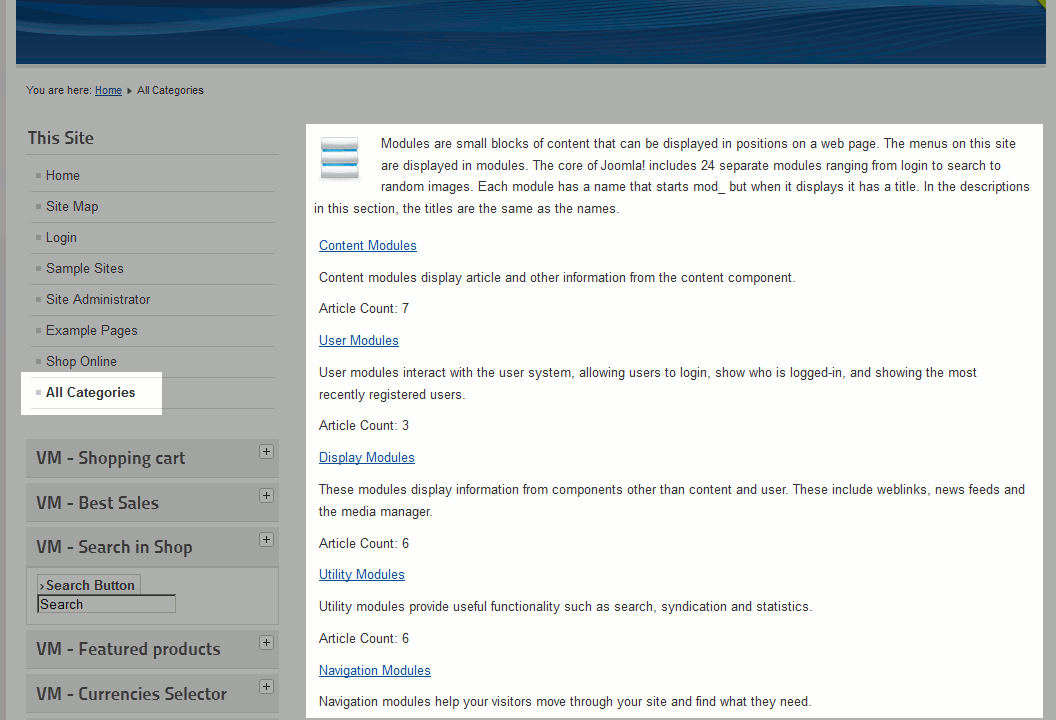
When creating new menu items in Joomla 2.5, one of the available options is a List All Categories menu type. Creating a List All Categories menu item will create a link, that when clicked, will bring users to a page that list all categories within a specific parent category (which you can select).
How to create a List All Categories menu item in Joomla 2.5:
- Log into your Joomla admin
- In the top menu, hover over Menus, hover over the menu you want to create the menu item for, and then click Add New Menu Item
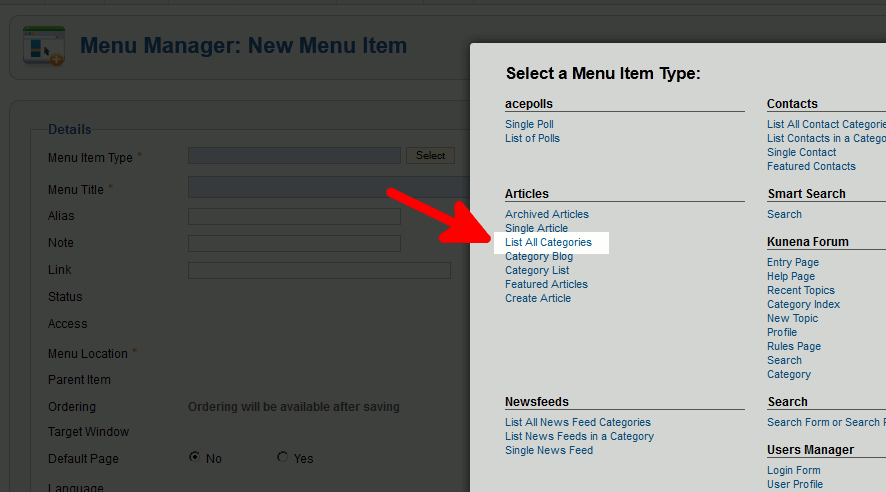
- Next to Menu Item Type, click Select and then click List All Categories
- Next to Menu Title, enter a name for the menu item
- Next to Select a Top Menu Category, select the top category that you would like to show all categories within
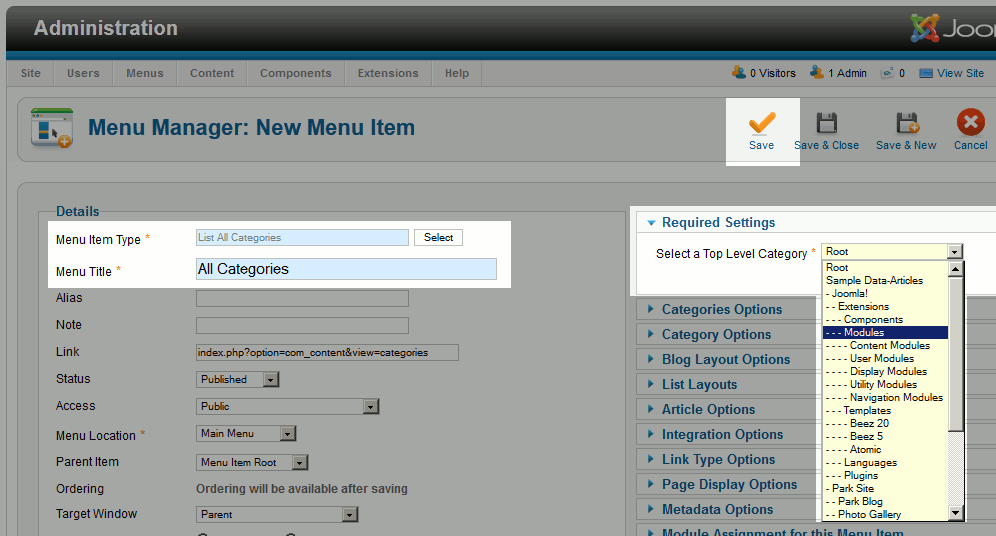
- Click Save in the top right menu
- Visit your Joomla 2.5 website, find and click on your new link, and you will then see a listing of all categories within the top menu category you selected!