When migrating a WordPress site from a previous hosting provider to InMotion Hosting, there are some introductory topics that may benefit you if you understand them. In subsequent article we will discuss in detail the process further. However, we do want to cover some basics here.
Access to Files and Databases
In order to successfully migrate your WordPress website, you will need to make sure you have access to all of your files of your WordPress site as well as the database associated with it. If you do not have access to both of these, you will need to contact your previous host to get access.
Setting up the Domain in cPanel
If the domain you are working with is your primary domain, you can skip this step. However, if your new WordPress site is an add-on domain, be sure that the domain is already set up as an add-on domain within your cPanel account.
suPHP – the Advantages
Your account with InMotion Hosting uses suPHP which is PHP, but is configured to be optimized for security and ease of use. Many other web hosts do not run suPHP. Let’s discuss the advantages of suPHP.
suPHP is more Secure
suPHP runs on the server as your user instead of the ‘nobody’ user on the server. this allows you to more finely control the file permissions and not leave them open. If you were uploading pictures to your WordPress website without suPHP, your folder’s permissions would need to be set to 777. Through various vulnerabilities within plugins or any other software installed on your account, a file or folder on your account could be modified or uploaded by a hacker for malicious intent.
UPDATE – most servers now run PHP-FPM which has the security benefits of suPHP and runs faster.
File Ownership Issues Resolved
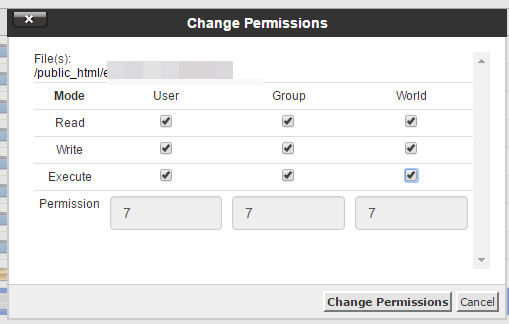
With suPHP, when you upload any files, like a new template for your WordPress website, the files are owned by your user. This may not sound special, since from a logical perspective since you uploaded the files, your user should “own” them. However, on Linux based servers, there is a user named “nobody”. If your server isn’t running suPHP the user “nobody” would actually own the files you uploaded. this would prevent you from manually editing the files or deleting them from the server altogether. suPHP allows you to not have to worry about file permissions.
Considering a Move to a VPS?
Hosting on a Shared Account works well for a few WordPress sites running a few low resource intense plugins. However, if your website is starting to scale, it is important that your website has enough resources to stay online. Check out our VPS plans to see which is right for you.
Please check the next article on Migrating your WordPress Database. For more information on migrating sites, please visit this article on how to easily move your WordPress site to a new server.
