In this tutorial:
The Primary Domain name is the domain name you originally signed up your hosting account under. There can be times when knowing the primary domain name is important, for example when you need to contact the Live Support department. If you have forgotten or cannot find it, this article will help you locate it either within your AMP (Account Management Panel) or the cPanel dashboard.

Finding your Primary Domain Name in the cPanel
- Log into your cPanel admin dashboard.
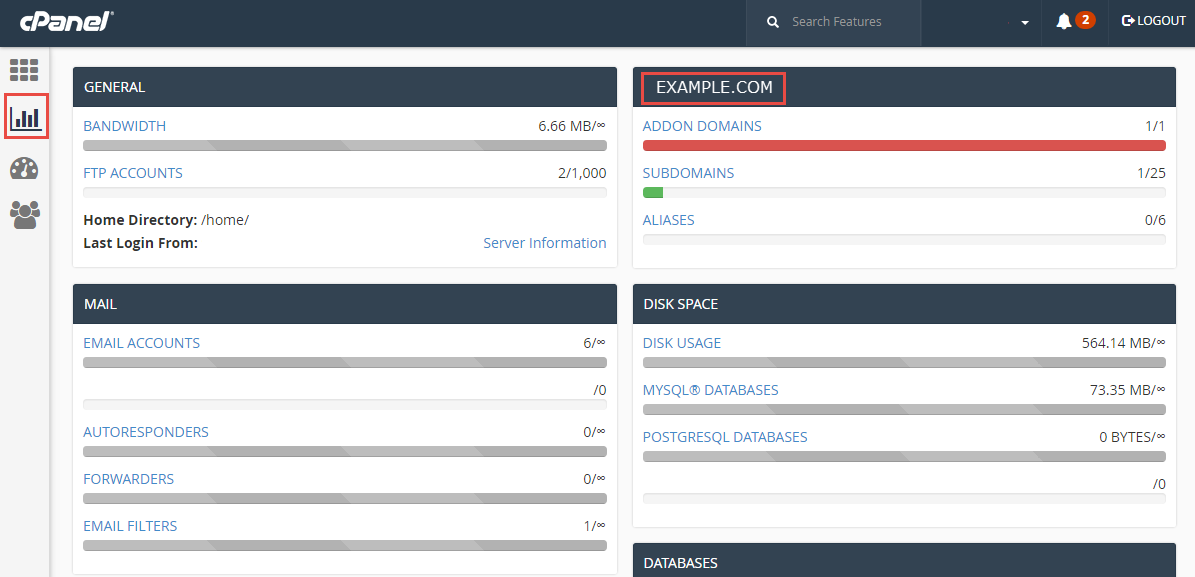
- Look to the left hand side menu. Click on the second icon down labeled Statistics. You will see the primary domain name in the right column to the right of the GENERAL section. The primary domain name will be in the top right hand box. The screenshot below shows the domain as EXAMPLE.COM.

Finding your Primary Domain Name in the AMP
- Log in to your AMP (Account Management Panel).
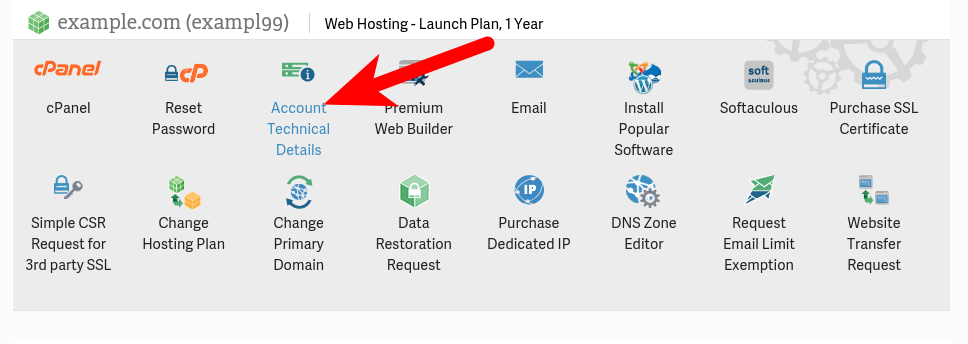
- Find your hosting plan, and click the Account Technical Details button below it.
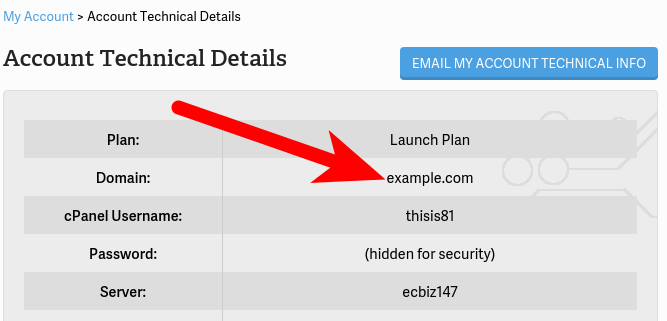
You will then see your Primary Domain listed next to the Domain section.


You know are able to locate your primary domain name with both the cPanel and the AMP!