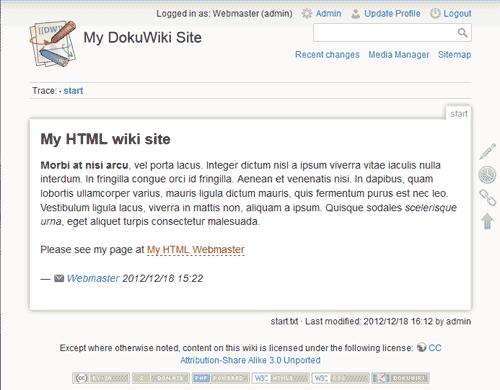
DokuWiki is a free Open Source Software that has many templates available for free online. Switching templates within the administration section is very simple compared to other wiki software. While some wiki programs require the code to be edited on the server to change the template, DokuWiki just has a simple drop box where you can change the template in the admin area.
There is a great repository of free templates available at DokuWiki. The snapshot to the right shows what the intitial installed DokuWiki template looks like. This article will explain how to change the DokuWiki template to Default, upload a free template, and switch the theme and sidebar options within the Round Corner template.
Changing the DokuWiki template to the Default template
When DokuWiki is first installed, the initial template that loads is the DokuWiki template. The other template that comes with DokuWiki is the Default template. The following will explain how to switch the template from the DokuWiki template to the Default Template.
- Log into DokuWiki.
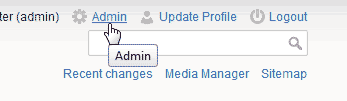
Click the Admin link at the top.
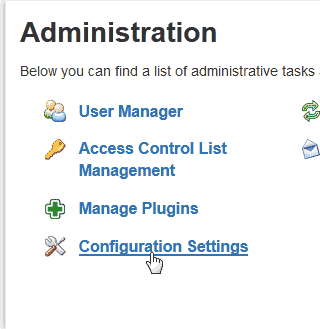
Select the Configuration Settings link in the Administration.
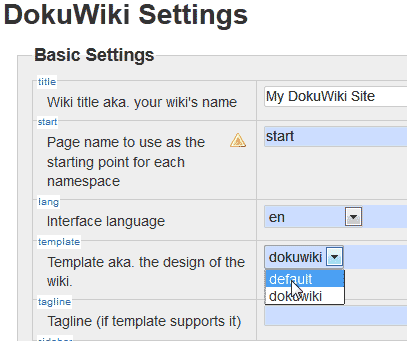
On the DokuWiki settings page, Select Default from the “Template aka the design of the wiki” drop box.
Click Save.
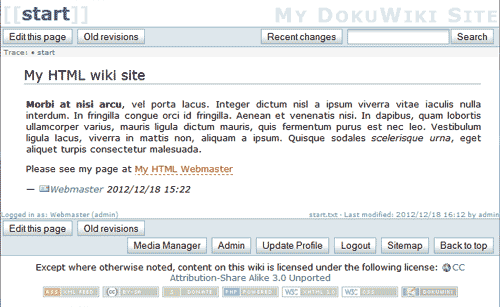
Now the appearance of your DokuWiki site will have the Default template displayed.





Uploading a free DokuWiki theme
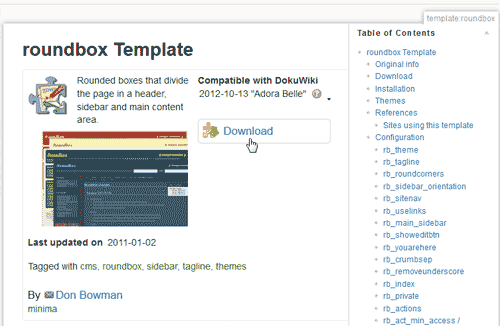
By Default, a new installation of DokuWiki only has the DokuWiki and Default templates. In this section, we will upload the Round Corner template to the server. Download the Round Corner Template from the following link.
www.dokuwiki.org/template:roundbox
The file should have the following file name when you download it.
template_roundbox_20110102.zip
- Login to your cPanel
- Go to the File Manager
- Navigate to the public_html/yourfolder/lib/tpl folder and upload the .zip file.
Note! Replace “yourfolder” in the path with the directory your dokuwiki was installed to.
- Extract the .zip file to the following:
public_html/yourfolder/lib/tpl
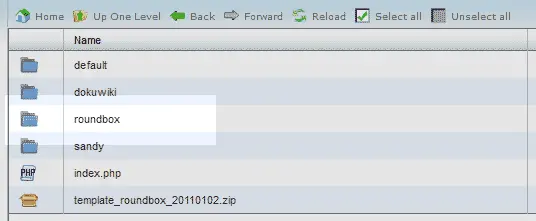
The folder for the Round Corner theme will show with the other templates like the snapshot to the right.
- Log into DokuWiki as admin.
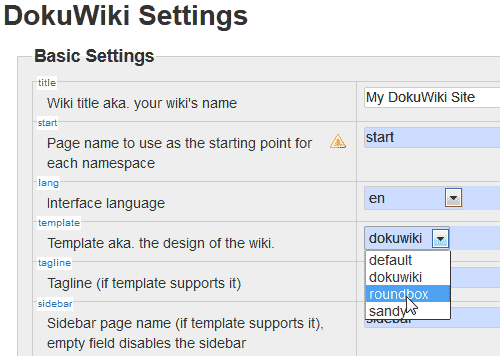
Go to Admin > Configuration settings.
- Scroll to the bottom and click Save.
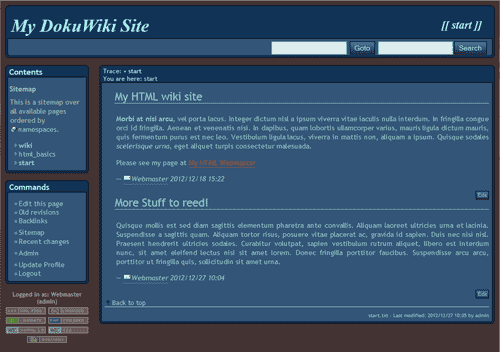
Now your Dokuwiki site will have the Round Corner theme



Changing the theme on the Round Corner template
The theme is different than the template. The template is the over all “Skin” of the site. The Theme is a setting that can be changed for the template. Not all templates have this option. The DokuWiki theme for example does not have the Template settings available. The followinf steps will explain how to change the theme in the Round Corner template
- Log into DokuWiki.
- Go to Admin > Configuration settings.
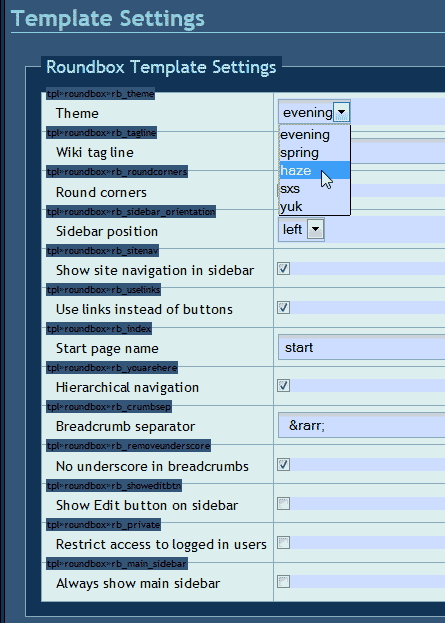
On the Template settings section, select haze from the Theme drop box..
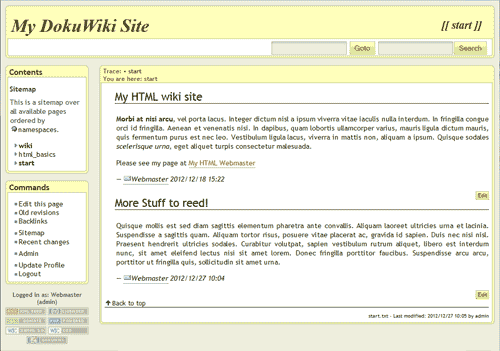
Click Save.
Now your DokuWiki will have the “Haze” theme for the Round Corber template. See image on the right.


Changing the template sidebar setting from left to right
- Log into DokuWiki.
- Go to Admin > Configuration settings.
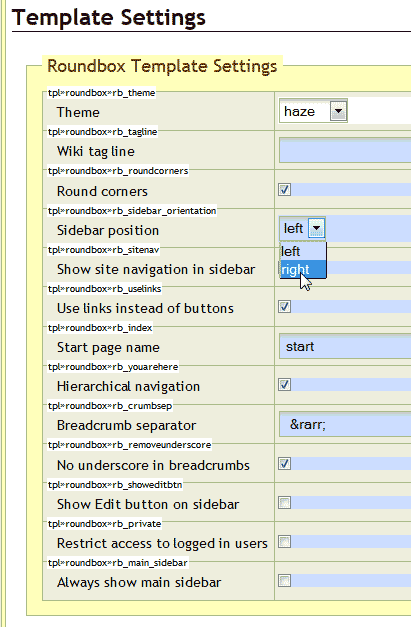
In the Template Settings, select right from the Sidebar position.
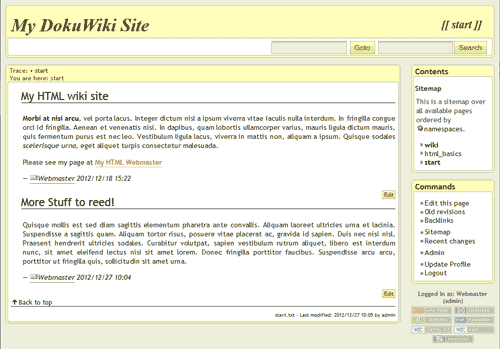
Click Save. The template sidebar is now on the right like the snapshot.

