There are two webmail options available with InMotion Hosting; Roundcube and Horde. While they all let you access and create emails, the interfaces are a little different. In this tutorial, we will show you how to compose a new email in RoundCube.
Composing an Email in RoundCube
- Login to webmail with the email account you want to send from.
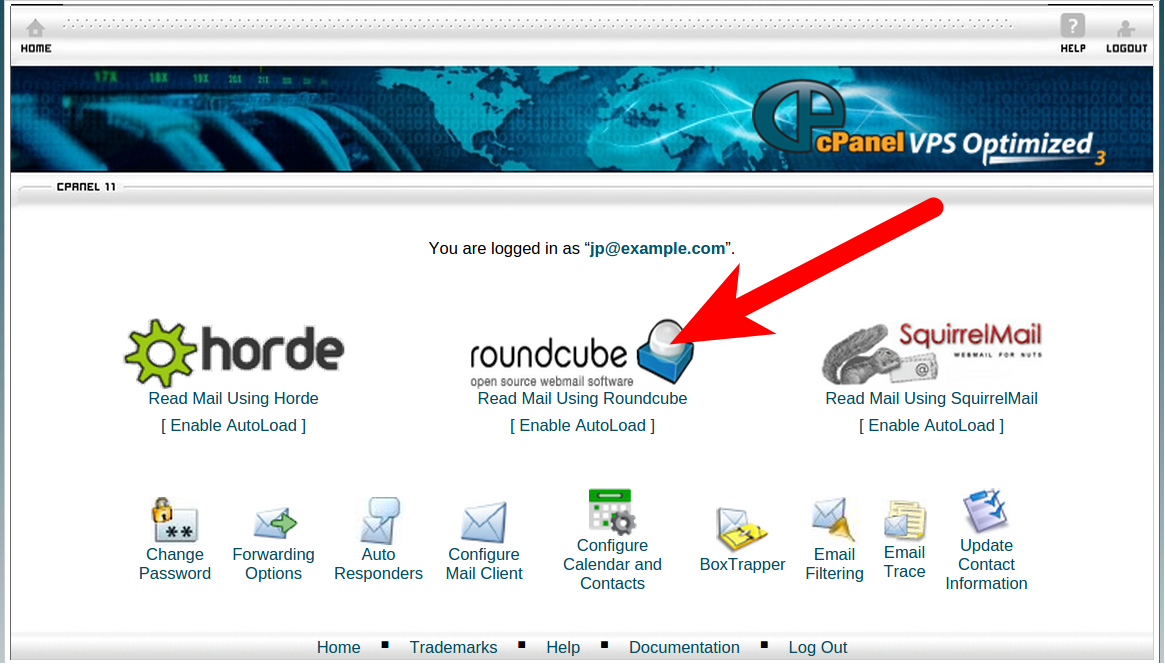
- Click Roundcube from the webmail options.

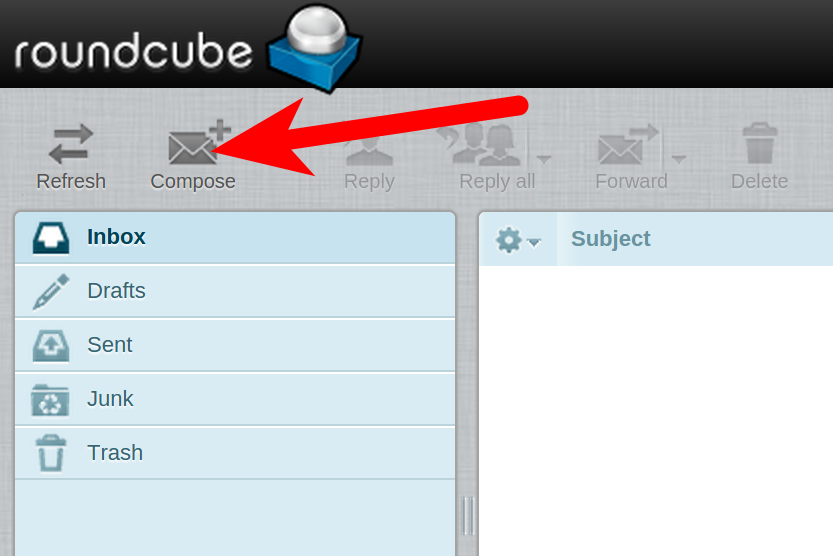
- You will then be logged into your webmail via Roundcube. Click the Compose button.
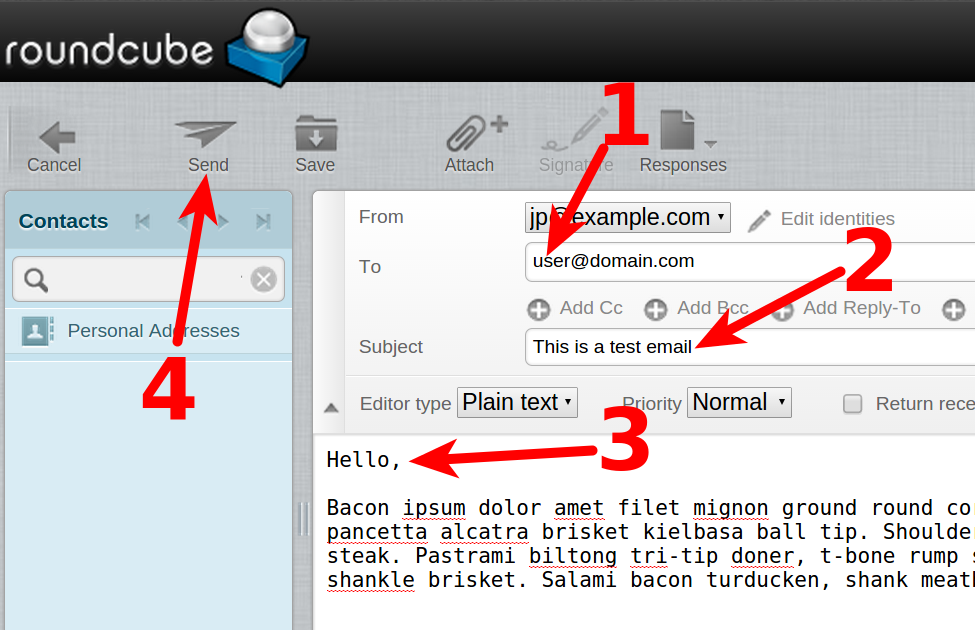
- You will then be on the email composition page in Roundcube. Fill in the To, and Subject fields, then type your email message in the body.
- When you have typed your email, click the Send button. You email will then be sent to the recipient.


Congratulations, now you know how to compose an email in Roundcube!