Joomla 2.5 has reached its end of life as for 12/31/2014. Please be advised this may be a security risk to your website. You can view more information about the end of life here.
When users sign up for new accounts on your Joomla 2.5 website, if your new user activation settings are set to either “None” or “Self”, by default your Joomla administrator will be sent an email notification. If you would prefer that your Admin is not sent this email, you can toggle the setting Off.
To prevent Joomla 2.5 admin email notifications after new user accounts are created:
- Log into your Joomla 2.5 dashboard
- In the top menu, hover over Users and click User Manager
- In the top right menu, click Options
- Next to Notification email to Administrators, select No
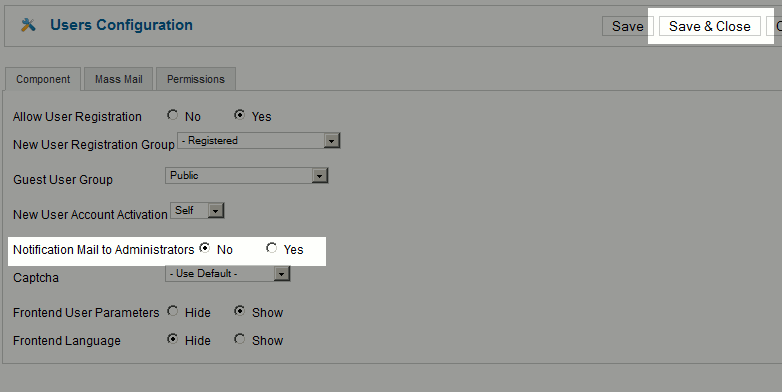
- click Save & Close.
At this point you have successfully disable email notifications to administrators when new users have registered on your Joomla 2.5 site!
