In this guide we will show you how to allow users to register for your WordPress site. When they register, they will be setup as a Subscriber by default. You can change the user’s permission level after they have registered, which will be covered in later tutorials.
How to Allow Users to Register
- Login to the Admin section of your WordPress
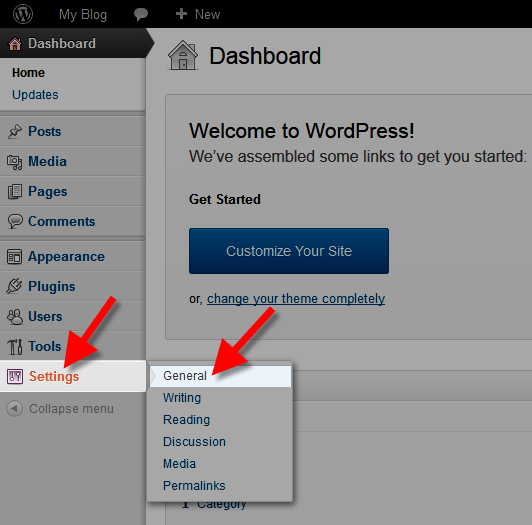
- Roll your mouse over the Settings link in the navigation menu, then click General.
- Click the check box next to Anyone can register.
- Now, click the drop-down box labeled Subscriber.
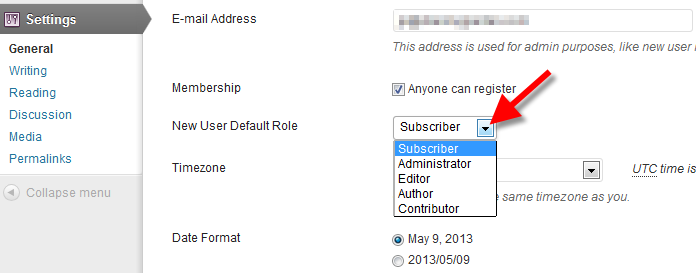
You can choose a different default role here. By default, people that register are given Subscriber permissions. WordPress defines the roles as:
Administrator – somebody who has access to all the administration features within a single site.
Editor – somebody who can publish and manage posts including the posts of other users.
Author – somebody who can publish and manage their own posts.
Contributor – somebody who can write and manage their own posts but cannot publish them.
Subscriber – somebody who can only manage their profile. - Click the Save Changes button. You will then see a message stating Settings saved.


Congratulations,now you know how to let users register for your WordPress site!