In addition to changing to a new theme completely with preset color combinations, you may want to experiment with different color sets to change the look of your site even more. Some themes offer this option. In addition to color sets where the theme has a selction of preset color combinations, you can also change each color individually. This allows you to further customize a theme to your specific tastes. Changing individual colors on a theme in Drupal 7 is simple with these steps:
Changing the separate colors on a theme in Drupal 7:
- Log into your Drupal 7 Admin panel.
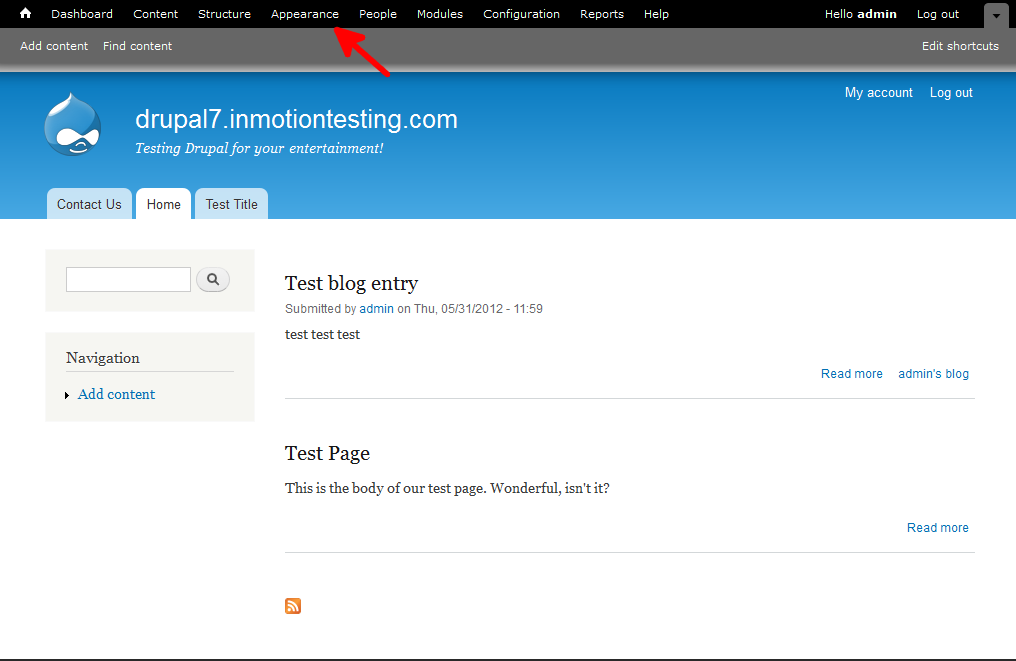
- Using the top menu area, click on the Appearance option.
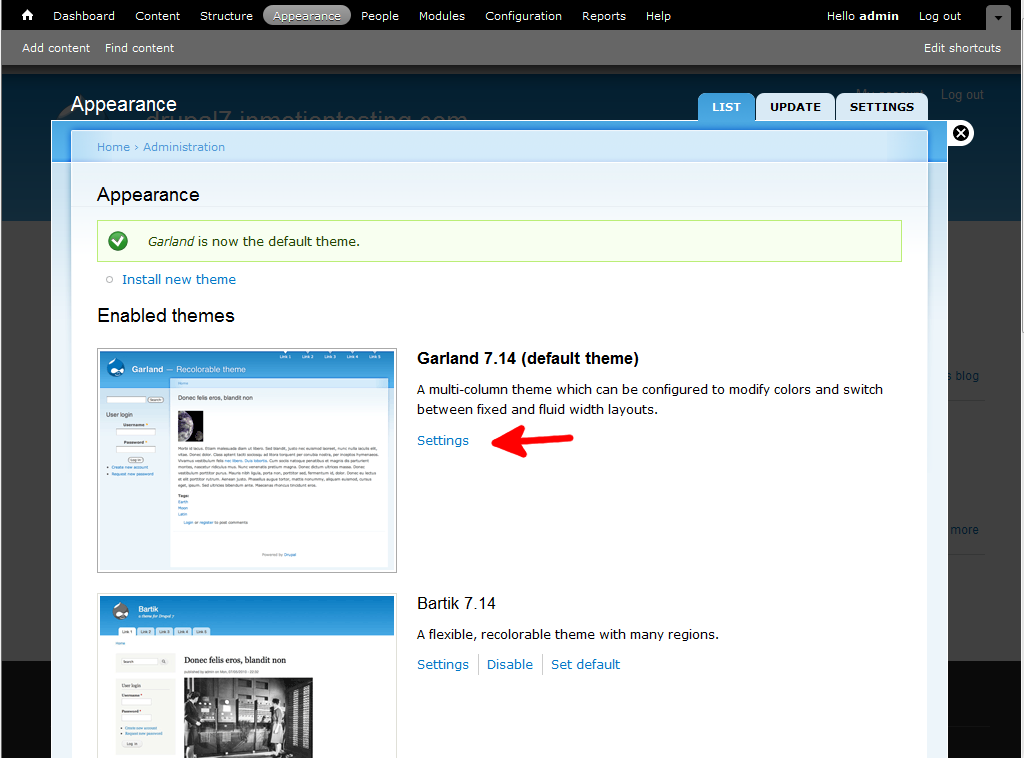
- This will bring up the themes page. You will see all enabled themes in the top portion of the screen with the current theme at the very top. Find the Settings link for the theme and click that to go to the next screen.
- From this screen, find the color settings located under the Color Set dropdown. Here you can select colors for the different areas of the page, Base Color, Link Color, Header top, Header bottom, and Text color. Click on the label of the color you want to change. If you want to have colors for two or more settings stay within certain ranges of each other, simply click the small lock icon to link them together.
In this example, I linked the Link color and Header Top together. Now, simply use the color wheel to the right to select your color for the selected. You can see the colors in the preview area below the settings.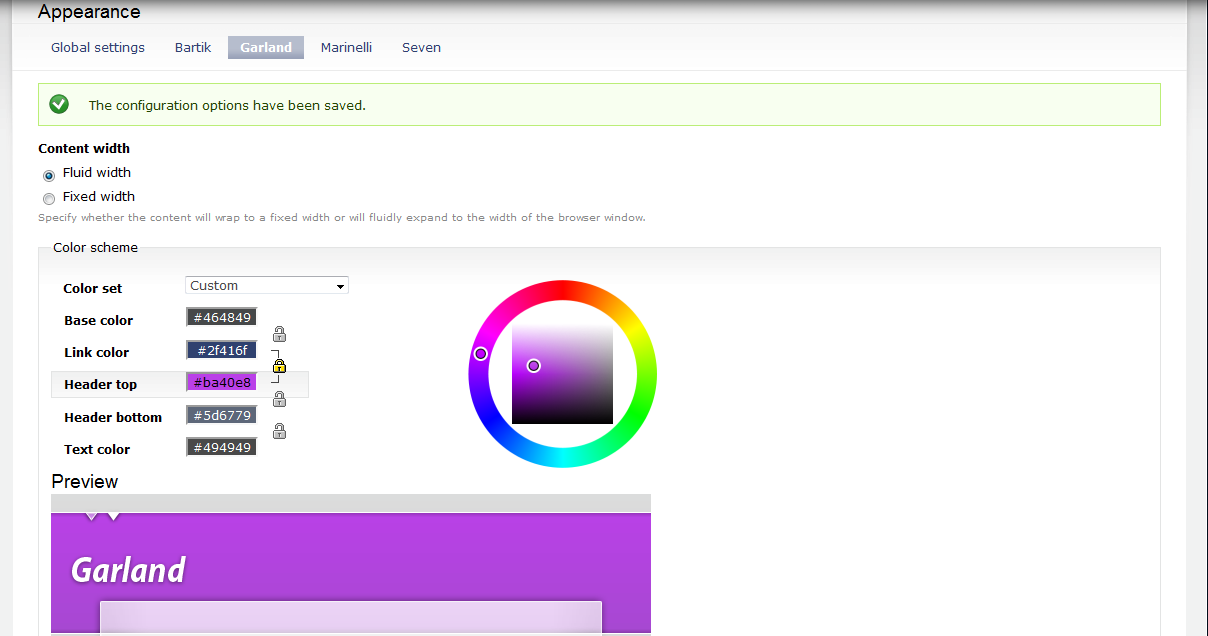
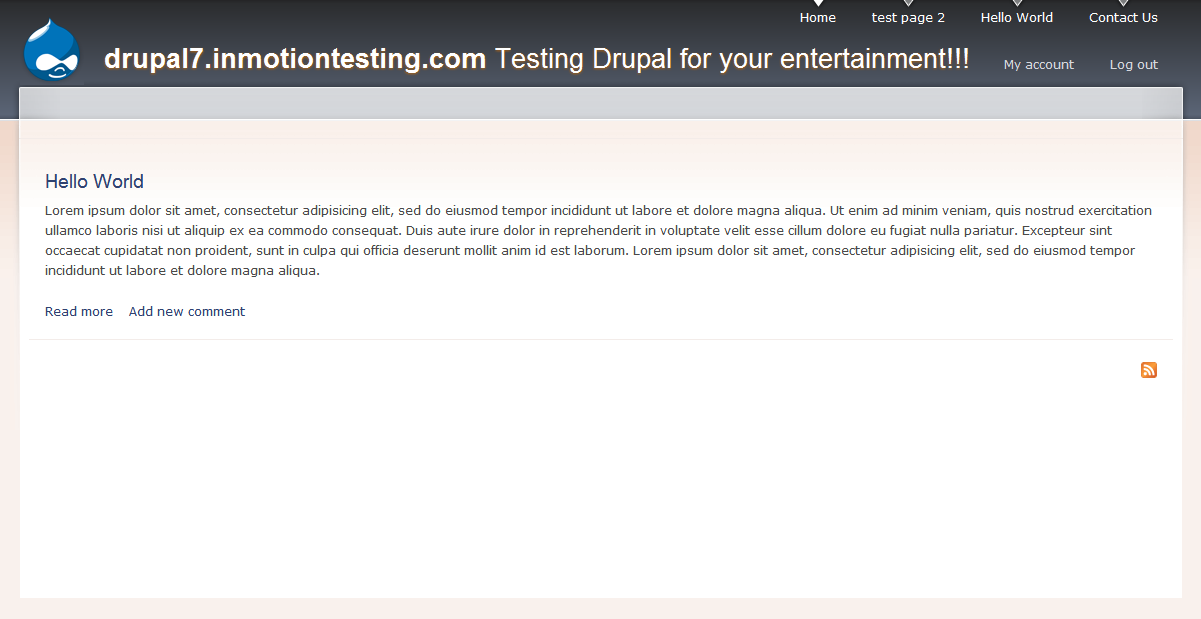
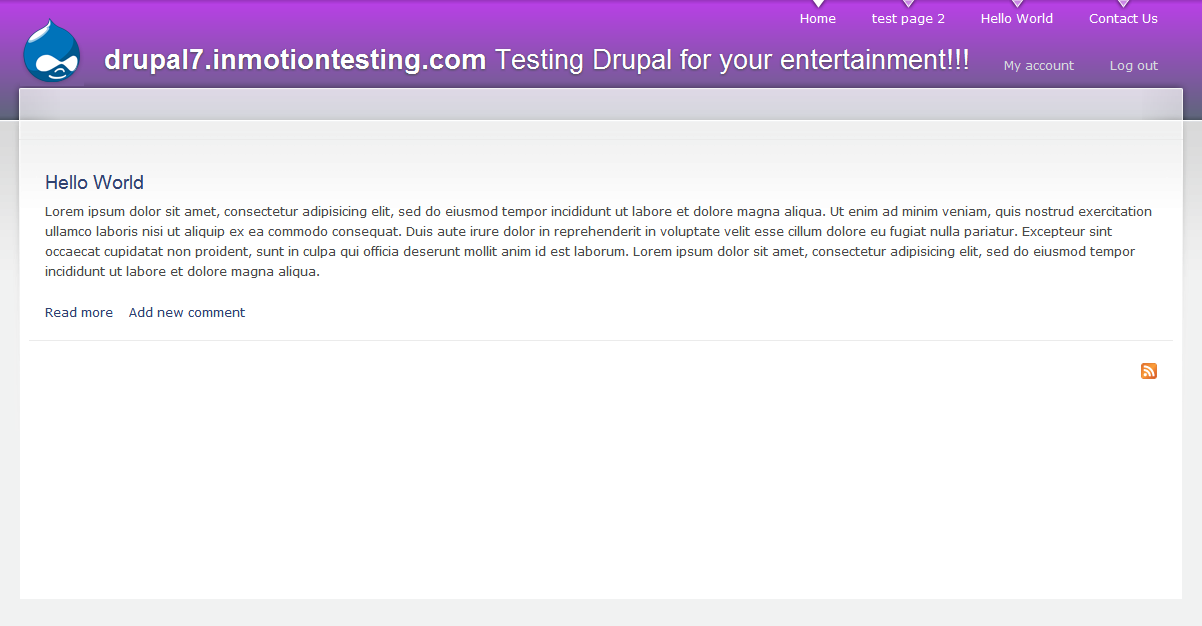
- Once you have decided on a color scheme, click the Save Configuration button at the bottom of the page. Below is a sample of how customizing the colors can change the look of your site.
Before After