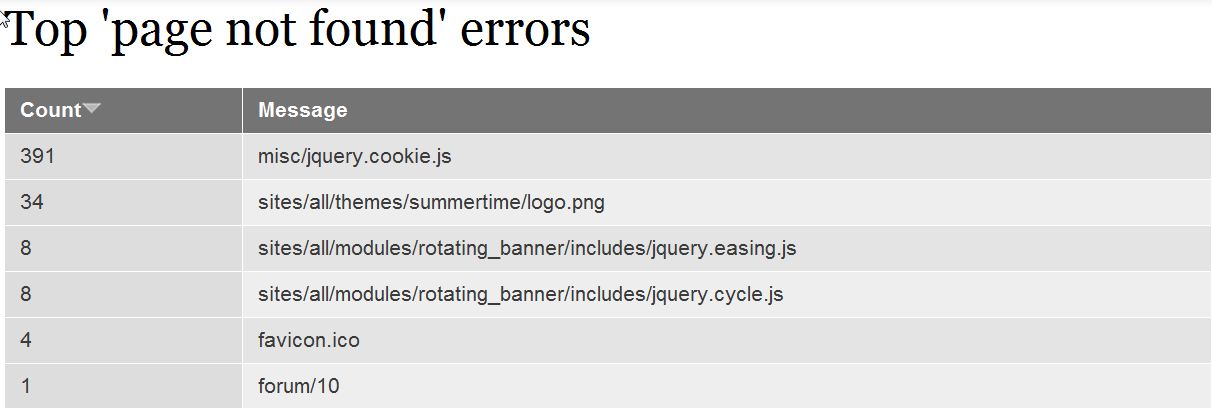
Finding 404 page not found errors in Drupal 7 Carrie SmahaUpdated on June 19, 2025 1 Minute Read Drupal 7 makes finding “page not found” errors simple. Page not found errors are easily found through your Drupal 7 admin dashboard. Log into the Drupal admin dashboard Go to Reports Click on “Top ‘page not found’ errors“ Now that you can see the ‘page not found’ errors on your website, you can work on correcting the issues. The results show you how many times the 404 error was caused and the path to the page that was not found. For more step-by-step guides and practical tips, visit our Drupal Education Channel. Share this Article Carrie Smaha Senior Manager Marketing Operations Carrie Smaha is a digital strategy, web development, and SEO leader with 20 years of experience. She built her foundation in fast-paced agency environments before moving in-house to InMotion Hosting, where she leads go-to-market programs, agency initiatives, and technical product marketing that connects product capability to real customer decisions. More Articles by Carrie Related Articles Getting Started Guide: Drupal How to Use the Simple XML Sitemap Drupal Module Finding 404 page not found errors in Drupal 7 Removing the site title in Drupal 8 Content Types in Drupal 8 Disabling user images for posts and comments in Drupal 8 How to add an image in Drupal 7 How to upload your custom logo in your Drupal 7 theme Setting custom logos in your Drupal 8 theme Fixing the “An unrecoverable error occurred” error in Drupal