Within your hosting account, there are various tools that you can use to manage your hosting account and build a website. Not all of these tools are tied together, and in this article, we hope to clear up any confusion on logins between the multiple systems.
AMP – Account Management Panel
When you login to AMP, you actually login using your email address as a username. If you have forgotten your password, please use the I don’t know my password link on the AMP login page. Please note, when using the Forgot Password feature for AMP, enter just your domain name (do not include https:// or www).
Related Articles:
cPanel – Your Hosting Account’s Control Panel
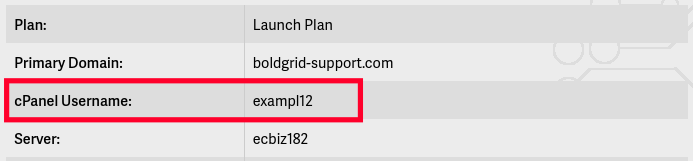
Your cPanel username can be found within AMP. To find your cPanel username:
- Log into AMP
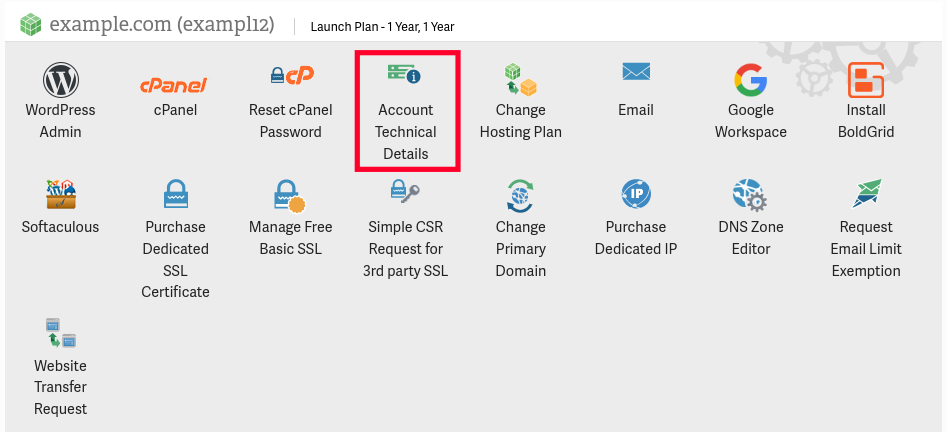
- Click the Account Technical Details button.
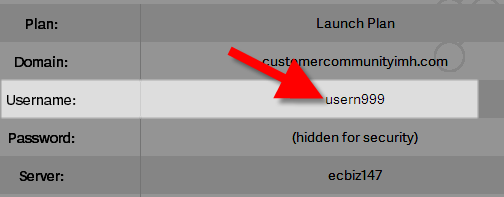
- Your cPanel username will be listed next to Username
Related Articles:
Email passwords can be reset in cPanel and from the webmail interface. However, you would need to know the cPanel password in order to gain access to the interface that can change the email password. The webmail interface requires that you know the existing email password, so this option may not the best if you’ve lost your email account password. To see the steps necessary to reset your password using either of these methods, please read:
FTP
FTP stands for file transfer protocol and is used for uploading and downloading files from your hosting account. Your cPanel username and password are actually an FTP account as well, so you can use your cPanel username and password to login to your account via FTP. You also have the option to create FTP accounts for other users. For more help with this, please see:
Related Articles:
WordPress
If you forgot your WordPress username you can view it in the database and there are several ways that you can reset your password.
I Forgot My Username
If you do not know your username, you can always go into the database to locate it as it is stored there. The following steps will walk you through doing so.
- First, log into cPanel and select the PHPMyAdmin option.
- Once in PHPMyAdmin, select the database that you have WordPress installed on.
- The table that your WordPress users are stored in is the users table. Of course, the name of this table will be prefaced with whatever prefix that you defined when you installed WordPress. Click on that table on the left side of the screen to open it up.
- Once the table is open, you should see a few different columns there. Your WordPress user is defined in the user_login column.
I Forgot My Password
WordPress offers several options for resetting your password. You may reset your password via FTP, phpMyAdmin, or the “Forgot Password” button on the login screen. The following article will walk you through the process of resetting your passwords: