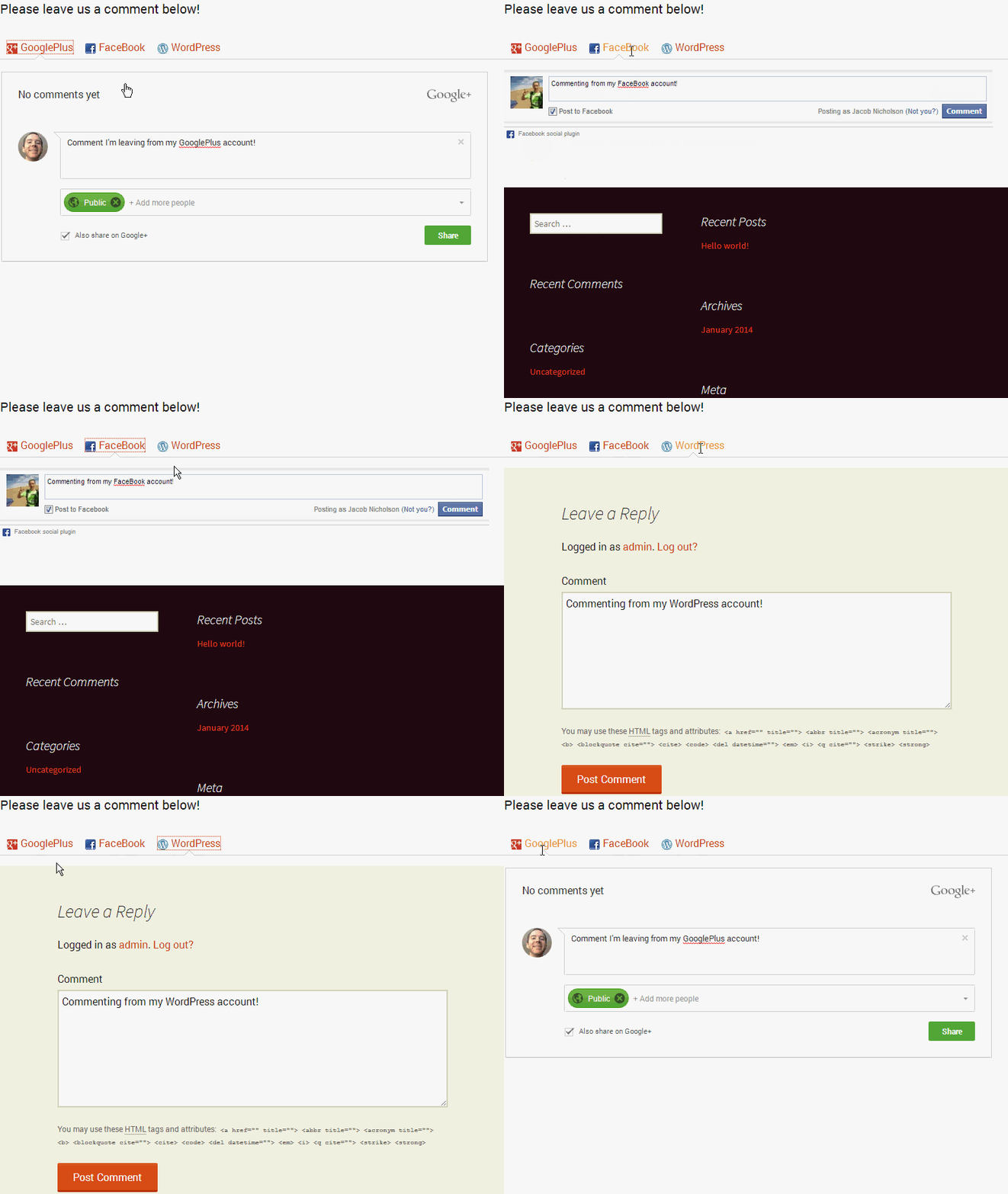
The WordPress Comments Evolved plugin easily integrates a more robust commenting system into WordPress. Comments can be left from GooglePlus, FaceBook, Disqus, Livefyre , as well as normal WordPress comments.
Allowing users to comment from their favorite social media accounts, instead of having to create a WordPress account on your site is a great way to use social media to bring traffic to your site.
Using a plugin like WordPress Comments Evolved can also help prevent spam comments on your WordPress site by forcing visitors to use their social media accounts instead of just a dummy account they create.
Install the WordPress Comments Evolved plugin
This plugin is really easy to install and get running as it’s pretty self explanatory what each settings does. You can follow the steps below to get this plugin working on your WordPress site:
- Login to your WordPress admin dashboard.
-
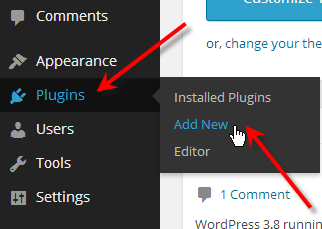
Hover over Plugins and click on Add New.
-
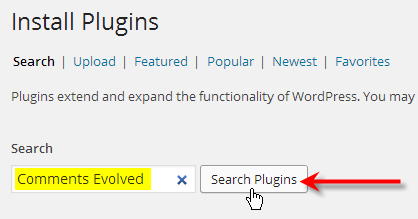
Type in Comments Evolved and click on Search Plugins.
-
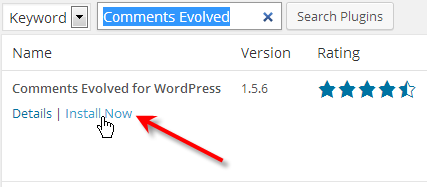
Under Comments Evolved for WordPress, click on Install Now.
-
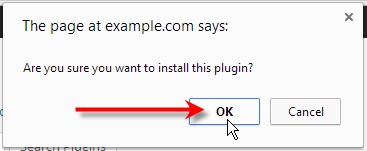
Click OK on the confirmation pop-up.
-
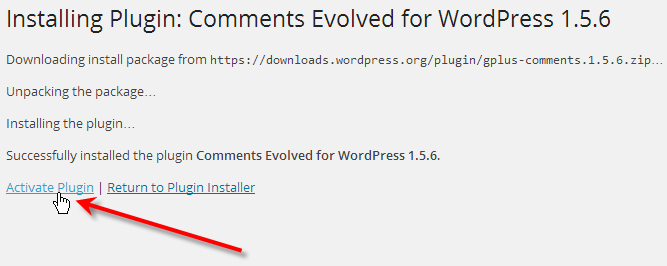
After the plugin installs, click Activate Plugin.
-
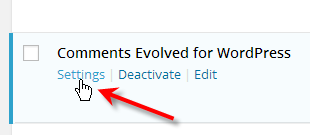
Now under the plugin, click Settings.
-
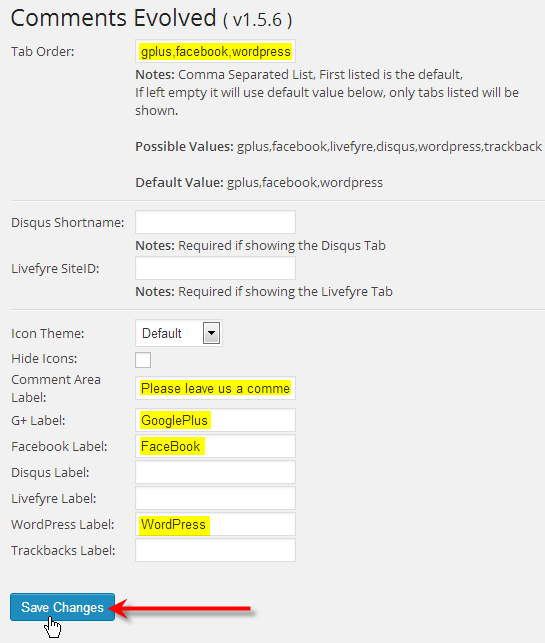
Fill in all of the settings you’d like to use, then click Save Changes
-
Now you should see the different tabs that you filled out available in your comment section.