
Drupal 7 provides you with a report that lists all the fields currently in use on your Drupal website. This report gives you a basic overview of fields on all entity (content) types. The report displays the field name, field type, and where the field is used in (content type). This report can easily be accessed in your Drupal 7 admin dashboard.
- Log into your Drupal 7 Dashboard
- Go to Reports
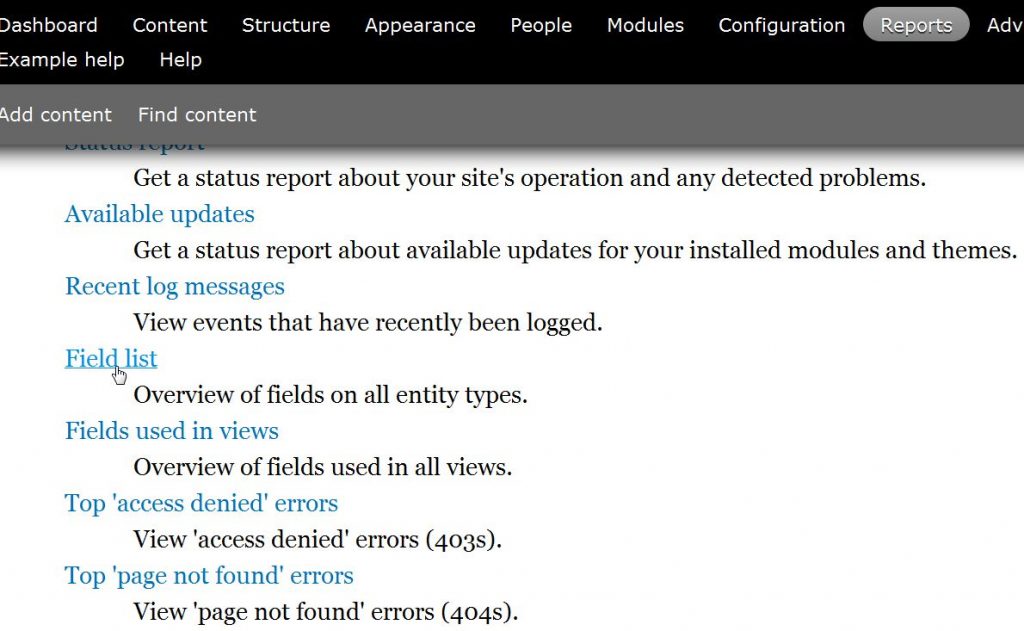
- Select “Field List“
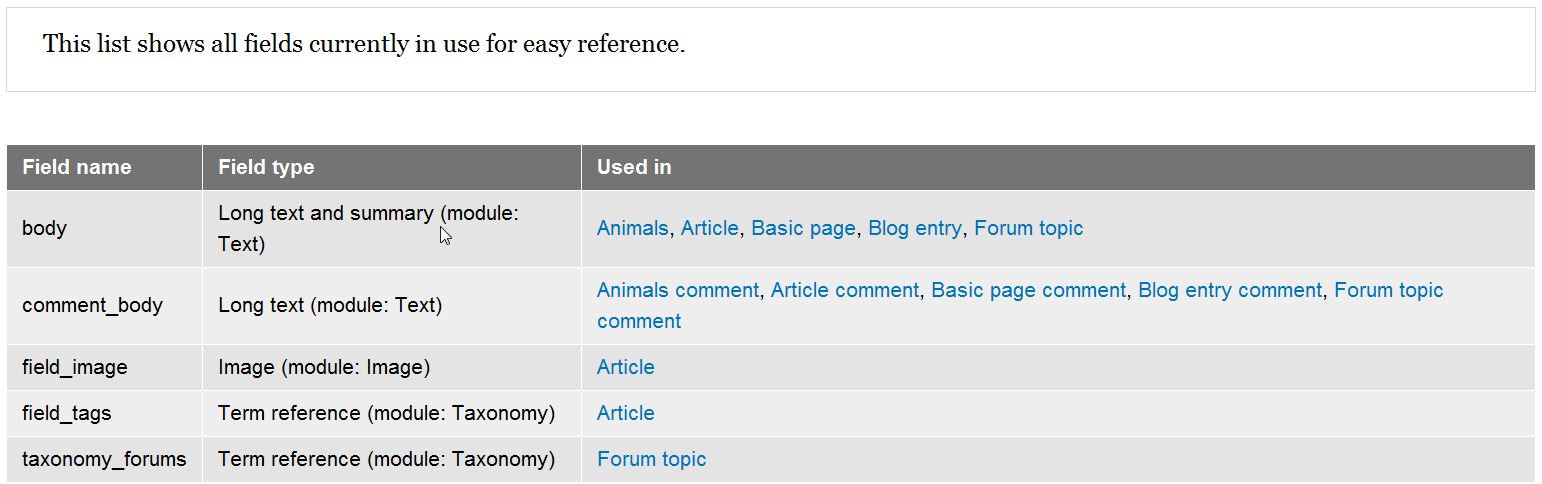
From here you can click on the various content types under the Used in column. You’ll then be able to edit the fields, but be advised this is for advanced users only.

For more step-by-step guides and practical tips, visit our Drupal Education Channel.