Joomla 2.5 has reached its end of life as for 12/31/2014. Please be advised this may be a security risk to your website. You can view more information about the end of life here.
In Joomla, modules are placed in positions, and those positions are defined by your template. If needed, you can however put a Joomla 2.5 module in an article. In this tutorial, we’re going to place the Search module in one of our test articles.
This tutorial is just one of many tutorials we have on working with extensions in Joomla 2.5. For example, in our last extension tutorial we showed you the steps on uninstalling extensions in Joomla 2.5.
To put a Joomla 2.5 module in an article:
- Log into your Joomla 2.5 Dashboard
- In the top menu, hover over Extensions and click Module Manager
- Use the filter feature to find the module you want to put in an article, and then click the module
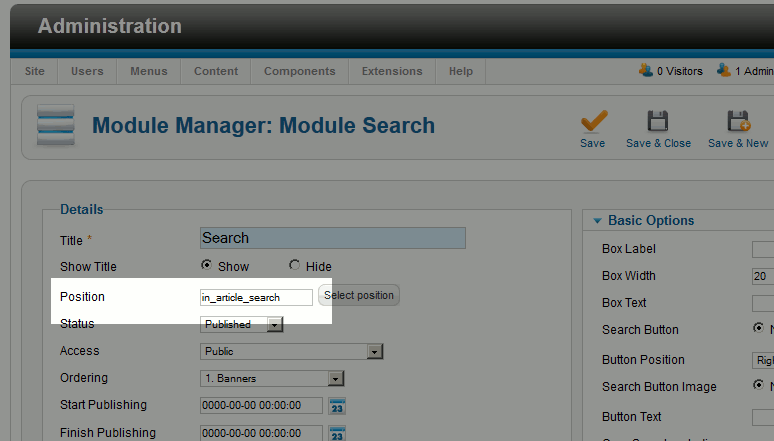
- Type in a new position name (one that won’t conflict with any positions used by your template). In our example, we typed in in_article_search
- Under Module Assignment, select the pages you want to assign the module to. Then click Save.
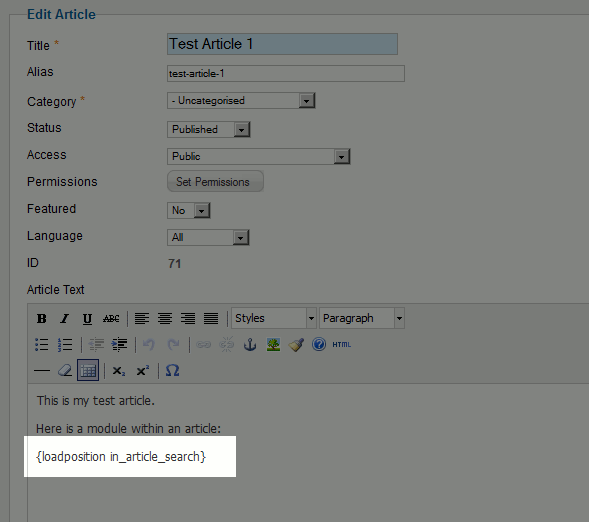
- Open the article for edit you want to place the module in, and put in the following text:{loadposition myposition}
Be sure to replace myposition with the position you created earlier. In our example, we typed in:
{loadposition in_article_search}
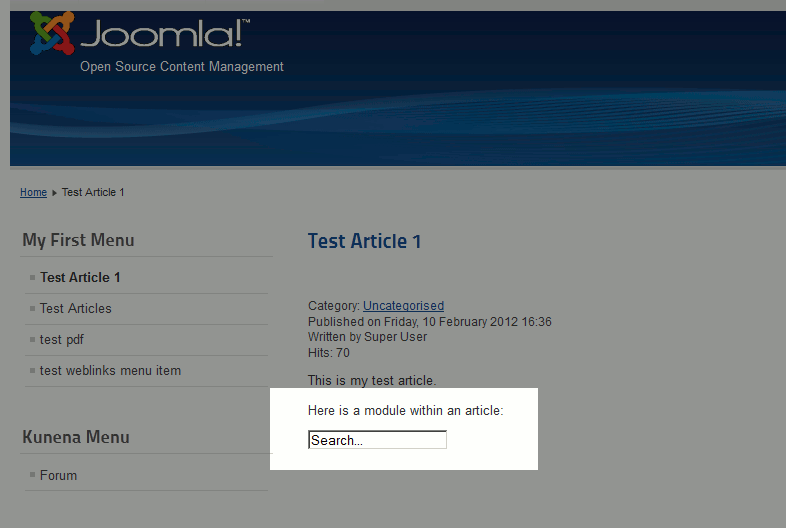
- Save your article and then test your website. You should now see a module in a Joomla 2.5 article.
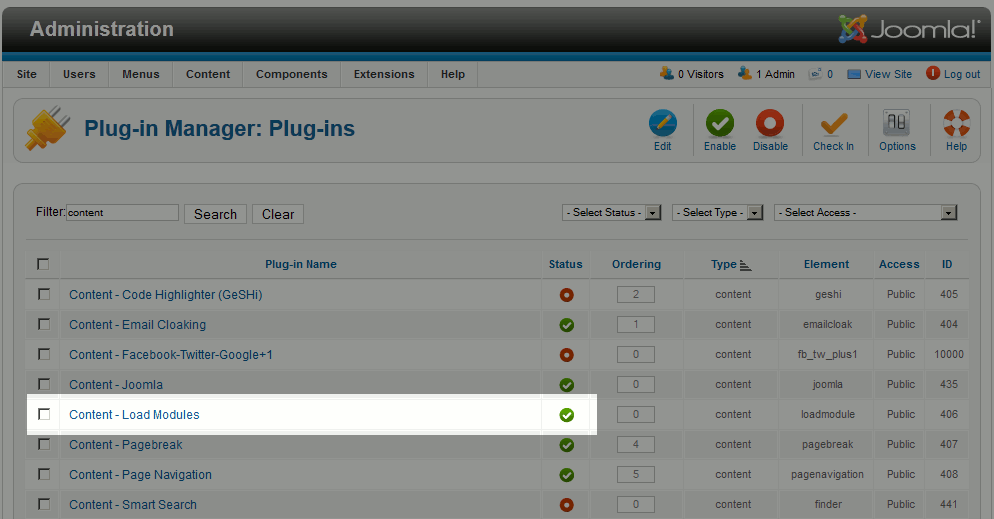
Note: In order for the steps above to work, the Content – Load plugin needs to be enabled. It should be enabled by default, but if you have any trouble with placing a module in an article, make sure it is enabled.